Showing posts with label application security. Show all posts

Friday, September 29, 2017

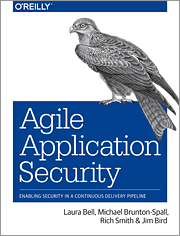
Agile Application Security book

This is the first post in a while. I've been busy working on a bunch of projects. One of them is now finally complete: a book on Agile Application Security for O'Reilly, with Laura Bell, Michael Brunton-Spall, and Rich Smith.

In this book we try to build bridges between the security community and Agile teams, by taking advantage of our different experiences and viewpoints:

  • Rich's extensive experience as a pen tester, and running the security team at Etsy.
  • Michael's experience in hyperdrive Agile development, DevOps and security at The Guardian and the UK Digital Service.
  • Laura's work as a software developer and application security cat herder with large and small organizations in many different stages on their journeys to Agile adoption.
  • My work in development and operations in enterprise financial technology.

This is a unique book that looks at Agile from a security perspective, and security from an Agile perspective.

We explain the driving ideas and key problems in security, and the core enabling practices in Agile that help teams succeed, and how security programs can leverage Agile ideas and practices. How to deal with important risks and problems, and how to scale.

We look in detail at security practices and tools in an Agile context: threat and risk management, how to think about security in requirements, secure coding and code reviews, security testing in Continuous Integration and Continuous Deployment, what scanning can and cannot do for you, building hardened infrastructure and running secure systems, and putting all of this together into automated pipelines and feedback loops.

We also step through regulatory compliance and how to achieve continuous compliance; and how to get value from working with outsiders, including auditors, pen testers and bug bounty programs. We end with how to build an agile security culture and how to break down walls between engineers and security.

It was a unique opportunity to work with experts around the world: Michael in the UK, Laura in New Zealand, Rich in the US. Challenging, exhausting, and a great learning experience.

Our hope is that it offers value to developers who work in Agile environments and are new to security; to people in the security community who want to understand how security can keep up with high-velocity Agile and DevOps teams; and even to people who are expert in both.

Thursday, June 2, 2016

DevOpsSec: Using DevOps to Secure DevOps

I finished writing an e-book for O'Reilly on DevOpsSec: Securing Software through Continuous Delivery. It explains how to wire security into Continuous Delivery, and how to use Continuous Delivery and programmable Infrastructure as Code and other DevOps practices to build and operate more secure systems. It is based on approaches followed by organizations like Etsy, Netflix, LMAX, Amazon, Intuit, Google, and others, including my own firm.

The e-book is available for free download at: http://www.oreilly.com/webops-perf/free/devopssec.csp. I'd appreciate feedback and corrections.

Wednesday, December 23, 2015

DZone's 2015 Guide to Application Security

DZone recently published a Guide to Application Security. It provides a good overview of effective appsec tools and practices, including my article 10 Steps to Secure Software, which looks at the latest release of OWASP's Proactive Controls project.

Wednesday, December 9, 2015

Help make Software Development Safe and Secure

The OWASP community is working on a new set of secure developer guidelines, called the "OWASP Proactive Controls". The latest draft of these guidelines have been posted in "world edit" mode so that anyone can make direct comments or edits to the document, even anonymously.

You can help make software development safer and more secure by reviewing and contributing to the guidelines at this link:

https://docs.google.com/document/d/1e38W6fGv6PmTEFSAwCr9rOj_ACAeKz1bKYgDj2mCACs/edit?usp=sharing.

Thanks for your help!

Wednesday, June 24, 2015

Top 10 Lists for Designing and Writing Secure and Safe Software

If you care about writing secure code, should know all about these Top 10 lists:

OWASP Top 10

The OWASP Top 10 is a community-built list of the 10 most common and most dangerous security problems in online (especially web) applications. Injection flaws, broken authentication and session management, XSS and other nasty security bugs.

These are problems that you need to be aware of and look for, and that you need to prevent in your design and coding. The Top 10 explains how to test for each kind of problem to see if your app is vulnerable (including common attack scenarios), and basic steps you can take to prevent each problem.

If you’re working on mobile apps, take time to understand the OWASP Top 10 Mobile list.

IEEE Top Design Flaws

The OWASP Top 10 is written more for security testers and auditors than for developers. It’s commonly used to classify vulnerabilities found in security testing and audits, and is referenced in regulations like PCI-DSS.

The IEEE Center for Secure Design, a group of application security experts from industry and university researchers, has taken a different approach. They have come up with a Top 10 list that focuses on identifying and preventing common security mistakes in architecture and design.

This list includes good design practices such as: earn or give, but never assume trust; identify sensitive data and how they should be handled; understand how integrating external components changes your attack surface. The IEEE’s list should be incorporated into design patterns and used in design reviews to try and deal with security issues early.

OWASP Proactive Controls

IEEE’s approach is principle-based – a list of things that you need to think about in design, in the same way that you think about things like simplicity and encapsulation and modularity.

The OWASP Proactive Controls, originally created by security expert Jim Manico, is written at the developer level. It is a list of practical, concrete things that you can do as a developer to prevent security problems in coding and design. How to parameterize queries, and encode or validate data safely and correctly. How to properly store passwords and to implement a forgot password feature. How to implement access control – and how not to do it.

It points you to Cheat Sheets and other resources for more information, and explains how to leverage the security features of common languages and frameworks, and how and when to use popular, proven security libraries like Apache Shiro and the OWASP Java Encoder.

Katy Anton and Jason Coleman have mapped all of these controls together (the OWASP Top 10, OWASP Proactive Controls and the IEEE Security Flaws), showing how the OWASP Proactive Controls implement safe design practices from the IEEE list and how they prevent or mitigate OWASP Top 10 risks.

You can use these maps to look for gaps in your application security practices, in your testing and coding, and in your knowledge, to identify areas where you can learn and improve.

Friday, May 22, 2015

Appsec: The gaps between Builders and Defenders

This year's SANS Institute State of Application Security Survey, which I worked on with Eric Johnson and Frank Kim, looks at the gaps between Builders (the people who design and develop software) and Defenders (application security and information security professionals and operations).

We found that more developers - and managers - are coming to understand the risks and costs of insecure software, and are taking security more seriously. And defenders are doing a better job of understanding software development and how to work with developers. But there's still a long way to go.

Developers still need better skills in secure software development and a better understanding of application security risks. And time to learn and apply these skills. Defenders are trying to catch up with developers and Lean/Agile development, injecting security earlier into requirements and design, leveraging automated tools and services to accelerate security testing. But they are coming up against organizational and communications silos, and managers who put marketing priorities (features and time-to-market) ahead of everything else.

More than 1/3 of the organizations surveyed are looking at secure DevOps as a way to help bridge these gaps, break down the silos and bring development and security together. This is going to require some serious changes to how application security and development are done, but it offers a new hope for secure software.

You can read the detailed report of the survey results here.

Thursday, April 30, 2015

Can DevOps(Sec) make Software more Secure?

There was a lot of talk at RSA this year about DevOps and security: DevOpsSec or DevSecOps or Rugged DevOps or whatever people want to call it. This included a full-day seminar on DevOps before the conference opened and several talks and workshops throughout the conference which tried to make the case that DevOps isn’t just about delivering software faster, but making software better and more secure; and that DevOps isn't just for the Cloud, but that it can work in the enterprise.

Rugged DevOps

The Rugged DevOps story is based on a few core ideas:

Delivering smaller changes, more often, reduces complexity. Smaller, less complex changes are easier to code and test and review, and easier to troubleshoot when something goes wrong. And this should result in safer and more secure code: less complex code has fewer bugs, and code that has fewer bugs also has fewer vulnerabilities.

If you’re going to deliver code more often, you need to automate and streamline the work of testing and deployment. A standardized, repeatable and automated build and deployment pipeline, with built-in testing and checks, enables you to push changes out much faster and with much more confidence, which is important when you are trying to patch a critical vulnerability.

And using an automated deployment pipeline for all changes – changes to application code and configuration and changes to infrastructure – provides better change control. You know what was changed, by who and when, on every system, and you can track all changes back to your version control system.

But this means that you need to re-tool and re-think how you do deployment and configuration management, which is why so many vendors – not just Opscode and Puppet Labs, but classic enterprise vendors like IBM – are so excited about DevOps.

The DevOps Security Testing Problem

And you also need to re-tool and re-think how you do testing, especially system testing and security testing.

In DevOps, with Continuous Delivery or especially Continuous Deployment to production, you don’t have a “hardening sprint” where you can schedule a pen test or in-depth scans or an audit or operational reviews before the code gets deployed. Instead, you have to do your security testing and checks in-phase, as changes are checked-in. Static analysis engines that support incremental checking can work here, but most other security scanning and testing tools that we rely on today won’t keep up.

Which means that you’ll need to write your own security tests. But this raises a serious question. Who’s going to write these tests?

Infosec? There’s already a global shortage of people who understand application security today. And most of these people – the ones who aren’t working at consultancies or for tool vendors – are busy doing risk assessments and running scans and shepherding the results through development to get vulnerabilities fixed, or maybe doing secure code reviews or helping with threat modeling in a small number of more advanced shops. They don’t have the time or often the skills to write automated security tests in Ruby or whatever automated testing framework that you select.

QA? In more and more shops today, especially where Agile or DevOps methods are followed, there isn't anybody in QA, because manual testers who walk through testing checklists can’t keep up, so developers are responsible for doing their own testing.

When it comes to security testing, this is a problem. Most developers still don’t have the application security knowledge to understand how to write secure code, which means that they also don’t understand enough about security to know what security tests need to be written. And writing an automated attack in Gauntlt (and from what I can tell, more people are talking about Gauntlt than writing tests with it) is a lot different than writing happy path automated unit tests in JUnit or UI-driven functional tests in Selenium or Watir.

So we shouldn’t expect too much from automated security testing in DevOps. There’s not enough time in a Continuous Delivery pipeline to do deep scanning or comprehensive fuzzing especially if you want to deploy each day or multiple times per day, and we won’t get real coverage from some automated security tests written in Gauntlt or Mittn.

But maybe that’s ok, because DevOps could force us to change the way that we think about and the way that we do application security, just as Agile development changed the way that most of us design and build applications.

DevOpsSec – a Forcing Factor for Change

Agile development pushed developers to work more closely with each other and with the Customer, to understand real requirements and priorities and to respond to changes in requirements and priorities. And it also pushed developers to take more responsibility for code quality and for making sure that their code actually did what it was supposed to, through practices like TDD and relentless automated testing.

DevOps is pushing developers again, this time to work more closely with operations and infosec, to understand what’s required to make their code safe and resilient and performant. And it is pushing developers to take responsibility for making their code run properly in production:

“You build it, you run it”
Werner Vogels, CTO Amazon

When it comes to security, DevOps can force a fundamental change in how application security is done today, from "check-then-fix" to something that will actually work: building security in from the beginning, where it makes the most difference. But a lot of things have to change for this to succeed:

Developers need better appsec skills, and they need to work more closely with ops and with infosec, so that they can understand security and operational risks and understand how to deal with them proactively. Thinking more about security and reliability in requirements and design, understanding the security capabilities of their languages and frameworks and using them properly, writing more careful code and reviewing code more carefully.

Managers and Product Owners need to give developers the time to learn and build these skills, and the time to think through design and to do proper code reviews.

Infosec needs to become more iterative and more agile, to move out front, so that they can understand changing risks and threats as developers adopt new platforms and new technologies (the Cloud, Mobile, IoT, …). So that they can help developers design and write tools and tests and templates instead of preparing checklists – to do what Intuit calls “Security as Code”.

DevOps isn’t making software more secure – not yet. But it could, if it changes the way that developers design and build software and the way that most of us think about security.

Wednesday, April 15, 2015

Backdoors, Sabotage or Just Plain Stupidity

Someone on your development team, or a contractor or a consultant, or one of your sys admins, or a bad guy who stole one of these people’s credentials, might have put a backdoor, a logic bomb, a Trojan or other “malcode” into your application code. And you don’t know it.

How much of a real problem is this? And how can you realistically protect your organization from this kind of threat?

The bad news is that it can be difficult to find malcode planted by a smart developer, especially in large legacy code bases. And it can be card to distinguish between intentionally bad code and mistakes.

The good news is that according to research by CERT’s Insider Threat Program less than 5% of insider attacks involve someone intentionally tampering with software: (for a fascinating account of real-world insider software attacks, check out this report from CERT). h Which means that most of us are in much greater danger from sloppy design and coding mistakes in our code and in the third party code that we use, than we are from intentional fraud or other actions by malicious insiders.

And the better news is that most of the work in catching and containing threats from malicious insiders is the same work that you need to do to catch and prevent security mistakes in coding. Whether it is sloppy/stupid or deliberate/evil, you look for the same things, for what Brenton Kohler at Cigital calls “red flags”:

  1. Stupid or small accidental or “accidental” mistakes in security code such as authentication and session management, access control, or in crypto or secrets handling
  2. Hard-coded URLs or IPs or other addresses, hard-coded user-ids and passwords or password hashes or keys in the code or in configuration. Potential backdoors for insiders, whether they were intended for support purposes or not, are also holes that could be exploited by attackers
  3. Test code or debugging code or diagnostics
  4. Embedded shell commands
  5. Hidden commands, hidden parameters and hidden options
  6. Logic mistakes in handling money (like penny shaving) or risk limits or managing credit card details, or in command or control functions, or critical network-facing code
  7. Mistakes in error handling or exception handling that could leave the system open
  8. Missing logging or missing audit functions, and gaps in sequence handling
  9. Code that that is overly tricky, or unclear or that just doesn’t make sense. A smart bad guy will probably take steps to obfuscate what they are trying to do, and anything that doesn’t make sense should raise red flags. Even if this code isn’t intentionally malicious, you don’t want it in your system
  10. Self-modifying code. See above.

Some of these issues can be found through static analysis. For example, Veracode explains how some common backdoors can be detected by scanning byte code.

But there are limits to what tools can find, as Mary Ann Davidson at Oracle, in a cranky blog post from 2014 points out:

"It is in fact, trivial, to come up with a “backdoor” that, if inserted into code, would not be detected by even the best static analysis tools. There was an experiment at Sandia Labs in which a backdoor was inserted into code and code reviewers told where in code to look for it. They could not find it – even knowing where to look."

If you’re lucky, you might find some of these problems through fuzzing, although it’s hard to fuzz code and interfaces that are intentionally hidden.

The only way that you can have confidence that your system is probably free of malcode – in the same way that you can have confidence that your code is probably free of security vulnerabilities and other bugs – is through disciplined and careful code reviews, by people who know what they are looking for. Which means that you have to review everything, or at least everything important: framework and especially security code, protocol libraries, code that handles confidential data or money, …

And to prevent programmers from colluding, you should rotate reviewers or assign them randomly, and spot check reviews to make sure that they are being done responsibly (that reviews are not just rubber stamps), as outlined in the DevOps Audit Defense Toolkit.

And if the stakes are high enough, you may also need eyes from outside on your code, like the Linux Foundations’s Core Infrastructure Initiative is doing, paying experts to do a detailed audit of OpenSSL, NTP and OpenSSH.

You also need to manage code from check-in through build and test to deployment, to ensure that you are actually deploying what you checked-in and built and tested, and that code has not been tampered with along the way. Carefully manage secrets and keys. Use checksums/signatures and change detection tools like OSSEC to watch out for unexpected or unauthorized changes to important configs and code.

This will help you to catch malicious insiders as well as honest mistakes, and attackers who have somehow compromised your network. The same goes for monitoring activity inside your network: watching out for suspect traffic to catch lateral movement should catch bad guys regardless of whether they came from the outside or the inside.

If and when you find something, the next problem is deciding if it is stupid/sloppy/irresponsible or malicious/intentional.

Cigital’s Kohler suggests that if you have serious reasons to fear insiders, you should rely on a small number of trusted people to do most of the review work, and that you try to keep what they are doing secret, so that bad developers don’t find out and try to hide their activity.

For the rest of us who are less paranoid, we can be transparent, shine a bright light on the problem from the start.

Make it clear to everyone that your customers, shareholders and regulators require that code must be written responsibly, and that everybody’s work will be checked.

Include strict terms in employment agreements and contracts for everyone who could touch code (including offshore developers and contractors and sys admins) which state that they will not under any circumstances insert any kind of time bomb, backdoor or trap door, Trojan, Easter Egg or any kind of malicious code into the system – and that doing so could result in severe civil penalties as well as possible criminal action.

Make it clear that all code and other changes will be reviewed for anything that could be malcode.

Train developers on secure coding and how to do secure code reviews so that they all know what to look for.

If everyone knows that malcode will not be tolerated, and that there is a serious and disciplined program in place to catch this kind of behavior, it is much less likely that someone will try to get away with it – and even less likely that they will be able to get away with it.

You can do this without destroying a culture of trust and openness. Looking out for malcode, like looking out for mistakes, simply becomes another part of your SDLC. Which is the way it should be.

Tuesday, April 7, 2015

Towards Compliance as Code

Infrastructure as Code is fundamental to DevOps. Automating the work of setting up and maintaining systems infrastructure. Making it defined, efficient, testable, auditable and standardized.

For the many of us who work in regulated environments, we need more. We need Compliance as Code.

Take regulatory constraints and policies and compliance procedures and the processes and constraints that they drive, and wire as much of this as possible into automated workflows and tests. Making it defined, efficient, testable, auditable and standardized.

DevOps Audit Defense Toolkit

Some big steps towards Compliance as Code are laid out in the Devops Audit Defense Toolkit, a freely-available document which explains how compliance requirements such as separation of duties between developers and operations, and detecting/preventing unauthorized changes, can be met in a DevOps environment, using some common, basic controls:

  1. Code Reviews. All code changes must be peer reviewed before check-in. Any changes to high-risk code must be reviewed a second time by an expert. Reviewers check code and tests for functional and operational correctness and consistency. They look for coding and design mistakes and gaps, operational dependencies, for back doors and for security vulnerabilities. Which means that developers must be trained and guided in how to do reviews properly. Peer reviews also ensure that changes can’t be pushed without at least one other person on the team understanding what is going on.
  2. Static analysis. Static analysis is run on all changes to catch security bugs and other problems. Any violations of coding rules will break the build.
  3. Automated testing is done in Continuous Integration/Continuous Delivery – unit and integration testing, and security testing. The Audit Toolkit assumes that developers follow TDD to ensure a high level of test coverage. All tests must pass.
  4. Traceability of all changes back to the original request, using a ticketing system like Jira (you can’t just use index cards on a wall to describe stories and throw them out when you are done).
  5. Operations checks/asserts after deployment and startup, and feedback from operations monitoring and especially from production failures. Metrics and post mortem review findings are used to drive improvements to testing and instrumentation, as well as deeper changes to policy definition, training and hiring – see John Allspaw’s presentation Ops Meta-Metrics: The Currency you use to pay for Change, from Velocity 2010, on how this can be done.
  6. All changes to code and infrastructure definitions, including bug fixes and patches, are deployed through the same automated, auditable Continuous Delivery pipeline.

A starting point

The DevOps Audit Defense Toolkit provides a starting point, an example to build on. You can add your own rules, checks, reviews, tests, and feedback loops.

It is also a work in progress. There are a few important problems still to be worked out:

Major Changes

The Audit Toolkit describes how standard changes can be handled in Continuous Delivery: small, well-defined, low-impact changes that are effectively pre-approved. Operations and management are notified as these changes are deployed (the changes are logged, information is displayed on screens and included in reports), but there is no upfront communication or coordination of these changes, because it shouldn’t be necessary. Developers can push changes out as soon as they are ready, and they get deployed immediately after all reviews and tests and other checks pass.

But the Audit Toolkit is silent on how to manage larger scale changes, including changes to data and databases, changes to interfaces with other systems, changes required to comply with new laws and regulations, major new customer features and technical upgrades. Changes that are harder to rollout, that have wider impact and higher risk, and require much more coordination. Which is, of course, the stuff that matters most.

You need clear and explicit hand-offs to operations and customer service for larger changes, so that all stakeholders understand the dependencies and risks and impact on how they work so that they can plan ahead. This can still be done in a DevOps way, but it does require meetings and planning, and some project management and paperwork. As an example, see how Etsy manages feature launches.

You also need to ensure that the policies for defining which changes are small enough and simple enough to be pre-approved, and for deciding which code changes are high risk and need additional review, are reasonable and unambiguous and consistent. You need to do frequent reviews to ensure that these policies are rigorously followed and that people don’t misunderstand or try to get away with pushing higher-risk, non-standard changes through without management/CAB oversight and explicit change approval.

Done properly, this means that the full weight of change control is only brought to bear when it is needed – for changes that have real operational or business risk. Then you want to find ways to minimize these risks, to break changes down into smaller pieces, to simplify, streamline and automate as much of the work required as possible, leveraging the same testing and delivery infrastructure.

Security testing

There is a lot of attention to responsible security testing in the Audit Toolkit. Because changes are made incrementally and iteratively, and pushed out automatically, you’ll need tools and tests that work automatically, incrementally and iteratively. Which is unfortunately not how most security tools work, and not how most security testing is done today.

There aren’t that many organizations using tools like Gauntlt or BDD-Security to write higher-level automated security tests and checks as part of Continuous Integration or Continuous Delivery. Most of us depend on dynamic and static scanners and fuzzers that can take hours to run and require manual review and attention, or expensive, time-consuming manual pen tests. This clearly can’t be done on every check-in.

But as more teams adopt Agile and now DevOps practices, the way that security testing is done is also changing, in order to keep up. Static analysis tools are getting speedier, and many tools can provide feedback directly to developers in their IDEs, or work against incremental change sets. Dynamic testing tools and services are becoming more scriptable and more scalable and simpler to use, with open APIs.

Interactive security testing tools like Contrast or Quotium Seeker can catch security errors at run-time as the system is being tested in Continuous Integration/Delivery. And companies like Signal Sciences are working on new ways to do agile security for online systems. But this is new ground: there’s still lots of digging and hoeing that needs to be done.

Do developers need access to production?

The Audit Toolkit assumes that developers will have read access to production logs, and that they may also need direct access to production in order to help with troubleshooting and support. Even if you restrict developers to read only access, this raises concerns around data privacy and confidentiality.

And what if read access is not enough? What if developers need to make a hot fix to code or configuration that can’t be done through the automated pipeline, or repair production data? Now you have problems with separation of duties and data integrity.

What should developers be able to do, what should they be able to see? And how can this be controlled and tracked? If you are allowing developers in production, you need to have solid answers for these questions.

Continuous Deployment or Continuous Delivery?

The Audit Toolkit makes the argument that with proper controls in place, developers should be able to push changes directly out to production when they are ready – provided that these changes are low-risk and only if the changes pass through all of the reviews and tests in the automated deployment pipeline.

But this is not something that you have to do or even can do – not because of compliance constraints necessarily, but because your business environment or your architecture won’t support making changes on the fly. Continuous Delivery does not have to mean Continuous Deployment. You can still follow disciplined Continuous Delivery through to pre-production, with all of the reviews and checks in place, and then bundle changes together and release them when it makes sense.

Selling to regulators and auditors

You will need to explain and sell this approach to regulators and auditors – to lawyers or wanna-be lawyers. Convincing them – and helping them – to look at code and logs instead of legal policies and checklists. Convincing them that it’s ok for developers to push low-risk, pre-approved changes to production, if you want to go this far.

Just as beauty is in the eye of the beholder, compliance is in the opinion of the auditor. They may not agree with or understand what you are doing. And even if one auditor does, the next one may not. Be prepared for a hard sell, and for set backs.

Disciplined, Agile and Lean

The DevOps Audit Defense Toolkit describes a disciplined, but Agile/Lean approach to managing software and system changes in a highly regulated environment.

This is definitely not easy. It’s not lightweight. It takes a lot of engineering discipline. And a lot of investment in automation and in management oversight to make it work.

But it’s still Agile. It supports the rapid pace and iterative, incremental way that development teams want to work today. And Lean. Because all of the work is clearly laid out and automated wherever possible. You can map the value chains and workflows, measure delays and optimize, review and improve.

Instead of detailed policies and procedures and checklists that nobody can be sure are actually being followed, you have automated delivery and deployment processes that you exercise all of the time, so you know they work. Policies and guidelines are used to drive decisions, which means that they can be simpler and clearer and more practical. Procedures and checklists are burned into automated steps and controls.

This could work. It should work. And it’s worth trying to make work. Instead of compliance theater and tedious and expensive overhead, it promises that changes to systems can be made simpler, more predictable, more efficient and safer. That’s something that’s worth doing.
Wednesday, March 4, 2015

Putting Security into Sprints

To build a secure app, you can’t wait to the end and hope to “test security in”. For teams who follow Agile methods like Scrum, this means you have to find a way to add security into Sprints. Here’s how to do it:

Sprint Zero

A few basic security steps need to be included upfront in Sprint Zero:

  1. Platform selection – when you are choosing your language and application framework, take some time to understand the security functions they provide. Then look around for security libraries like Apache Shiro (a framework for authentication, session management and access control), Google KeyCzar (crypto), and the OWASP Java Encoder (XSS protection) to fill in any blanks.
  2. Data privacy and compliance requirements – make sure that you understand data needs to be protected and audited for compliance purposes (including PII), and what you will need to prove to compliance auditors.
  3. Secure development training – check the skill level of the team, fill in as needed with training on secure coding. If you can’t afford training, buy a couple of copies of Iron-Clad Java, and check out SAFECode’s free seminars on secure coding.
  4. Coding guidelines and code review guidelines – consider where security fits in. Take a look at CERT’s Secure Java Coding Guidelines.
  5. Testing approach – plan for security unit testing in your Continuous Integration pipeline. And choose a static analysis tool and wire it into Continuous Integration too. Plan for pen testing or other security stage gates/reviews later in development.
  6. Assigning a security lead - someone on the team who has experience and training in secure development (or who will get extra training in secure development) or someone from infosec, who will act as the point person on risk assessments, lead threat modeling sessions, coordinate pen testing and scanning and triage the vulnerabilities found, bring new developers up to speed.
  7. Incident Response - think about how the team will help ops respond to outages and to security incidents.

Early Sprints

The first few Sprints, where you start to work out the design and build out the platform and the first-ofs for key interfaces and integration points, is when the application’s attack surface expands quickly.

You need to do threat modeling to understand security risks and make sure that you are handling them properly.

Start with Adam Shostack’s 4 basic threat modeling questions:

  1. What are you building?
  2. What can go wrong?
  3. What are you going to do about it?
  4. Did you do an acceptable job at 1-3?

Delivering Features (Securely)

A lot of development work is business as usual, delivering features that are a lot like the other features that you’ve already done: another screen, another API call, another report or another table. There are a few basic security concerns that you need to keep in mind when you are doing this work. Make sure that problems caught by your static analysis tool or security tests are reviewed and fixed. Watch out in code reviews for proper use of frameworks and libraries, and for error and exception handling and defensive coding.

Take some extra time when a security story comes up (a new security feature or a change to security or privacy requirements), and think about abuser stories whenever you are working on a feature that deals with something important like money, or confidential data, or secrets, or command-and-control functions.

Heavy Lifting

You need to think about security any time you are doing heavy lifting: large-scale refactoring, upgrading framework code or security plumbing or the run-time platform, introducing a new API or integrating with a new system. Just like when you are first building out the app, spend extra time threat modeling, and be more careful in testing and in reviews.

Security Sprints

At some point later in development you may need to run a security Sprint or hardening Sprint – to get the app ready for release to production, or to deal with the results of a pen test or vulnerability scan or security audit, or to clean up after a security breach.

This could involve all or only some of the team. It might include reviewing and fixing vulnerabilities found in pen testing or scanning. Checking for vulnerabilities in third party and Open Source components and patching them. Working with ops to review and harden the run-time configuration. Updating and checking your incident response plan, or improving your code review or threat modeling practices, or reviewing and improving your security tests. Or all of the above.

Adding Security into Sprints. Just Do It.

Adding security into Sprints doesn’t have to be hard or cost a lot. A stripped down approach like this will take you a long way to building secure software. And if you want to dig deeper into how security can fit into Sprints, you can try out Microsoft’s SDL for Agile. Just do it.

Wednesday, January 28, 2015

Required Reading: Iron Clad Java

They didn't teach appsec in Comp Sci or in engineering or MIS or however you learned how to program. And they probably still don’t. So how could you be expected to know about XSS filter evasion or clickjacking attacks, or how to really store passwords safely.

Your company can’t afford to send you on expensive appsec training, and you’re too busy coding anyways. Read a book? There hasn't been a good book that explains how to write secure Java in, well… ever.

But all that’s changed. Now you learn how to build a secure Java app at your desk or on the train or on the toilet.

Iron Clad Java, by Jim Manico and August Detlefsen, has arrived. This is a master class in secure Java design and coding, written for developers by guys who truly know their shit.

While it is focused on web apps, a lot of the book applies equally to mobile, Cloud, real-time and back-end systems, any kind of online system in Java.

There’s no time wasted on theory. Iron Clad Java explains the most common and most dangerous attacks and how to defend against them, using straight forward patterns and Open Source libraries and free tools from OWASP.

Each chapter is short and easy to read, with practical, up to date (as of Java 8) information and sample code:

  1. Fundamentals of web app security: HTTP/S, validating input
  2. Access control: common anti patterns and mistakes, how to design access control for single company or multitenant apps, how to use Apache Shiro and Spring Security
  3. Authentication and session management: you shouldn’t be writing this code on your own (this is what frameworks are for), but if you have to, here’s how to do it, as well as how to handle remember me and forgot password features, multi-factor authentication and more
  4. XSS defense: how to use the OWASP Java Encoder, HTML Sanitizer and JSON Sanitizer libraries and JQuery encoding
  5. CRF defense and Clickjacking: random tokens and framebusting
  6. Protecting sensitive data: how to do signing and crypto correctly, using Google KeyCzar and Bouncy Castle
  7. SQL injection and other kinds of injection: prepare your statements
  8. Safe file upload and file i/o
  9. Logging and error handling: what to log, what not to log, logging frameworks, safe error handling, using logging for intrusion detection
  10. Security in the SDLC

So no more excuses.

Monday, January 26, 2015

If you got bugs, you’ll get pwned

The SEI recently published some fascinating research which shows a clear relationship between software quality and software security.

The consensus of researchers is that at least half, and maybe as many as 70% of common software vulnerabilities are fundamental code quality problems that could be prevented by writing better software. Sloppy coding. Not checking input data. Bad – or no – error handling. Brackets in the wrong spot... Better code is more secure.

Using Bug Counts to Predict Security Vulnerabilities – and vice versa

The more bugs you have, the more security problems you have.

Somewhere between 1% and 5% of software defects cause security vulnerabilities. Which means you can get a good idea of how secure an application is based on how many bugs it has.

If you do everything right:

  1. Developers are trained in secure development so that they can prevent – or at least find and fix – security problems
  2. The system is designed and built with a deliberate focus on quality and security
  3. You collect/measure defect data and use it to assess and improve your development practices
Then you should expect to find only 1 security vulnerability for every 100 (give or take) bugs. If you're not paying attention to security and quality, then the number of security vulnerabilities in the code will obviously be much higher. The more bugs that you find, the more security vulnerabilities you have somewhere in the code, still waiting to be found.

Heartbleed and Goto Fail = Bad Coding

The SEI looked at recent high profile security vulnerabilities including Heartbleed and the Apple “goto fail” SSL bug, both of which were caused by coding mistakes that could have and should have been caught in code reviews or thorough unit testing (read Martin Fowler’s exhaustive analysis here). No black hat security magic here. Just standard, accepted good development practices.

This research also points out the limits of static analysis tools in ensuring safe and secure code. Bugs that could have been found by people working carefully could not be found by tools:
“Heartbleed created a significant challenge for current software assurance tools, and we are not aware of any such tools that were able to discover the Heartbleed vulnerability at the time of announcement”.
The only way to find the Heartbleed bug with today’s leading tools is to write custom rules or overrides, which means that you have to anticipate that this code is bad in the first place. You’d be better off spending your time reviewing or testing the code more carefully instead.

If you got bugs, you’ll get pwned

If you have a quality problem, then you have a security problem.

Security and reliability have to be designed and engineered in. You can’t test this in:

Medium- and large-scale systems typically contain many defects and these defects do not always cause problems when the software systems are used precisely as tested…

Even a small system might require an enormous number of tests to confirm correct operations under expected conditions. As systems grow, the number of possible conditions may be infinite. For any non-trivial system, the tested area is small. Test, by necessity, focuses on the conditions most likely to be encountered and most likely to trigger a fault in the system. Test, therefore, can only find a fraction of the defects in the system.

Functional testing proves that the system works as expected. This kind of testing, even at high levels of coverage, can’t prove that the system is reliable or secure. Pen testing, fuzzing, DAST and destructive testing stress the system in unexpected ways to see how the system behaves. But pen testing can’t prove that the system is secure either – for a big system, you would need an infinite number of pen testers on an infinite number of keyboards working for an infinite number of hours to maybe find all of the bugs.

Like any other kind of testing, pen testing gives you information about the quality and completeness of the system’s design and implementation – where you made mistakes, where you missed something. The results tell you where to look deeper for other problems in the design or code, or problems in how you design or how you code. Pen testing is wasted if you don’t use this information to get to the root cause and make things better.

The SEI’s research makes a few things clear:

  1. Security and reliability go hand in hand. Security-critical systems need to be built like safety-critical systems – with the same careful attention to quality.
  2. You can predict how secure your system is based on the total number of bugs that have been found in the code.
  3. Design reviews and code reviews (including desk checking your own code) are the most effective ways to find security and reliability problems. The amount of time spent in reviews is a key indicator of system reliability and security: top performers spent 2/3 as much time in reviews as in development. For security-critical or safety-critical code, you need to get experts involved in doing reviews.
  4. Static analysis testing should be part of everyone’s development program. But don’t lean too heavily on it. Run static analysis before code reviews to catch basic mistakes and clean them up, or to identify problem areas in the code that need to be reviewed carefully. Run static analysis after code reviews to verify that the code looks good. But don’t try to use static analysis as a substitute for code reviews.
  5. Focus on writing good, clean code. Most Level 1 (high severity) defects are caused by coding mistakes.
  6. Train developers in secure design and coding so they know what not to do, and what to look for when reviewing code, and so that they know how to fix security bugs properly.

Building reliable and secure systems isn't cheap and it isn't easy, especially at scale. The SEI says that you must assume that complex systems are never error free. Which means that they will never be completely secure. Our job is to do the best that we can, and hope that it is enough.

Tuesday, January 20, 2015

ThoughtWorks Takes Security Sandwiches off the Menu

Most people in software development have heard about ThoughtWorks.

ThoughtWorks' Chief Scientist, Martin Fowler, is one of the original Agile thought leaders, and they continue to drive new ideas in Agile development and devops, including Continuous Delivery.

At least once a year the thought leaders of ThoughtWorks get together and publish a Technology Radar – a map of the techniques and tools and ideas that they are having success with and recommend to other developers, or that are trying out in their projects and think other people should know more about, or that they have seen fail and want to warn other people about.

I always look forward to reading the Radar when it comes out. It’s a good way to learn about cool tools and new ideas, especially in devops, web and mobile development, Cloudy stuff and IoT, and other things that developers should know about.

But until recently, security has been conspicuously absent from the Radar: which means that security wasn't something that ThoughtWorks developers thought was important or interesting enough to share. Over the last year this has changed, and ThoughtWorks has started to include application security and data privacy concerns in design, development and delivery, including privacy vs big data, forward secrecy, two-factor authentication, OpenID Connect, and the OWASP Top 10.

The first Radar of 2015 recommends that organizations avoid the “Security Sandwich” approach to implementing appsec in development projects, and instead look for ways to build security into Agile development:

Traditional approaches to security have relied on up-front specification followed by validation at the end. This “Security Sandwich” approach is hard to integrate into Agile teams, since much of the design happens throughout the process, and it does not leverage the automation opportunities provided by continuous delivery. Organizations should look at how they can inject security practices throughout the agile development cycle.

This includes: evaluating the right level of Threat Modeling to do up-front; when to classify security concerns as their own stories, acceptance criteria, or cross-cutting non-functional requirements; including automatic static and dynamic security testing into your build pipeline; and how to include deeper testing, such as penetration testing, into releases in a continuous delivery model. In much the same way that DevOps has recast how historically adversarial groups can work together, the same is happening for security and development professionals.

The sandwich – policies upfront, and pen testing at the end to “catch all the security bugs” – doesn't work, especially for Agile teams and teams working in devops environments. Teams who use lightweight, iterative incremental development practices and release working software often need tools and practices to match. Instead of scan-at-the-end-then-try-to-fix, we need simple, efficient checks and guides that can be embedded into Agile development and faster, more efficient tools that provide immediate feedback in Continuous Integration and Continuous Delivery. And we need development and security working together more closely and more often.

It’s good to see pragmatic application security on the ThoughtWorks Radar. I hope it’s on your radar too.

Thursday, July 17, 2014

Trust instead of Threats

According to Dr. Gary McGraw’s ground breaking work on software security, up to half of security mistakes are made in design rather than in coding. So it’s critical to prevent – or at least try to find and fix – security problems in design.

For the last 10 years we’ve been told that we are supposed to do this through threat modeling aka architectural risk analysis – a structured review of the design or architecture of a system from a threat perspective to identify security weaknesses and come up with ways to resolve them.

But outside of a few organizations like Microsoft threat modeling isn’t being done at all, or at best only on an inconsistent basis.

Cigital’s work on the Build Security In Maturity Model (BSIMM), which looks in detail at application security programs in different organizations, has found that threat modeling doesn't scale. Threat modeling is still too heavyweight, too expensive, too waterfally, and requires special knowledge and skills.

The SANS Institute’s latest survey on application security practices and tools asked organizations to rank the application security tools and practices they used the most and found most effective. Threat modeling was second last.

And at the 2014 RSA Conference, Jim Routh at Aetna, who has implemented large-scale secure development programs in 4 different major organizations, admitted that he has not yet succeeded in injecting threat modeling into design anywhere “because designers don’t understand how to make the necessary tradeoff decisions”.

Most developers don’t know what threat modeling is, or how do to it, never mind practice it on a regular basis. With the push to accelerate software delivery, from Agile to One-Piece Continuous Flow and Continuous Deployment to production in Devops, the opportunities to inject threat modeling into software development are disappearing.

What else can we do to include security in application design?

If threat modeling isn’t working, what else can we try?

There are much better ways to deal with security than threat modelling... like not being a tool.
JeffCurless, comment on a blog post about threat modeling

Security people think in terms of threats and risks – at least the good ones do. They are good at exploring negative scenarios and what-ifs, discovering and assessing risks.

Developers don’t think this way. For most of them, walking through possibilities, things that will probably never happen, is a waste of time. They have problems that need to be solved, requirements to understand, features to deliver. They think like engineers, and sometimes they can think like customers, but not like hackers or attackers.

In his new book on Threat Modeling Adam Shostack says that telling developers to “think like an attacker” is like telling someone to think like a professional chef. Most people know something about cooking, but cooking at home and being a professional chef are very different things. The only way to know what it’s like to be a chef and to think like a chef is to work for some time as a chef. Talking to a chef or reading a book about being a chef or sitting in meetings with a chef won’t cut it.

Developrs aren’t good at thinking like attackers, but they constantly make assertions in design, including important assertions about dependencies and trust. This is where security should be injected into design.

Trust instead of Threats

Threats don’t seem real when you are designing a system, and they are hard to quantify, even if you are an expert. But trust assertions and dependencies are real and clear and concrete. Easy to see, easy to understand, easy to verify. You can read the code, or write some tests, or add a run-time check.

Reviewing a design this way starts off the same as a threat modeling exercise, but it is much simpler and less expensive. Look at the design at a system or subsystem-level. Draw trust boundaries between systems or subsystems or layers in the architecture, to see what’s inside and what’s outside of your code, your network, your datacenter:

Trust boundaries are like software firewalls in the system. Data inside a trust boundary is assumed to be valid, commands inside the trust boundary are assumed to have been authorized, users are assumed to be authenticated. Make sure that these assumptions are valid. And make sure to review dependencies on outside code. A lot of security vulnerabilities occur at the boundaries with other systems, or with outside libraries because of misunderstandings or assumptions in contracts.
OWASP Application Threat Modeling

Then, instead of walking through STRIDE or CAPEC or attack trees or some other way of enumerating threats and risks, ask some simple questions about trust:

Are the trust boundaries actually where you think they are, or think they should be?

Can you trust the system or subsystem or service on the other side of the boundary? How can you be sure? Do you know how it works, what controls and limits it enforces? Have you reviewed the code? Is there a well-defined API contract or protocol? Do you have tests that validate the interface semantics and syntax?

What data is being passed to your code? Can you trust this data – has it been validated and safely encoded, or do you need to take care of this in your code? Could the data have been tampered with or altered by someone else or some other system along the way?

Can you trust the code on the other side to protect the integrity and confidentiality of data that you pass to it? How can you be sure? Should you enforce this through a hash or an HMAC or a digital signature or by encrypting the data?

Can you trust the user’s identity? Have they been properly authenticated? Is the session protected?

What happens if an exception or error occurs, or if a remote call hangs or times out – could you lose data or data integrity, or leak data, does the code fail open or fail closed?

Are you relying on protections in the run-time infrastructure or application framework or language to enforce any of your assertions? Are you sure that you are using these functions correctly?

These are all simple, easy-to-answer questions about fundamental security controls: authentication, access control, auditing, encryption and hashing, and especially input data validation and input trust, which Michael Howard at Microsoft has found to be the cause of half of all security bugs.

Secure Design that can actually be done

Looking at dependencies and trust will find – and prevent – important problems in application design.

Developers don’t need to learn security jargon, try to come up with attacker personas or build catalogs of known attacks and risk weighting matrices, or figure out how to use threat modeling tools or know what a cyber kill chain is or understand the relative advantages of asset-centric threat modeling over attacker-centric modeling or software-centric modeling.

They don’t need to build separate models or hold separate formal review meetings. Just look at the existing design, and ask some questions about trust and dependencies. This can be done by developers and architects in-phase as they are working out the design or changes to the design – when it is easiest and cheapest to fix mistakes and oversights.

And like threat modeling, questioning trust doesn’t need to be done all of the time. It’s important when you are in the early stages of defining the architecture or when making a major design change, especially a change that makes the application’s attack surface much bigger (like introducing a new API or transitioning part of the system to the Cloud). Any time that you are doing a “first of”, including working on a part of the system for the first time. The rest of the time, the risks of getting trust assumptions wrong should be much lower.

Just focusing on trust won’t be enough if you are building a proprietary secure protocol. And it won’t be enough for high-risk security features – although you should be trying to leverage the security capabilities of your application framework or a special-purpose security library to do this anyways. There are still cases where threat modeling should be done – and code reviews and pen testing too. But for most application design, making sure that you aren’t misplacing trust should be enough to catch important security problems before it is too late.

Wednesday, July 9, 2014

10 things you can do to as a developer to make your app secure: #10 Design Security In

There’s more to secure design and architecture besides properly implementing Authentication, Access Control and Logging strategies, and choosing (and properly using) a good framework.

You need to consider and deal with security threats and risks at many different points in your design.

Adam Shostack’s new book on Threat Modeling explores how to do this in detail, with lots of exercises and examples on how to look for and plug security holes in software design, and how to think about design risks.

But some important basic ideas in secure design will take you far:

Know your Tools

When deciding on the language(s) and technology stack for the system, make sure that you understand the security constraints and risks that your choices will dictate. If you’re using a new language, take time to learn about how to write code properly and safely in that language. If you’re programming in Java, C or C++ or Perl check out CERT’s secure coding guidelines for those languages. If you're writing code on iOS, read Apple's Secure Coding Guide. For .NET, review OWASP's .NET Security project.

Look for static analysis tools like Findbugs and PMD for Java, JSHint for Javascript, OCLint for C/C++ and Objective-C, Brakeman for Ruby, RIPS for PHP, Microsoft's static analysis tools for .NET, or commercial tools that will help catch common security bugs and logic bugs in coding or Continuous Integration.

And make sure that you (or ops) understand how to lock down or harden the O/S and to safely configure your container and database (or NoSQL data) manager.

Tiering and Trust

Tiering or layering, and trust in design are closely tied together. You must understand and verify trust assumptions at the boundaries of each layer in the architecture and between systems and between components in design, in order to decide what security controls need to be enforced at these boundaries: authentication, access control, data validation and encoding, encryption, logging.

Understand when data or control crosses a trust boundary: to/from code that is outside of your direct control. This could be an outside system, or a browser or mobile client or other type of client, or another layer of the architecture or another component or service.

Thinking about trust is much simpler and more concrete than thinking about threats. And easier to test and verify. Just ask some simple questions:

Where is the data coming from? How can you be sure? Can you trust this data – has it been validated and safely encoded? Can you trust the code on the other side to protect the integrity and confidentiality of data that you pass to it? Do you know what happens if an exception or error occurs – could you lose data or data integrity, or leak data, does the code fail open or fail closed?

Before you make changes to the design, make sure that you understand these assumptions and make sure that the assumptions are correct.

The Application Attack Surface

Finally, it’s important to understand and manage the system’s Attack Surface: all of the ways that attackers can get in, or get data out, of the system, all of the resources that are exposed to attackers. APIs, files, sockets, forms, fields, URLs, parameters, cookies. And the security plumbing that protects these parts of the system.

Your goal should be to try to keep the Attack Surface as small as possible. But this is much easier said than done: each new feature and new integration point expands the Attack Surface. Try to understand the risks that you are introducing, and how serious they are. Are you creating a brand new network-facing API or designing a new business workflow that deals with money or confidential data, or changing your access control model, or swapping out an important part of your platform architecture? Or are you just adding yet another CRUD admin form, or just one more field to an existing form or file. In each case you are changing the Attack Surface, but the risks will be much different, and so will the way that you need to manage these risks.

For small, well-understood changes the risks are usually negligible – just keep coding. If the risks are high enough you’ll need to do some abuse case analysis or threat modeling, or make time for a code review or pen testing.

And of course, once a feature or option or interface is no longer needed, remove it and delete the code. This will reduce the system’s Attack Surface, as well as simplifying your maintenance and testing work.

That’s it. We’re done.

The 10 things you can do as a developer to make your app secure: from thinking about security in architectural layering and technology choices, including security in requirements, taking advantage of other people’s code by using frameworks and libraries carefully, making sure that you implement basic security controls and features like Authentication and Access Control properly, protecting data privacy, logging with security in mind, and dealing with input data and stopping injection attacks, especially SQL injection.

This isn’t an exhaustive list. But understanding and dealing with these important issues in application security – including security when you think about requirements and design and coding and testing, knowing more about your tools and using them properly – is work that all developers can do, and will take you a long, long way towards making your system secure and reliable.

Monday, July 7, 2014

10 things you can do as a developer to make your app secure: #9 Start with Requirements

To build a secure system, you should start thinking about security from the beginning.

Legal and Compliance Constraints

First, make sure that everyone on the team understands the legal and compliance requirements and constraints for the system.

Regulations will drive many of the security controls in your system, including authentication, access control, data confidentiality and integrity (and encryption), and auditing, as well as system availability and reliability.

Agile teams in particular should not depend only on their Product Owner to understand and communicate these requirements. Compliance restrictions can impose important design constraints which may not be clear from a business perspective, as well as assurance requirements that dictate how you need to build and test and deliver the system, and what evidence you need to show that you have done a responsible job.

As developers you should try to understand what all of this means to you as early as possible. As a place to start, Microsoft has a useful and simple guide (Regulatory Compliance Demystified: An Introduction to Compliance for Developers) that explains common business regulations including SOX, HIPAA, and PCI-DSS and what they mean to developers.

Tracking Confidential Data

The fundamental concern in most regulatory frameworks is controlling and protecting data.

Make sure that everyone understands what data is private/confidential/sensitive and therefore needs to be protected. Identify and track this data throughout the system. Who owns the data? What is the chain of custody? Where is the data coming from? Can the source be trusted? Where is the data going to? Can you trust the destination to protect the data? Where is the data stored or displayed? Does it have to be stored or displayed? Who is authorized to create it, see it, change it, and do these actions need to be tracked and reviewed?

The answers to these questions will drive requirements for data validation, data integrity, access control, encryption, and auditing and logging controls in the system.

Application Security Controls

Think through the basic functional application security controls: Authentication, Access Control, Auditing – all of which we’ve covered earlier in this series of posts. Where do these controls need to be added? What security stories need to be written? How will these controls be tested?

Business Logic Abuse Can be Abused

Security also needs to be considered in business logic, especially multi-step application workflows dealing with money or other valuable items, or that handle private or sensitive information, or command and control functions. Features like online shopping carts, online banking account transactions, user password recovery, bidding in online auctions, or online trading and root admin functions are all potential targets for attack.

The user stories or use cases for these features should include exceptions and failure scenarios (what happens if a step or check fails or times out, or if the user tries to cancel or repeat or bypass a step?) and requirements derived from "abuse cases" or “misuse cases”. Abuse cases explore how the application's checks and controls could be subverted by attackers or how the functions could be gamed, looking for common business logic errors including time of check/time of use and other race conditions and timing issues, insufficient entropy in keys or addresses, information leaks, failure to prevent brute forcing, failing to enforce workflow sequencing and approvals, and basic mistakes in input data validation and error/exception handling and limits checking.

This isn’t defence-against-the-dark-arts black hat magic, but getting this stuff wrong can be extremely damaging. For some interesting examples of how bad guys can exploit small and often just plain stupid mistakes in application logic, read Jeremiah Grossman’s classic paper “Seven Business Logic Flaws that put your Website at Risk”.

Make time to walk through important abuse cases when you’re writing up stories or functional requirements, and make sure to review this code carefully and include extra manual testing (especially exploratory testing) as well as pen testing of these features to catch serious business logic problems.

We’re close to the finish line. The final post in this series is coming up: Design and Architect Security In.

Wednesday, July 2, 2014

10 things you can do as a developer to make your app secure: #8 Leverage other people's Code (Carefully)

As you can see from the previous posts, building a secure application takes a lot of work.

One short cut to secure software can be to take advantage of the security features of your application framework. Frameworks like .NET and Rails and Play and Django and Yii provide lots of built-in security protection if you use them properly. Look to resources like OWASP’s .NET Project and .NET Security Cheat Sheet, the Ruby on Rails Security Guide, the Play framework Security Guide, Django’s security documentation, or How to write secure Yii applications, Apple’s Secure Coding Guide or the Android security guide for developers for framework-specific security best practices and guidelines.

There will probably be holes in what your framework provides, which you can fill in using security libraries like Apache Shiro, or Spring Security, or OWASP’s comprehensive (and heavyweight) ESAPI, and special purpose libraries like Jasypt or Google KeyCzar and the Legion of the Bouncy Castle for crypto, and encoding libraries for XSS protection and protection from other kinds of injection.

Keep frameworks and libraries up to date

If you are going to use somebody else’s code, you also have to make sure to keep it up to date. Over the past year or so, high-profile problems including a rash of serious vulnerabilities in Rails in 2013 and the recent OpenSSL Heartbleed bug have made it clear how important it is to know all of the Open Source frameworks and libraries that you use in your application (including in the run-time stack), and to make sure that this code does not have any known serious vulnerabilities.

We’ve known for a while that popular Open Source software components are also popular (and easy) attack targets for bad guys. And we’re making it much too easy for the bad guys.

A 2012 study by Aspect Security and Sonatype looked at 113 million downloads of the most popular Java frameworks (including Spring, Apache CXF, Hibernate, Apache Commons, Struts and Struts2, GWT, JSF, Tapestry and Velocity) and security libraries (including Apache Shiro, Jasypt, ESAPI, BouncyCastle and AntiSamy). They found that 37% of this software contained known vulnerabilities, and that people continued to download obsolete versions of software with well-known vulnerabilities more than ¼ of the time.

This has become a common enough and serious enough problem that using software frameworks and other components with known vulnerabilities is now in the OWASP Top 10 Risk list.

Find Code with Known Vulnerabilities and Patch It - Easy, Right?

You can use a tool like OWASP’s free Dependency Check or commercial tools like Sonatype CLM to keep track of Open Source components in your repositories and to identify code that contains known vulnerabilities.

Once you find the problems, you have to fix them - and fix them fast. Research by White Hat Security shows that serious security vulnerabilities in most Java apps take an average of 91 days to fix once a vulnerability is found. That’s leaving the door wide open for way too long, almost guaranteeing that bad guys will find their way in. If you don't take responsibility for this code, you can end up making your app less secure instead of more secure.

Next: let’s go back to the beginning, and look at security in requirements.

Monday, June 30, 2014

10 things you can do as a developer to make your app secure: #7 Logging and Intrusion Detection

This is part 7 of a series of posts on the OWASP Top 10 Proactive Development Controls: 10 things you can do as a developer to make your app secure.

Logging and Intrusion Detection

Logging is a straightforward part of any system. But logging is important for more than troubleshooting and debugging. It is also critical for activity auditing, intrusion detection (telling ops when the system is being hacked) and forensics (figuring out what happened after the system was hacked). You should take all of this into account in your logging strategy.

What to log, what to log… and what not to log

Make sure that you are always logging when, who, where and what: timestamps (you will need to take care of syncing timestamps across systems and devices or be prepared to account for differences in time zones, accuracy and resolution), user id, source IP and other address information, and event details.

To make correlation and analysis easier, follow a common logging approach throughout the application and across systems where possible. Use an extensible logging framework like SLF4J with Logback or Apache Log4j/Log4j2.

Compliance regulations like PCI DSS may dictate what information you need to record and when and how, who gets access to the logs, and how long you need to keep this information. You may also need to prove that audit logs and other security logs are complete and have not been tampered with (using a HMAC for example), and ensure that these logs are always archived. For these reasons, it may be better to separate out operations and debugging logs from transaction audit trails and security event logs.

There is data that you must log (complete sequential history of specific events to meet compliance or legal requirements). Data that you must not log (PII or credit card data or opt-out/do-not-track data or intercepted communications). And other data you should not log (authentication information and other personal data).

And watch out for Log Forging attacks where bad guys inject delimiters like extra CRLF sequences into text fields which they know will be logged in order to try to cover their tracks, or inject Javascript into data which will trigger an XSS attack when the log entry is displayed in a browser-based log viewer. Like other injection attacks, protect the system by encoding user data before writing it to the log.

Review code for correct logging practices and test the logging code to make sure that it works. OWASP’s Logging Cheat Sheet provides more guidelines on how to do logging right, and what to watch out for.

AppSensor – Intrusion Detection

Another OWASP project, the OWASP AppSensor explains how to build on application logging to implement application-level intrusion detection. AppSensor outlines common detection points in an application, places that you should add checks to alert you that your system is being attacked. For example, if a server-side edit catches bad data that should already have been edited at the client, or catches a change to a non-editable field, then you either have some kind of coding bug or (more likely) somebody has bypassed client-side validation and is attacking your app. Don’t just log this case and return an error: throw an alert or take some kind of action to protect the system from being attacked like disconnecting the session.

You could also check for known attack signatures:.Nick Galbreath (formerly at Etsy and now at startup Signal Sciences) has done some innovative work on detecting SQL injection and HTML injection attacks by mining logs to find common fingerprints and feeding this back into filters to detect when attacks are in progress and potentially block them.

In the next 3 posts, we’ll step back from specific problems, and look at the larger issues of secure architecture, design and requirements.

Monday, June 23, 2014

10 things you can do as a developer to make your app secure: #6 Protect Data and Privacy

This is part 6 of a series of posts on the OWASP Top 10 Proactive Development Controls.

Regulations – and good business practices – demand that you protect private and confidential customer and employee information such as PII and financial data, as well as critical information about the system itself: system configuration data and especially secrets. Exposing sensitive information is a serious and common problem, 6th place on the OWASP Top 10 risk list.

Protecting data and privacy is mostly about encryption: encrypting data in transit, at rest, and during processing.

Encrypting Data in Transit – Using TLS properly

For web apps and mobile apps, encrypting data in transit means using SSL/TLS.

Using SSL isn't hard. Making sure that it is setup and used correctly takes more work. OWASP’s Transport Layer Protection Cheat Sheet explains how SSL and TLS work and rules that you should follow when using them.

Ivan Ristic at Qualys SSL Labs provides a lot of useful information and free tools to explain how to setup SSL correctly and to test the strength of your website’s SSL setup.

And OWASP has another Cheat Sheet on Certificate Pinning that focuses on how you can prevent man-in-the-middle attacks when using SSL/TLS.

Encrypting Data at Rest

The first rule of crypto is: Never try to write your own encryption algorithm. The other rules and guidelines for encrypting data correctly are explained in another Cheat Sheet from OWASP which covers the different crypto algorithms that you should use and when, and the steps that you need to follow to use them.

Even if you use a standard crypto algorithm, properly setting up and managing keys and other steps can still be hard to do right. Libraries like Google KeyCzar or Jasypt will take care of these details for you.

Extra care needs to be taken with safely storing (salting and hashing) passwords – something that I already touched on an earlier post in this series on Authentication. The OWASP Password Storage Cheat Sheet walks you through how to do this.

Implement Protection in Process

The last problem to look out for is exposing sensitive data during processing. Be careful not to store this data unencrypted in temporary files and don’t include it in logs. You may even have to watch out when storing it in memory.

In the next post we'll go through security and logging.

Wednesday, June 18, 2014

10 things you can do as a developer to make your app secure: #5 Authentication Controls

This is part #5 of a series of posts on the OWASP Top 10 Proactive Development Controls:

In the previous post, we covered how important it is to think about Access Control and Authorization early in design, and common mistakes to avoid in implementing access controls. Now, on to Authentication, which is about proving the identity of a user, and then managing and protecting the user’s identity as they use the system.

Don't try to build this all yourself

Building your own bullet-proof authentication and session management scheme is not easy. There are lots of places to make mistakes, which is why “Broken Authentication and Session Management” is #2 on the OWASP Top 10 list of serious application security problems. If your application framework doesn't take care of this properly for you, then look at a library like Apache Shiro or OWASP’s ESAPI which provide functions for authentication and secure session management.

Users and Passwords

One of the most common authentication methods is to request the user to enter an id and password. Like other fundamentals in application security this is simple in concept, but there are still places where you can make mistakes which the bad guys can and will take advantage of.

First, carefully consider rules for user-ids and passwords, including password length and complexity.

If you are using an email address as the user–id, be careful to keep this safe: bad guys may be interested in harvesting email addresses for other purposes.

OWASP’s ESAPI has methods to generateStrongPassword and verifyPaqsswordStrength which appliy a set of checks that you could use to come up with secure passwords. Commonly-followed rules for password complexity are proving to be less useful in protecting a user’s identity than letting users take advantage of a password manager or entering long password strings. A long password phrase or random data from a password manager is much harder to crack than something like

Password1!
which is likely to pass most application password strength checks.

Password recovery is another important function that you need to be careful with – otherwise attackers can easily and quickly steal user information and hijack a user’s identity. OWASP’s Forgot Password Cheat Sheet can help you design a secure recovery function, covering things like choosing and using good User Security Questions, properly verifying the answer to these questions, and using a side channel to send a reset password token.

Storing passwords securely is another critically important step. It’s not enough just to salt and hash passwords any more. OWASP’s Password Storage Cheat Sheet explains what you need to do and what algorithms to use.

Session Management

Once you establish a user’s identity, you need to associate it with a unique session id to all of the actions that a user performs after they log-in. The user’s session id has to be carefully managed and protected: attackers can impersonate the user by guessing or stealing the session id. OWASP’s Session Management Cheat Sheet explains how to properly set up a session, how to manage the different stages in a session id life cycle, and common attacks and defences on session management.

For more information on Authentication and how to do it right, go to OWASP's Authentication Cheat Sheet.

We’re half way through the list. On to #6: Protecting Data and Privacy.

Site Meter