Showing posts with label reliability. Show all posts

Thursday, August 20, 2015

How to Prevent Catastrophic Failures in Complex Distributed Systems

In his now famous paper How Complex Systems Fail, Dr. Richard Cook explains how and why failures happen in complex systems:

Some Rules of failure in Complex Systems

4. Complex systems contain changing mixtures of failures latent within them. The complexity of these systems makes it impossible for them to run without multiple flaws being present. Because these are individually insufficient to cause failure they are regarded as minor factors during operations.

3. Catastrophe requires multiple failures - single point failures are not enough. Overt catastrophic failure occurs when small, apparently innocuous failures join to create opportunity for a systemic accident. Each of these small failures is necessary to cause catastrophe but only the combination is sufficient to permit failure.

14. Change introduces new forms of failure. The low rate of overt accidents in reliable systems may encourage changes, especially the use of new technology, to decrease the number of low consequence but high frequency failures. These changes maybe actually create opportunities for new, low frequency but high consequence failures. Because these new, high consequence accidents occur at a low rate, multiple system changes may occur before an accident, making it hard to see the contribution of technology to the failure.

The net of this: Complex systems are essentially and unavoidably fragile. We can try, but we can’t stop them from failing – there are too many moving pieces, too many variables and too many combinations to understand and to test. And even the smallest change or mistake can trigger a catastrophic failure.

A New Hope

But new research at the University of Toronto on catastrophic failures in complex distributed systems offers some hope – a potentially simple way to reduce the risk and impact of these failures.

The researchers looked at distributed online systems that had been extensively reviewed and tested, but still failed in spectacular ways.

They found that most catastrophic failures were initially triggered by minor, non-fatal errors: mistakes in configuration, small bugs, hardware failures that should have been tolerated. Then, following rule #3 above, a specific and unusual sequence of events had to occur for the catastrophe to unravel.

The bad news is that this sequence of events can’t be predicted – or tested for – in advance.

The good news is that catastrophic failures in complex, distributed systems may actually be easier to fix than anyone previously thought. Looking closer, the researchers found that almost all (92%) catastrophic failures are the result of incorrect handling on non-fatal errors. These mistakes in error handling caused the system to behave unpredictably, causing other errors, which weren’t always handled correctly or predictably, creating a domino effect.

More than half (58%) of catastrophic failures could be prevented by careful review and testing of error handling code. In 35% of the cases, the faults in error handling code were trivial: the error handler was empty or only logged a failure, or the logic was clearly incomplete. Easy mistakes to find and fix. So easy that the researchers built a freely available static analysis checker for Java byte code, Aspirator, to catch many of these problems.

In another 23% of the cases, the error handling logic of a non-fatal error was so wrong that basic statement coverage testing or careful code reviews would have caught the mistakes.

The next challenge that the researchers encountered was convincing developers to take these mistakes seriously. They had to walk developers through understanding why small bugs in error handling, bugs that “would never realistically happen” needed to be fixed – and why careful error handling is so important.

This is a challenge that we all need to take up – if we hope to prevent catastrophic failure in complex distributed systems.

Thursday, April 24, 2014

Driving Devops

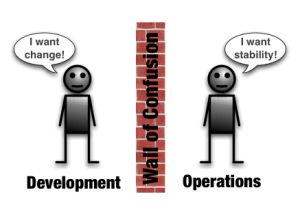
There is a lot of talk in the devops community about the importance of sharing principles and values, and about silo busting: breaking down the “wall of confusion” between developers and operations to create agile, cross-functional teams. Radical improvement through fundamental organizational changes and building an entirely new culture.

But it doesn’t have to be that hard. All it took us was 3 simple, but important, steps.

Reliability First

When we first launched our online platform, things were pretty crazy. Sales was busy with customer feedback and onboarding more customers. Development was still finishing the backlog of features that were supposed to already be done, responding to changes from sales and partners, and helping to support the system. Ops was trying to stabilize everything, help onboard more customers and address performance issues as more customers came on. We were all rushing forwards, but not always in the same direction.

Our CEO recognized this and made an important decision. He made reliability the #1 priority – the reliability and integrity of our systems and of our customers’ data, and the services we provided. For everyone: not just ops, but development, sales, marketing, compliance, admin. Above everything else. It was more important not to mess up the customers that we had than to get new customers or hit deadlines or cut costs.

Reliability, resilience, integrity have remained our #1 driver for the company over several years as we continued to grow.

This meant that everyone was working towards the same goals – and the goals were easy to understand and measure: improving MTTF, MTTD and MTTR windows; reducing bug counts and variability in response time, improving results of audits and pen tests.

It gave people more reasons to work together at more levels..

It reduced politics and conflicts to a minimum.

Development’s first priority changed from pushing features out ASAP to making sure that the system was running optimally and that any changes wouldn't negatively impact customers. This meant more time spent with ops on understanding the run-time, more time troubleshooting operational issues, more reviews and regression testing and stress testing, anticipating compatibility issues, planning for roll-back and roll-forward recovery.

Smaller, more frequent releases

Spending some more time on testing and reviews and working with ops meant that it took longer to complete a feature. But we still had to keep up with customer demands – we still had to deliver.

We did this by shortening the software release cycle, from 2-3 months to 2-3 weeks or sometimes shorter. Delivering less in each release, sometimes only 1 new feature or some fixes, but delivering much more often. If a change or feature had to be delayed, if developers or testers needed more time to make sure that it was ready, it wasn't a big deal – if something wasn't ready this week, it would be ready next week or soon after, still fast enough for the business and for customers.

Planning and working in shorter horizons meant that development could respond faster to changes in direction and changing priorities, so developers were always focused on delivering what was most important at the time.

Shorter releases drove development to be more agile, to think and work faster. To automate more testing. To pay more attention to deployment, make the steps simpler and more efficient – and safer.

Fewer changes batched together made it easier to review and test. Less chances to make mistakes. Easier to understand what went wrong when we did make a mistake, and less time to fix it.

RCA – Learn from Mistakes

We still made mistakes, shit still happened. When something went seriously wrong, it was my job to explain it to our customers and owners. What went wrong, why, and what we were going to do to make sure that it didn’t happen again.

We didn't know about blameless post mortems, but this is the way we did it anyway. We got developers and testers and ops and managers together in Root Cause Analysis sessions to carefully examine what happened, what went wrong, understand why, and fix it.

We made sure that people focused on the facts and on problem solving: what happened, what happened next, what did we see, what didn’t we see, why? What could we do to fix it or to prevent it from happening again or to recognize and respond to problems like this more effectively in the future? Better training, better tools, better procedures, better documentation, better error handling, better testing and reviews, better configuration checks and run-time checking, better information and better ways of communicating it.

Focusing on details and problems, not people. Proving that it was ok to make mistakes, but not ok to hide them. We got much better: at operations, testing, design, deployment, monitoring, incident handling. And better as an organization. We built transparency and trust within and across teams. We learned how to move forward from failure, and to be more resilient and confident in our ability to deal with serious problems.

Delivering Better and Faster Together

We didn't restructure or change who we were as an organization. Dev and ops still work in separate organizations for different managers in different countries. They have their own projects and their own ways of working, and they don’t always speak the same language or agree on everything.

We have lots of checks and balances and handoffs and paperwork between dev and ops to make sure that things are done properly and to make the regulators happy. There are still more steps that we could automate or simplify, more we can do to build out our Continuous Delivery pipelines, more things we can get out of Puppet and Vagrant and other cool tools.

But if devops is about developers and operations sharing responsibility for the system, trusting each other and helping each other to make sure that the system is always working correctly and optimally, looking for better solutions together, delivering better and faster – then we’ve been doing devops for a while now.

Wednesday, January 9, 2013

Hardening Sprints. What are they? Do you need them?

For anyone who is developing software using Scrum, XP or another incremental development approach, the idea of a “hardening sprint” or a “release iteration” is bound to come up. But people disagree about what a “hardening sprint” should include, when you need to do one, and if you should do them at all. There is a deep divide between people who recognize that spending some time on hardening is needed for many environments, and people who are adamant that allocating some time for hardening is a sign that you are doing some things – or everything – wrong.

Hardening to make sure that Done means Done

In a hardening sprint, the team stops focusing on delivering new features or architecture, and instead spends their time on stabilizing the system and getting it ready to be released.

For some people, hardening sprints are for completing testing and fixing work that couldn't be done – or didn't get done – earlier. This might include UAT or other final acceptance testing if this is built into a contract or governance model.

Mike Cohn recognizes that teams may need a “release sprint” at the end of each release cycle, because the team’s definition of “done” may not be enough – that a "potentially shippable product" and a system that is actually “shippable” or ready for production aren't the same thing. He suggests that after every 3-5 feature iterations, the team may want to schedule a release sprint to do work like expensive manual system and integration testing and extra reviews, whatever is needed to make sure that what they think is done, is actually done.

Anand Viswanath, in “The end of regression, stabilisation, hardening or release sprints”, describes a common approach where teams schedule 1 or 2 stabilization sprints every 4-6 iterations to do regression testing and system testing in a staging environment, and then fix whatever bugs are found. As he points out, it’s hard to predict how much testing might be required and long it will take to fix whatever problems are found, so the idea is to time box this work and then triage the results.

Because this can be an expensive and risky and stressful way to work, Vishwanath recommends following Continuous Delivery to build an automated test pipeline through to staging in order to catch as many problems as early as possible. This is a good idea, but most large projects, especially projects starting from a legacy code base, will still probably need some kind of hardening or integration testing phase at regular points regardless of what kind of continuous testing they are doing.

Some testing, like interoperability testing with other systems and operational testing, can’t be done effectively until later, when there is enough of a working system to do end-to-end testing, and some of this testing can only be done in staging (if you have a staging environment), or in production. For some systems, load testing and stress testing and soak testing also needs to be left to later, because these teams don’t have access to a big enough test system to run high load scenarios before they get to production.

Is Hardening a sign that you aren't doing things right?

Not everyone thinks that scheduling a hardening sprint for testing and fixing like this is a good idea:

“[a hardening sprint] might take the cake for stupid things invented that has lead to institutionalized delusion and ‘Agile’ dysfunction.” Janelle Klein, Who Came up with the “Hardening Sprint”?
For many people, a hardening sprint or release sprint is a bad “process smell”: a sign that the team isn't working properly or thinking clearly:
“The problem with “hardening sprints” is that you are lying. You make believe your imaginary burndown during the initial sprints shows that you are approaching Done. But it’s a lie--you aren't getting any closer to being ready for Production until you begin your Test phase. You wrote a pile of code that you didn't test adequately. You don’t know how good it is, you don’t know how much work you have left to do, and you don’t know how much longer it will take, until you are deep into your Test phase.” Richard Kasperowski, Hardening sprints? Sorry, you’re not Agile

Ron Jeffries says that a hardening sprint for testing and fixing is a clear anti-pattern. I agree: if you need a separate sprint to fix bugs, then you’re doing something wrong. But that doesn't mean that you won’t need extra time to fix things before the system goes live – knowing that it is wrong doesn't make the bugs go away, you still have to fix them. As somebody else on this same discussion thread points out, there is a risk that your “definition of done” could fall short of what is actually needed by the customer, so you should plan for 1 or more hardening sprints before release, to double-check and stabilize things, just in case.

In these cases, the need for hardening sprints is a sign of a team’s immaturity (from a post by Paul Beavers):

  1. A beginning agile team will prefer to schedule 6 hardening iterations after a 12 iteration development plan. This is “agile” to the hard core “waterfall guy”.
  2. As time goes by, the team will mature a bit and you will see the seasoned agile team will shrink the number of required hardening iterations at the end, just because they understand they need to “fix” the high severity bugs as they go and QA understands they need to test closer and better early up in the release cycle.
  3. Further down the road the team will notice that by adding a hardening iteration in the middle of the development cycle (and flushing out even lesser priority bugs earlier on in the process), it will help them to maintain cadence later on.
  4. The final step of maturity is there when the team starts understanding “hardening is not required any more”, because they made fixing bugs part of their daily routines.

Hardening is whatever you need to do to Make the System Ready for Production

Another way of looking at hardening, is that this is when you stop thinking about features and focus all of your time on the detailed steps of deploying, installing and configuring the system and making sure that everything is working from end-to-end. In a hardening sprint, your most important customers are operations and support, the people who are going to make sure that the system is running, rather than the end users.

For some teams, this kind of hardening can come as an ugly and expensive surprise, after they understand that what they need to do is to take a working functional prototype and make it ready for the real world:

“All those things that got skipped in the first phase - error handling, monitoring, administration - need to get put into the product.” Catherine Powell, The "Hardening Myth"

But a hardening sprint can also be when when you take care of what operations calls hardening: reviewing and preparing the production environment and securing the run-time, tightening up access to production data, double-checking system and application configs, making sure that auditing is enabled properly, wiring the system in to operations monitoring and metrics collection, checking system dependencies like platform software versions and patch levels (and making sure that all of the systems are consistent, that there aren't any snowflakes), completing final security reviews and other review and release gates, and making sure that the people installing and running the software have the correct instructions.This is also when you need to prepare your roll-back plan or recovery plan if something bad happens with the release, and test your roll-back and recovery steps. Walk through and rehearse the release process and checklists, and make sure that everyone is prepared to roll out patches quickly after the release is done.

Hardening is something that you have to do

Some people see an obvious need for hardening sprints. For example, Dean Leffingwell includes hardening sprints in his “Scaled Agile Framework”, because there is some work that can only really be done in a final hardening phase:

  • Final exploratory and field testing
  • Checklist validation against release, QA and standards governance
  • Release signoffs if you need them
  • Ops documentation
  • Deployment package
  • Communicate release to everyone (hard to do in big companies)
  • Traceability etc for high assurance and regulatory compliance
Leffingwell makes it clear that hardening shouldn't include system integration, fixing high priority bugs, automating test scripts, user documentation, regression testing and code cleanup. There is other work that should be done earlier – but in the first year or so, will probably need to be done in a late hardening phase:
  • Cross-component integration, integration with third-party/customer
  • Integrated system-level testing
  • Final QA sign-offs
  • User doc finalization
  • Localization

Dan Rawsthorne explains that teams need at least one release sprint at first to get ready for release to production, because until you've actually done it, you don’t really know what you need to do. Release sprints include tasks like:

  • Exploratory testing to double check that key features are working properly
  • Stress testing/load testing/performance testing – testing that is expensive to setup and do
  • Interoperability testing with other production systems
  • Fix whatever comes out of this testing
  • Review and finish off any documentation
  • Train support and sales and customers on new features
  • Help with press releases and other marketing material

The Software Project Manager’s Bridge to Agility anticipates that teams will need at least a short hardening iteration before the system is ready for release, even if they frontload as much testing as possible. A release iteration is not a test-fix phase – it’s when you prepare for the release: capturing screenshots for marketing materials, final tests, small tweaks, finish documentation for whoever needs it, training. The authors suggest however that if some developers have any time left over in the release iteration, they can do some refactoring and other cleanup – which I think is bad advice, given that at this point you don’t want to be introducing any new variables or risks.

Disciplined Agile Delivery, a method that was developed by Scott Ambler at IBM to scale Agile practices to large organizations and large projects, includes a Transition Phase before each release to take care of:

  • Transition planning and coordination
  • End-of-lifecycle testing and fixing
  • Testing and rehearsing deployment
  • Data setup and migration
  • Pilots and beta testing (short UAT if necessary)
  • Reviewing and finalizing documentation
  • Preparing operations and support
  • Stakeholder training
This kind of transition can take almost no time, or it can take several weeks, depending on the situation.

Hardening – taking some time to make sure that the system is really ready to be released – can’t be avoided. The longer your release cycles, the further away development is from day-to-day production, the more hardening you need. Even if you've been doing disciplined testing and reviews in stream, you’re going to find some problems at the end. Even if you planned ahead for transition, you’re going to run into operational details that you didn't know about or didn't understand until the end.

When we first launched our platform from startup, we had to do hardening and stabilization work before going live to get the system ready, and some more work afterwards to deal with operational issues and requirements that we weren't prepared for. We included time at the end of subsequent releases for extra testing, deployment and roll back planning, and release coordination.

But as we shortened our release cycle, releasing less but more often, and as we built more fail-safes into the system and as we learned more about what we needed to do in ops, and as we invested more in simplifying and automating deployment and everything else that we could, we found that we didn't need time any outside of our regular iterations for hardening. We’re still doing hardening – but now this is part of the day-to-day job of building and releasing software.

Monday, July 23, 2012

It’s About Confidentiality and Integrity (not so much Availability)

Everyone knows the C-I-A triad for information security: security is about protecting the Confidentiality, Integrity and Availability of systems and data.

In a recent post, Warren Axelrod argues that Availability is the most important of these factors for security, more important than Integrity and Confidentiality – that C-I-A should be A-I-C.

I don't agree.

Protecting the Confidentiality of customer data and sensitive business data and system resources is a critical priority for information security. It’s what you should first think about in security.

And protecting the Integrity of data and systems, through firewalls and network engineering and operational hardening, and access control, data validation and encoding, auditing, digital signatures and so on is the other critical priority for information security.

Availability is a devops problem, not a security problem

Axelrod makes the point that it doesn’t matter if the Confidentiality or Integrity of data is protected if the system isn’t available, which is true. But Availability is already the responsibility of application architects and operations engineers. Their job is designing and building scalable applications that can handle load surges and failures, and architecting and operating technical infrastructure that is equally resilient to load and failures. Availability of systems is one of the key ways that their success is measured and one of the main things that they get paid to take care of.

Availability of systems and data is a devops problem that requires application developers and architects and operations engineers to work together. I don’t see where security experts add value in ensuring Availability – with the possible exception of helping architects and engineers understand how to protect themselves from DDOS attacks.

When it comes to Availability, I look to people like James Hamilton and Michael Nygard and John Allspaw for guidance and solutions, not to application security experts.

In information security, C-I-A should be C and I, with a little bit of A – not the other way around.

Wednesday, March 14, 2012

Defensive Programming: Being Just-Enough Paranoid

Hey, let’s be careful out there.
Sergeant Esterhaus, daily briefing to the force of Hill Street Blues
When developers run into an unexpected bug and can’t fix it, they’ll “add some defensive code” to make the code safer and to make it easier to find the problem. Sometimes just doing this will make the problem go away. They’ll tighten up data validation – making sure to check input and output fields and return values. Review and improve error handling – maybe add some checking around “impossible” conditions. Add some helpful logging and diagnostics. In other words, the kind of code that should have been there in the first place.

Expect the Unexpected

The whole point of defensive programming is guarding against errors you don’t expect.
Steve McConnell, Code Complete
The few basic rules of defensive programming are explained in a short chapter in Steve McConnell’s classic book on programming, Code Complete:
  1. Protect your code from invalid data coming from “outside”, wherever you decide “outside” is. Data from an external system or the user or a file, or any data from outside of the module/component. Establish “barricades” or “safe zones” or “trust boundaries” – everything outside of the boundary is dangerous, everything inside of the boundary is safe. In the barricade code, validate all input data: check all input parameters for the correct type, length, and range of values. Double check for limits and bounds.
  2. After you have checked for bad data, decide how to handle it. Defensive Programming is NOT about swallowing errors or hiding bugs. It’s about deciding on the trade-off between robustness (keep running if there is a problem you can deal with) and correctness (never return inaccurate results). Choose a strategy to deal with bad data: return an error and stop right away (fast fail), return a neutral value, substitute data values, … Make sure that the strategy is clear and consistent.
  3. Don’t assume that a function call or method call outside of your code will work as advertised. Make sure that you understand and test error handling around external APIs and libraries.
  4. Use assertions to document assumptions and to highlight “impossible” conditions, at least in development and testing. This is especially important in large systems that have been maintained by different people over time, or in high-reliability code.
  5. Add diagnostic code, logging and tracing intelligently to help explain what’s going on at run-time, especially if you run into a problem.
  6. Standardize error handling. Decide how to handle “normal errors” or “expected errors” and warnings, and do all of this consistently.
  7. Use exception handling only when you need to, and make sure that you understand the language’s exception handler inside out.
Programs that use exceptions as part of their normal processing suffer from all the readability and maintainability problems of classic spaghetti code.
The Pragmatic Programmer
I would add a couple of other rules. From Michael Nygard’s Release It! never ever wait forever on an external call, especially a remote call. Forever can be a long time when something goes wrong. Use time-out/retry logic and his Circuit Breaker stability pattern to deal with remote failures.

And for languages like C and C++, defensive programming also includes using safe function calls to avoid buffer overflows and common coding mistakes.

Different Kinds of Paranoia


The Pragmatic Programmer describes defensive programming as “Pragmatic Paranoia”. Protect your code from other people’s mistakes, and your own mistakes. If in doubt, validate. Check for data consistency and integrity. You can’t test for every error, so use assertions and exception handlers for things that “can’t happen”. Learn from failures in test and production – if this failed, look for what else can fail. Focus on critical sections of code – the core, the code that runs the business.

Healthy Paranoid Programming is the right kind of programming. But paranoia can be taken too far. In the Error Handling chapter of Clean Code, Michael Feathers cautions that
“many code bases are dominated by error handling”
Too much error handling code not only obscures the main path of the code (what the code is actually trying to do), but it also obscures the error handling logic itself – so that it is harder to get it right, harder to review and test, and harder to change without making mistakes. Instead of making the code more resilient and safer, it can actually make the code more error-prone and brittle.

There’s healthy paranoia, then there’s over-the-top-error-checking, and then there’s bat shit crazy crippling paranoia – where defensive programming takes over and turns in on itself.

The first real world system I worked on was a “Store and Forward” network control system for servers (they were called minicomputers back then) across the US and Canada. It shared data between distributed systems, scheduled jobs, and coordinated reporting across the network. It was designed to be resilient to network problems and automatically recover and restart from operational failures. This was ground breaking stuff at the time, and a hell of a technical challenge.

The original programmer on this system didn’t trust the network, didn’t trust the O/S, didn’t trust Operations, didn’t trust other people’s code, and didn’t trust his own code – for good reason. He was a chemical engineer turned self-taught system programmer who drank a lot while coding late at night and wrote thousands of lines of unstructured FORTRAN and Assembler under the influence. The code was full of error checking and self diagnostics and error-correcting code, the files and data packets had their own checksums and file-level passwords and hidden control labels, and there was lots of code to handle sequence accounting exceptions and timing-related problems – code that mostly worked most of the time. If something went wrong that it couldn’t recover from, programs would crash and report a “label of exit” and dump the contents of variables – like today’s stack traces. You could theoretically use this information to walk back through the code to figure out what the hell happened. None of this looked anything like anything that I learned about in school. Reading and working with this code was like programming your way out of Arkham Asylum.

If the programmer ran into bugs and couldn’t fix them, that wouldn’t stop him. He would find a way to work around the bugs and make the system keep running. Then later after he left the company, I would find and fix a bug and congratulate myself until it broke some “error-correcting” code somewhere else in the network that now depended on the bug being there. So after I finally figured out what was going on, I took out as much of this “protection” as I could safely remove, and cleaned up the error handling so that I could actually maintain the system without losing what was left of my mind. I setup trust boundaries for the code – although I didn’t know that’s what it was called then – deciding what data couldn’t be trusted and what could. Once this was done I was able to simplify the defensive code so that I could make changes without the system falling over itself, and still protect the core code from bad data, mistakes in the rest of the code, and operational problems.

Making code safer is simple


The point of defensive coding is to make the code safer and to help whoever is going to maintain and support the code – not make their job harder. Defensive code is code – all code has bugs, and, because defensive code is dealing with exceptions, it is especially hard to test and to be sure that it will work when it has to. Understanding what conditions to check for and how much defensive coding is needed takes experience, working with code in production and seeing what can go wrong in the real world.

A lot of the work involved in designing and building secure, resilient systems is technically difficult or expensive. Defensive programming is neither – like defensive driving, it’s something that everyone can understand and do. It requires discipline and awareness and attention to detail, but it’s something that we all need to do if we want to make the world safe.

Monday, June 27, 2011

Moving forward from Failure

System failures at scale are inescapable, as I have talked about before in the context of designing systems for failure in high-scale computing and how to apply these ideas to enterprise systems. Failures are wasted if you don’t learn enough from them; if the way that you design and deliver application systems, and the way that you deploy and run these systems, don’t get better as a result. You have to find lessons in each failure and constantly move forward, and make the system, and the team, more resilient.

I’ve read and heard a lot of good stuff over the last year or so from the DevOps community on handling system failures: how to minimize the risk of failures through deployment planning, how complex systems fail, how to communicate failures effectively to stakeholders so that you don’t destroy trust, and how to understand failures through postmortem analysis, including Jacob Loomis’ essay “How to Make Failure Beautiful” in the Web Operations book and John Allspaw’s keynote on Advanced Postmortem Fu and Human Error 101 at this year’s Velocity conference.

Many of these ideas fit with my own experience, and fill in some important gaps – they extend beyond the concerns of operating high-volume Web sites to broader, general problems in system operations and systems engineering, and deserve a wider audience outside of the Web operations and Web startup worlds.

Postmortems and Root Cause Analysis

The keys to successful postmortems and Root Cause Analysis are deceptively simple, and therefore difficult to get right:
  • get the right people together in a room.

  • create the right environment for blameless problem solving: make it safe for people to be open and honest, don’t point fingers, focus on facts and solving problems and how to get better.

  • postmortems are expensive and painful, and people want to get out of them as soon as possible. Don’t stop too soon, before the team has really understood the problems, and the solutions.

  • don’t be satisfied with a single root cause – complex system failures usually have multiple causes if you dig deep enough.

  • human error isn’t a root cause – it’s a symptom of something else that you’ve done wrong.
You can’t stop with Root Cause Analysis

Root Cause Analysis is important, but it is just the first step. Once you’ve reviewed a failure as a team and found your way to the root causes or at least identified some real problems, now you have to do something about it, beyond the immediate fixes and workarounds that the team made recovering from the incident.

There are straightforward things that you can do now – detective and corrective actions, quick fixes, low cost and low risk – so you do them. Fix a bug, plug a hole, add defensive coding, add some tests. Better logging and diagnostics and alerting, better error handling, better metrics – you can always do this stuff better – so that ops can see the problem coming or at least recognize it when it happens again. Better troubleshooting tools and training for ops.

Don’t stop with corrective actions either

But it’s still not enough to recover from a failure and patch the holes and tighten things up, or even build a better incident management capability. You have to make sure to find the lessons in each failure, really learn about why the failure happened, how it relates to other failures or problems that you have; and about how you dealt with the failure when it happened, and what you need to do to do a better job the next time. Then you have to act to reduce the risk and cost of failures, take steps to make sure that failures like this one, and even failures that aren’t like this one, don’t happen again. And that when the next failure does happen, that the team is more prepared for it, that you can recover faster and with less stress and impact to the business.

Some of these preventative actions are straightforward: training for developers and testers and ops, and better communications in and especially between teams, checklists, health checks and dependency checks, more disciplined change controls and deployment controls, and other safeties.

But most preventative changes, the ones that make a real difference, are deeper, more fundamental: fixing architecture, culture, organization, or management weaknesses. Fixing these kinds of problems takes longer, involves more people, and costs more. Making changes to the architecture – switching out a core technology or implementing a partitioning strategy to contain failures and to scale up – can take months to work out and implement. Organizational and management changes are hard because this directly impacts people’s jobs. Changing culture is even harder and takes longer, especially to make the changes stick.

You can’t improve what you can’t see – you need data

These problems are also hard to see and understand. It’s naïve to think that you can recognize or prove the need for fundamental changes to architecture or organization or management controls or culture from a postmortem meeting – it takes time and perspective and experience with more than one failure to see this kind of problem. And because the fixes are fundamental and expensive, they can be hard to justify, hard to get management and the business and your own people to buy-in.

You need data to help you understand what you’re doing wrong, what you need to change or what you need to stop doing – and what you’re doing right, what you need to keep doing, and to build a case for change. At last year’s Velocity conference, John Allspaw explained how to use metrics to find patterns and trends in failures, to understand what’s hurting you the most, or hurting you the most often, what’s working well and what’s not. To find out what changes are safe, and what changes aren’t; what failures are cheap and easy to recover from, and what failures can take the company down.

Metrics are important to help you see problems, and to help show if you are learning and getting better. Track the types and severity of failures, frequency of failures, your response to failures – time to detect and time to recover from failures; and the frequency and type and size of changes, and the correlation between changes and failures (by type and size of changes, by type and severity of failures). And make sure to track regressions – the number of times that you take a step backward.

Deciding what to fix, and what not to

Metrics can also help you to decide what you can fix and change, and what’s not worth fixing or changing – at least not for now. You need to recognize when a problem is a true outlier, an isolated case that is unlikely to happen again and that you can accept and move forward. It’s important that you can see the difference between a problem that is a one-of, and a first-of –an indicator of something deeply wrong, a fundamental weakness in the way that the system was built or the way that you work. You don’t want to over-react to outliers but you also don’t can’t treat every problem as unique and miss seeing the patterns and connections, the underlying root causes.

There is diminishing returns in preventing (or even reducing the probability) of some problems, trying to stop the unstoppable. Some problems are too rare, or too expensive or difficult to prevent – and trying to prevent these problems can introduce new complexities and new risks into the system. I agree with John Allspaw that there are situations when it makes more sense to focus on how to react and recover faster, on improving MTTR rather than MTBF, but you need to know when to make that case.

Moving forward from Failures is real work and needs to be managed

People don’t want to think about failures for long – they want to put the mistakes and confusion and badness behind them and move on. And the business and management want priorities back on day-to-day delivery as soon as possible. When failures happen, you need to act fast, get the most that you can out of the moment, make decisions and commitments and reinforce changes while the pain is still fresh.

But fixing real problems in the system or the way that people are organized or the way that they work or the way that they think, can’t be done right away. Building reliability and resilience and operability into how you work and how you think and how you build and test software and how you solve problems takes time and commitment and continuous reinforcement. Management, and the team, have to be made accountable for longer-term preventative actions, for making bigger changes and improvements.

This work needs to be recognized by the business and management and the team and built in to the backlog, and actively managed. You need to remind people of the risks when you see them missing steps or trying to cut corners, or falling back into old patterns of thinking and acting. You’ll need to use metrics and cost data to drive behaviour and to drive change, and to decide how much to push and how often: are you changing too much too often, running too loose; or is change costing you too much, are you overcompensating?

A Resilient system is a DevOps problem

Development can’t solve all of these problems on its own, and neither can Operations. It needs the commitment of development (and by development, I mean everyone responsible for designing, developing, testing, securing and releasing the software) and operations (everyone responsible for building and securing and running the infrastructure, deploying the code, and running and monitoring the system). This is a real DevOps problem: development and operations have to be aligned and work together, communicating and collaborating, sharing responsibilities and technology. This is one of the places where I see DevOps adding real value in any organization.

Monday, June 28, 2010

Velocity 2010 Conference Take-Aways

I spent an interesting few days last week at the Velocity 2010 conference in Santa Clara. The focus of the conference was on performance and application operations for large-scale web apps. Here are my take-aways:

Performance

Fundamentally a problem of scale-out, of handling online communities of millions of users and the massive amounts of information that they want at hand. As Theo Schlossnagle pointed out in an excellent workshop on Scalable Internet Architectures (or you can read the book…), the players in this space approach performance problems with similar technologies (LAMP or something similar like Ruby on Rails as the principal stack, and commodity servers) and architectural strategies:

1. Data partitioning – sharding datasets across commodity servers, required because MySQL does not scale vertically. Theo’s advice on sharding: “Avoid sharding as long as possible, it is painful. If you have to shard, follow these steps. Step 1: Shard your data. Step 2: Shoot yourself”. Consider duplicating data if you need the same information available in different partitioning schemes.

2. Non-ACID key-value data stores and NOSQL distributed data managers like Cassandra, MongoDB, Voldemort, Redis or CouchDB for handing high volumes of write-intensive data. Fast and simple, but these technologies are still immature, they are not hardened or reliable, and they lack the kinds of management capabilities and tools that Oracle DBAs have been accustomed to for years.

3. Strategies for effective caching of high-volume data, basically ways of extending and optimizing the use of memcached, and different schemes for effective cache consistency and cache coherency.

Some other advice from Theo: Planning for more than a 10-fold increase in workload is a waste of time – you won’t understand the type of problems that you are going to face until you get closer. On architecture and design: don’t simplify simple problems.

Coming from a financial trading background, I was surprised to see that the argument still needed to be made that performance was an important business factor: that speed could improve business opportunities. Seems obvious.

According to one of the keynote speakers, Urz Holzle at Google, the average time for a page to load is 4.9 seconds, while the goal should be around 100 ms – the time that it takes a reader to turn a page in a book. Google presented some interesting research work that they are leading to improve the front-end response time of the web experience, including proposals to improve DNS and TCP, work done in Chrome to improve browser performance, and advanced performance profiling tools made available to the community.

Operations and DevOps

Provisioning and deployment (a real management problem when you need to deploy to thousands or tens of thousands of servers); change management and the rate of change; version control and other disciplines; instrumentation and logging; metrics and more metrics; and failure handling and incident management.

Log and measure as much as you can about the application and infrastructure – establish baselines, understand Normal, understand how the system looks when it is working correctly and is healthy.

Configuration management and deployment. Advice from Theo: version control everything – not just code and application configuration, and server configs, but also the configs for firewalls and load balancers and switches/routers and the database schemas and…

Several companies were using Chef or Puppet for managing configuration changes. Facebook and Twitter were both using BitTorrent to stream code updates across thousands of servers.

Change management. The consensus is that ITIL is very uncool – it is all about being slow and bureaucratic. This is a shame – I think that everyone in an operations role could learn from the basics of ITIL and Visible Ops, the disciplines and frameworks.

The emphasis was on how to effect rapid change, how to get feedback as quickly as possible, time to market, continuous prototyping, A/B split testing to understand customer needs, the need to make decisions quickly and see results quickly. At the same time, different speakers stressed the need for discipline and responsibility and accountability: that the person who is responsible for making a change should make sure it gets deployed properly, and that it works.

Continuous Deployment came up several times, although “Continuous” means different things to different people. For Facebook this means pushing out small changes and patches every day and features once per week.

You can’t make changes without taking on the risk of failure. This was especially clear to an audience where so many people had experience in startups.

Lenny Rachitsky’s session, The Upside of Downtime, covered the need for transparency in the event of failure, and showed how being transparent and honest in the event of a failure can help build customer confidence. His blog, Transparent Uptime includes an interesting collection of Public Health Dashboards for web communities.

To succeed you need to learn from failures of course – use postmortems and Root Cause Analysis to understand what happened and implement changes so that you don’t keep making the same mistakes. Another quote from Theo: “Good judgment comes from experience. Experience comes from bad judgment. Allow people to make mistakes – but limit the liability. Measure the poise and integrity with which someone deals with the problem and its remediation.”

So failure can scorch you, make you afraid, and this fear can affect your decision making, slow you down, stop you from taking on necessary and manageable risks. You need to know how much risk you can take on, whether you are going too slow or too fast, and how to move forward.

John Allspaw at Etsy, one of the rock stars of the devops community, made a clear and compelling (and entertaining) case for meta-metrics, data to provide confidence in your operational decisions: “How do we get confidence in [what we are doing]? We make f*&^ing graphs!”

First track all changes: who made the change, when, what type, and how much was changed. Track all incidents: severity, time started, time to detect, time to recover/resolve, and the cause (determined by RCA). Then correlate changes with incidents: by type, size, frequency. With this you can answer questions like: What type of incidents have high Time to Recover? What types of changes have high / low success rates?

Unfortunately the video and slide deck for this presentation are not available on the Velocity site yet.

There was some macho bullshit from one of the speakers about “failing forward” – that essentially rolling back was for cowards. I think this statement was made tongue-in-cheek and I hope that it was taken as such by the audience.

The Rest

I also followed up some more on Cloud Computing. Sure, the Cloud gives you cheap access to massive resources but the consensus at the conference was that it is still not reliable and it is definitely not safe, and it doesn’t look like it will get that way soon. Any data that you need to be safe or confidential needs to be kept out of the Cloud or at minimum encrypted and signed with the keys and other secrets stored out of the Cloud, following a public/private data architecture.

The conference was fun and thought-provoking, and I met a lot of smart and thoughtful people. The crowd was mostly young and attention-deficit: iphones, ipads, notebooks and laptops in constant use throughout the sessions.

Maybe it was the California sunshine, but the atmosphere was more open, more sharing, and less proprietary than I am used to – there was a refreshing amount of transparency into the technology and operations at many of the companies. The vendor representation was small and low key, but recruitment was blatant and pervasive: everyone was hunting for talent.

I am an uptight enterprise guy. It would be fun to work on large-scale consumer problems, with more freedom to make changes. I regret missing the followon DevOps Days event last Friday but I had to get home. And finally, I am looking forward to getting my copy of the new WebOps book
which was premiered at the conference, and to next years Velocity conference.

Monday, March 22, 2010

Failure Isolation and Recovery: Learning from High-Scale and Extreme-Scale Computing

While I have been building business-critical enterprise systems for a long time, I haven't worked on high-scale cloud computing or Internet-scale architectures, with tens of thousands or hundreds of thousands of servers. There are some fascinating, hard problems that need to be solved in engineering systems at high-scale, but the most interesting to me are problems in deployment and operations management, and especially how to deal with failure.

With so many moving parts in high-scale systems, failures of one kind or another are common: disks (especially), servers and multiple servers, racks, networks, data center outages and geographic disasters, and database failures, middleware and application software failures, and of course human error – mistakes in configuration and operations. As you scale up, you will also encounter multiple simultaneous failures and failure combinations, normal accidents, more heisenbugs and mandelbugs, and data corruption problems and other silent failures.

These challenges are taken to extremes in petascale and exascale HPC platforms. The Mean Time to Failure (MTTF) on petascale systems (the largest super computers running today) can be as low as 1 day. According to Michael Heroux at Sandia National Laboratories, exascale systems, consisting of millions of processors and capable of handling 1 million trillion calculations per second (these computers don’t exist yet, but are expected in the next 10 years)
“will have very high fault rates and will in fact be in a constant state of decay. ‘All nodes up and running’, our current sense of a well-functioning scalable system, will not be feasible. Instead we will always have a portion of the machine that is dead, a portion that is dying and perhaps producing faulty results, another that is coming back to life and a final, hopefully large, portion that is computing fast and accurate results.”
For enterprise systems, of course, rates of component or combination failures will be much lower, but the same risks exist, and the principles still hold. Recognizing that failures can and will happen, it is important to:

    Identify failures as quickly as possible.

    Minimize and contain the impact of failures.

    Recover as quickly as possible.

At QCON SF 2009, Jason McHugh described how Amazon’s S3 high-scale cloud computing service is architected for resiliency in the face of so many failure conditions. He lists 7 key principles for system survivability at high-scale:

1. Decouple upstream and downstream processes, and protection yourself from dependencies upstream and downstream when problems occur: overload and spikes from upstream, failures and slow-downs downstream.

2. Design for large failures.

3. Don’t trust data on the wire or on disk.

4. Elasticity – resources can be brought online at any time.

5. Monitor, extrapolate and react: instrument, and create feedback loops.

6. Design for frequent single system failures.

7. Hold “Game Days”: shutdown a set of servers or a data center in production, and prove that your recovery strategy works in the real world.

Failure management needs to be architected in, and handled at the implementation level: you have to expect, and handle, failures for every API call. This is one of the key ideas in Michael Nygard’s Release It!, that developers of data center-ready, large-scale systems cannot afford to be satisfied dealing with abstractions, that they must understand the environment that the system runs in, and that they have to learn not to trust it. This book offers some effective advice and ideas (“stability patterns”) to protect against horizontal failures (Chain Reactions) and vertical failures (Cascading Failures).

For vertical failures between tiers, use timeouts and delayed retry mechanisms to prevent hangs and timeouts – protect request handling threads on all remote calls (and resource pool checkouts), and never wait forever. Release It! introduces a Circuit Breaker pattern to manage this: after too many retries, close-off the connection, back away, then try again – if the problem has not been corrected, close-off and back away again. And remember to fail fast – don’t get stuck blocking or deadlock if a resource is not available or a remote call cannot be completed.

In horizontal Chain Reactions within a tier, the failure of one component raises the possibility of failure in its peers, as the workload rebalances to overwhelm the remaining services. Protect the system from Chain Reactions with partitions and Bulkheads – build internal firewalls to isolate workloads on different servers or services or resource pools. Virtual servers are one way to partition and isolate workloads, although we chose not to use virtual servers in production because of the extra complexity in management – we have had a lot of success with virtualization for provisioning test environments and management services, but for high-volume, low-latency transaction processing we’ve found that separate physical servers and application partitioning is faster and more reliable.

Application and data partitioning is a fundamental design idea in many systems, for example exchange trading engines, where the market is broken down into many different trading products or groups of products, isolated in different partitions for scalability and workload balancing purposes. James Hamilton, formerly with Microsoft and now a Distinguished Engineer on the Amazon Web Services team, hilights the importance of partitioning for application scaling as well as fault isolation and multi-tenancy in On Designing and Deploying Internet-Scale Services, an analysis of key issues in operations management and architecture of systems at high-scale, with a focus on efficiency and resiliency. He talks about the importance of minimizing cross-partition operations, and managing partitions intelligently, at a fine-grained level. Some of the other valuable ideas here include:

    Design for failure

    Zero trust of underlying components

    At scale, even unlikely, unusual combinations can become commonplace

    Version everything

    Minimize dependencies

    Practice your failover operations regularly - in production

Read this paper.

All of these ideas build on research work in Recovery Oriented Computing at Berkeley and Stanford, which set out to solve reliability problems in systems delivered “in Internet time” during the dot com boom. The basics of Recovery Oriented Computing are:

Failures will happen, and you cannot predict or avoid failures. Confront this fact and accept it.

Avoiding failures and maximizing Mean Time to Failure by taking careful steps in architecture and engineering and maintenance, and minimizing opportunities for human error in operations through training, procedures and tools – all of this is necessary, but it is not enough. For “always-on” availability, you also need to minimize the Mean Time to Recovery (MTTR).

Recovery consists of 3 steps:

1. Detect the problem
2. Diagnose the cause of the problem
3. Repair the problem and restore service.

Identify failures as quickly as possible. Minimize and contain the impact of failures. Provide tested and reliable tools for system administrators to recover the system quickly and safely.

One of the key enablers of Recovery Oriented Computing is, again, partitioning: to isolate faults and contain damage; to simplify diagnosis; to enable rapid online repair, recovery and restart at the component level; and to support dynamic provisioning – elastic, or “on demand” capacity upgrades.

As continuing reports of cloud computing failures and other large scale SaaS problems show, these problems have not been solved, and as the sheer scale of these systems continues to increase, they may never be solved. But there is still a lot that we can learn from the work that has been done so far.

Tuesday, March 2, 2010

Continuously Putting Your Customers at Risk

Over the past year or so there has been some buzz around Continuous Deployment: immediately and constantly pushing out new features directly to customers. This practice is followed by companies such as Facebook, Flickr and IMVU, where apparently programmers push changes out to production up to 50 times per day.

Continuous integration and rapid deployment have a number of advantages, and continuous deployment appears to maximize value from these ideas: immediate and continuous feedback from customers, and cutting deployment and release costs way down, eliminating overheads and manual checks.

A profile on Extreme Agility at Facebook describes how the company’s small development team deploys rapid updates to production:
“…Facebook developers are encouraged to push code often and quickly. Pushes are never delayed and applied directly to parts of the infrastructure. The idea is to quickly find issues and their impacts on the rest of the system and surely fixing any bugs that would result from these frequent small changes.”
But there are some fundamental and serious challenges with continuous deployment. Success depends on a few key factors:
  1. a comprehensive and fast automated test suite to catch mistakes, especially regressions;
  2. customers that are willing to let you test in production;
  3. an architecture that catches and isolates failures, preventing problems from chaining or cascading across the cluster;
  4. a disciplined, proven, robust deployment model.

Automated Testing


At IMVU, all changes are run through an automated test suite, which executes on a cluster of test servers, before deploying to production.
"So what magic happens in our test suite that allows us to skip having a manual Quality Assurance step in our deploy process? The magic is in the scope, scale and thoroughness.”
The author goes on to say that
“We have around 15k test cases, and they’re run around 70 times a day. That’s a million test cases a day.”
Ummm, actually, no it isn't. That’s 15k test cases a day. Run 70 times [and no explanation why the tests are 70 times per day, since we’re talking about pushing out 50 changes per day, but anyways…]. You could run 15k test cases a million times and it would still be 15k test cases, in the same way that running 1 test case a million times is still only 1 test case.

A regression suite of 15,000 automated unit and functional tests sounds impressive – of course what is much more important than the number of tests is the quality of tests. We’re a small shop, and we run more than 15,000 automated tests as part of our continuous integration environment, and we also run static analysis checks on all code, and we do peer code reviews, and manual testing including operations tests, exploratory and destructive tests, system trials, stress and performance testing, and end-to-end integration tests before we push to production.

From subsequent statements, it seems clear that most of the changes deployed this way at IMVU at least are trivial, bug fixes and minor modifications: schema changes, for example, are made out of band (they take 2 days to rollout to production at IMVU). So we can assume that the scope, and therefore, risk of any one change can be contained. This is backed up by a comment made by the author at 50 Deployments A Day and the Perpetual Beta:
“when working on new features (not fixing bugs, not refactoring, not making performance enhancements, not solving scalability bottlenecks, etc), we’ll have a controlled deliberate roll out plan that involves manual QE checks along the way, as well as a gradual roll0out and A/B testing.”
I’m not sure why you wouldn’t have a controlled roll-out plan for solving scalability bottlenecks, but let’s assume that he was referring to minor tweaks to the code or configuration, say increasing the size of a resource pool or something.

Testing in Production


After hearing about the approach followed by IMVU last year, a couple of exploratory testing experts, Michael Bolton and James Bach, spent a few minutes trying out IMVU’s system. They, not surprisingly, found a lot of problems without making much of an effort:
“Yes folks, you can deploy 50 times a day. If you don’t care bout the quality of what you’re deploying…”
The writer from IMVU admits that they have a lot of bugs:
“continuous deployment lets you write software *regression free*, it sure doesn’t gift you high quality software.”
Ignore the “*regression free*” claim which assumes that the test suite will always catch *all* regressions. Continuous Deployment essentially concedes the job of testing to your customers: you do some superficial reviews and regression tests, and leave the real work of finding problems to your customers. I can appreciate that this might be acceptable to some customers, for example people participating in online communities or online games, as they trade off the inconvenience of occasional glitches against the chance to try out cool new features quickly.

There’s nothing wrong with running experiments, trying out new ideas with part of your customer base through A/B split testing, seeing what sticks and what doesn’t. But this doesn’t mean you need to, or should, deploy every change directly to production. Again, if your customers are trusting you with financial transactions or sensitive personal information, you would be irresponsible if you took this approach, even if, like Facebook, you only push out changes incrementally to a small number of clients at a time.

Failure Isolation and Fail Safe


If you are going to continually roll changes, and anticipate that some of these changes will fail, the architecture of the system needs to isolate and contain failures, using internal firewalling, fast-fail techniques, timeouts and retries and so on to reduce the likelihood of a failure chaining through layers or cascading across servers and taking the cluster down.

Unfortunately, this doesn’t seem to be the case, at least in the example described here, where Alex, a programmer, is preparing to deploy code containing a 1-character typo which can cause a failure cascade and take out the site:
“Alex commits. Minutes later warnings go off that the cluster is no longer healthy. The failure is easily correlated to Alex’s change and her change is reverted. Alex spends minimal time debugging, finding the now obvious typo with ease. Her changes still caused a failure cascade, but the downtime was minimal."
So the development team is not only conceding that they cannot write good code, and that they are incapable of doing a decent job testing their work, but also that they cannot take the steps to fail safe at an architectural level and minimize the scope of any failures that they cause. This is not the same as conceding, as Google does, that at massive scale, failures will inevitably happen, and you will have to learn how to deal with them. This is simply giving up, and pushing risk out to customers, again.

A Deployment Model that Works


The deployment model at IMVU is cool: of course, if you are going to do something 50 times per day, you should be pretty good at it.
“The code is rsync’d out to the hundreds of machines in our cluster. Load average, cpu usage, php errors and dies and more are sampled by the push script, as a basis line. A symlink is switched on a small subset of the machines throwing the code live to its first few customers. A minute later the push script again samples data across the cluster and if there has been a statistically significant regression then the revision is automatically rolled back. If not, then it gets pushed to 100% of the cluster and monitored in the same way for another five minutes. The code is now live and fully pushed.”
This rollback model assumes that problems will be found in the first minute, or few minutes of operation. It does not account for race conditions, deadlocks and other synchronization faults, or time-dependent problems or statistical bugs or downstream integration conflicts or intermittent problems which might not show up for hours or even days, by which time dozens or hundreds of other changes have been applied. Good luck finding out where the problem came from by then.

The rollback approach also assumes that all that needs to be done to fix the problem is to rollback the code. It does not account for what needs to be done to track down and repair broken transactions and corrupt data, which might be ok in an online gaming environment, but would be CTO-suicide in a real system.

And you wonder why some web sites have serious software security issues?


Let’s put aside the arguments above about reliability and quality and responsibility, and just look at the problem of security: building secure software in an environment where developers push each change immediately to production.

First, try to imagine someone detecting unauthorized changes with all of this going on. Was every one of those changes intended and authorized? Would you be able to detect an attack in the middle of all of this noise?

Then there’s the problem of building secure software, which is hard enough even if you follow good practice, especially if you are moving fast. There has been a lot of work over the past couple of years defining how developers can build secure software in an agile way. Microsoft’s SDL for Agile maps secure software design and development practices to agile development models like Scrum, and cuts secure software development controls and practices down to fit rapid incremental development.

But with Continuous Deployment, at least as described so far, there is no time or opportunity to do even a minimal set of security checks and reviews before software changes are pushed out by developers.

It’s bad enough to build insecure software out of ignorance. But by following continuous deployment, you are consciously choosing to push out software before it is ready, before you have done even the minimum to make sure it is safe. You are putting business agility and cost savings ahead of protecting the integrity or privacy of customer data.

Continuous deployment sounds cool. In a world where safety and reliability and privacy and security aren’t important, it would be fun to try. But like a lot of other developers, I live in the real world. And I need to build real software.

Tuesday, December 8, 2009

Reliability and the Risks of Using Enterprise Middleware

If you are building systems with high requirements for performance and reliability, it is important that you are careful, selective of course, but even more important, sparing in your use of general-purpose middleware solutions to solve your technical problems.

There are strong, obvious arguments in favor of using proven middleware solutions, whether commercial off the shelf software (COTS) or open source solutions - arguments that are based on time-to-market, risk mitigation, and cost leveraging:

Time-to-market
In most cases, it will take much less time to evaluate, acquire, install, configure and understand a commercial product or open source solution than to build your own plumbing. This is especially important early in the project when your focus should be on understanding and solving important business problems, delivering value early, getting something working in the customer’s hands as soon as possible for feedback and validation.

Risk mitigation
Somebody has already gone down this path, taken the time to understand a complex technical problem space, made some mistakes and learned from them. The results are in front of you. You can take advantage of what they have already learned, and focus on solving your customer’s business problems, rather than risking falling into a technical black hole.

Of course you take on a different set of risks: that the solution is of high quality, that you will get adequate support (from the vendor or the community), that you not are buying into a dead end.

Cost leverage
For open source solutions, the cost argument is obvious: you can take advantage of the time and knowledge invested by the community for close to nothing.

In the case of enterprise middleware, companies like Oracle and IBM have spent an awful lot of money hiring smart people, or buying companies that were created by smart people, invested millions of dollars into R&D and millions more into their support infrastructures. You get to take advantage of all of this through comparatively modest license and support fees.

The do-it-yourself, not-invented-here arguments for building instead of buying are essentially that your company is so different, your needs are unique: that most of the money and time invested by Oracle and IBM, or the code built up by an open source community, does not apply to your situation, that you need something that nobody else has anticipated, nobody else has built.

I can safely say that this is almost always bullshit: naïve arguments put forward by people who might be smart, but are too intellectually lazy or inexperienced to properly understand and frame the problem, to bother to look at the choice of solutions available, to appreciate the risks and costs involved in taking a proprietary path. But, when you are pushing the limits in performance and reliability, it may actually be true.

A fascinating study on software complexity by NASA’s Office of the Chief Engineer Technical Excellence Program examines a number of factors that contribute to complexity and risk in high reliability / safety critical software systems (in this case flight systems), and success factors in delivery of these systems. One of the factors that NASA examined was the risks and benefits of using commercial off the shelf software (COTS) solutions:
Finding:
Commercial off-the-shelf (COTS) software can provide valuable and well-tested functionality, but sometimes comes bundled with additional features that are not needed and cannot easily be separated. Since the unneeded features might interact with the needed features, they must be tested too, creating extra work.

Also, COTS software sometimes embodies assumptions about the operating environment that don’t apply well to [specific] applications. If the assumptions are not apparent or well documented, they will take time to discover. This creates extra work in testing; in some cases, a lot of extra work.

Recommendation:

Make-versus-buy decisions about COTS software should include an analysis of the COTS software to: (a) determine how well the desired components or features can be separated from everything else, and (b) quantify the effect on testing complexity. In that way, projects will have a better basis for make/buy and fewer surprises.
The costs and risks involved with using off the shelf solutions can be much greater than this, especially when working with enterprise middleware solutions. Enterprise solutions offer considerable promise: power and scale, configuration to handle different environments, extensive management capabilities, interface plug-and-play… all backed up by deep support capabilities. But you must factor in the costs and complexities of properly setting up and working with these products, and the costs and complexities in understanding the software and its limits: how much time and money must you invest in a technology before you know if it is a good fit, if it fulfills its promise?

Let’s use the example of an enterprise middleware database management system, Oracle’s Real Application Cluster (RAC) maximum availability database cluster solution.

Disclaimer: I am not an Oracle DBA, I am not going to argue fine technical details here. I chose RAC because of recent and extensive experience working with this product, because it is representative of the problems that teams can have working with enterprise middleware. I could have chosen other technologies from other projects, say Weblogic Suite or Websphere Application Server and so on, but I didn’t.

The promise of RAC is to solve many of the problems of managing data and ensuring reliability in high-volume, high-availability distributed systems. RAC shares and manages data across multiple servers, masks failures and provides instant failover in an active-active cluster, and allows you to scale the system horizontally, adding more servers to the cluster as needed to handle increasing demands. RAC is a powerful data management solution, involving many software layers, including clustering and storage management and data management and operations management, designed to solve a set of complex problems.

In particular, one of these technical problems is maintaining cache fusion across the cluster: fusing the in-memory data on each server together into a global, cluster-wide cache so that each server node in the cluster can access information locally as it changes on any other node.

As you would expect, there are limits to the speed and scaling of cluster-wide cache fusion, especially at high transaction rates. And this power and complexity comes with costs. You need to invest both in infrastructure, in a highly reliable and performant network interconnect fabric and shared storage subsystem, and in making fundamental application changes, to carefully and consistently partition data within the database and carefully design your indexes in order to minimize the overhead costs of maintaining global cache state consistency. As the number of server nodes in the cluster increases (for scaling purposes or for higher availability), the overhead costs and the costs involved in managing this overhead increase.

RAC is difficult to setup, tune and manage in production conditions: this is to be expected – the software does a lot for you. But it is especially difficult to setup, tune and manage effectively in high-volume environments with low tolerance for variability and latency, where predictable performance under sustained load, and predictable behavior in failure situations, is required. It requires a significant investment in time to understand the trade-offs in setup and operations of RAC, to balance reliability and integrity factors against performance; choosing between automated and manual management options, testing and measuring system behavior, setting up and testing failover scenarios, carefully managing and monitoring system operations. To do all of this will require you to invest in setting up and maintaining test and certification labs, in training for your operations staff and DBAs, in expert consulting and additional support from Oracle.

To effectively work with enterprise technology like this, at or close to the limits of its design capabilities, you need to understand it in depth: this understanding comes from months of testing and tuning your system, working through support issues and fixing problems in the software, modifying your application and re-testing. The result is like a race car engine: highly optimized and efficient, running hot and fast, highly sensitive to change. Upgrades to your application or to the Oracle software must be reviewed carefully and extensively tested, including planning and testing rollback scenarios: you must be prepared to manage the very real risk that a software upgrade can affect the behavior of the database engine or cluster manager or operations manager or other layers, impacting the reliability or performance of the system.

Clearly one of the major risks of working with enterprise software is that it is difficult, if not impossible, to learn enough about the costs and limits of this technology early enough in the project – especially if you are pushing these limits. Hiring experienced specialists, bringing in expert consultants, investing in training, testing in the lab: all of this might not be enough. While you can get up and running much faster and cheaper than you would trying to solve so many technical problems yourself from the start, you face the risk that you may not understand the technology well enough, the design points and real limits, how to make the necessary balances and trade-offs – and whether these trade-offs will be acceptable to you or your customers. The danger is that you become over-invested in the solution, that you run out of time or resources to explore alternatives, that you give yourself no choice.

You are making a big bet when working with enterprise products. The alternative is to avoid making big bets, avoid having to find big solutions to big problems. Break your problems down, and find narrow, specific answers to these smaller, well-bounded problems. Look for lightweight, single-purpose solutions, and design the simplest possible solution to the problem if you have to build it yourself. Spread the risks out, attack your problems iteratively and incrementally.

In order to do this you need to understand the problem well – but whether you break the problem down or try to solve it with an enterprise product, you can’t avoid the need to understand the problem. Look (carefully) at the options available, at open source and commercial products, look for the smallest, simplest approach that fits. Don’t over-specify, or design, yourself into a corner. Don’t force yourself to over-commit. And think twice, or three or four times, before looking at an enterprise solution as the answer.

Sunday, August 30, 2009

Lessons in Software Reliability

What does it take to build reliable and stable enterprise software?

First, stop writing lousy code


It’s unfortunate that few developers are familiar with The MITRE Corporation’s Common Weakness Enumeration list of common software problems. The CWE is a fascinating and valuable resource, not just to the software security community, but to the broader development community. Reading through the CWE, it is disappointing to see how many common problems in software, problems that lead to serious security vulnerabilities and other serious problems, are caused by sloppy coding: not missing the requirements, not getting the design wrong or messing up an interface, but simple, fundamental, stupid construction errors. The CWE is full of mistakes like: null pointers, missing initialization, resource leaks, string handling mistakes, arithmetic errors, bounds violations, bad error handling, leaving debugging code enabled, and language-specific and framework-specific errors and bad practices – not understanding, improperly using the frameworks and APIs. OK there are some more subtle problems too, especially concurrency problems, although we should reasonably expect developers by now to understand and follow the rules of multi-threading to avoid race conditions and deadlocks.

The solution to this class of problems are simple, although they require discipline:

- Hire good developers and give them enough time to do a good job, including time to review and refactor.

- Make sure the development team has training on the basics, that they understand the language and frameworks.

- Regular code reviews (or pair programming, if you’re into it) for correctness and safety.

- Use static analysis tools to find common coding mistakes and bug patterns.

Design for Failure


Failures will happen: make sure that your design anticipates and handles failures. Identify failures, contain, retry, recover, restart. Contain failures, ensure that failures don’t cascade. Fail safe. Look for the simplest HA design alternative: do you need enterprise-wide clustering or virtual synchrony-based messaging, or can you rely on simpler active/standby shadowing with fast failover?

Use design reviews to hunt down potential failures and look for ways to reduce the risk, prevent failure, or recover. Microsoft’s The Practical Guide to Defect Prevention, while academic at times, includes a good overview of Failure Modes and Effects Analysis (FMEA), a structured design review and risk discovery method similar to security threat modeling, focused on identifying potential causes of failures, then designing them out of the solution, or reducing their risk (impact or probability).

Cornell University’s College of Engineering also includes a course on risk management and failure modes analysis in its new online education program on Systems Approach to Product and Service Design.

Keep it Simple


Attack complexity: where possible, apply Occam’s Razor, and choose the simplest path in design or construction or implementation. Simplify your technology stack, collapse the stack, minimize the number of layers and servers.

Use static analysis to measure code complexity (cyclomatic complexity or others) and trending: is the code getting more or less complex over time. There is a correlation between complexity and quality (and security) problems. Identify code that is over-complex, look for ways to simplify it, and in the short term increase test coverage.

Test… test… test…


Testing for reliability goes beyond unit testing, functional and regression testing, integration, usability and UAT. You need to test everything you can every way you can think of or can afford to.

A key idea behind Software Reliability Engineering (SRE) is to identify the most important and most used scenarios for a product, and to test the system the way it is going to be used, as close as possible to real-life conditions: scale, configuration, data, workload and use patterns. This gives you a better chance of finding and fixing real problems.

One of the best investments that we made was building a reference test environment, as big as, and as close to the production deployment configuration, as we could afford. This allowed us to do representative system testing with production or production-like workloads, as well as variable load and stress testing, operations simulations and trials.

Stress testing is especially important: identifying the real performance limits of the system, pushing the system to, and beyond, design limits, looking for bottlenecks and saturation points, concurrency problems – race conditions and deadlocks – and observing failure of the system under load. Watching the system melt down under extreme load can give you insight into architecture, design and implementation weaknesses.

Other types of testing that are critical in building reliable software:

- Regression testing – relying especially on strong automated testing safety nets to ensure that changes can be made safely.

- Multi-user simulations – unstructured, or loosely structured group exploratory testing sessions.

- Failure handing and failover testing – creating controlled failure conditions and checking that failure detection and failure handling mechanisms work correctly.

- Soak testing (testing standard workloads for extended periods of time) and accelerated testing (playing at x times real-life load conditions) to see what breaks, what changes, and what leaks.

- Destructive testing – take the attacker’s perspective, purposefully set out to attack the system and cause exceptions and failures. Learn How to Break Software.

- Fuzz testing: simple, brute force automated attacks on interfaces, a testing technique that is valuable for reliability and security. Read Jonathan Kohl’s recent post on fuzz testing.

Get in the trenches with Ops


Get the development team, especially your senior technical leaders, working closely with operations staff: understanding operations' challenges, the risks that they face, the steps that they have to go through to get their jobs done. What information do they need to troubleshoot, to investigate problems? Are the error messages clear, are you logging enough useful information? How easy is it to startup, shutdown, recover and restart – the more steps, the more problems. Make it hard for operations to make mistakes: add checks and balances. Run through deployment, configuration and upgrades together: what seems straightforward in development may have problems in the real world.

Build in health checks – simple ways to determine that the system is in a healthy, consistent state, to be used before startup, after recovery / restart, after an upgrade. Make sure operations has visibility into system state, instrumentation, logs, alerts – make sure ops know what is going on and why.

When you encounter a failure in production, work together with the operations team to complete a Root Cause Analysis, a structured investigation where the team searches for direct and contributing factors to the failure, defines corrective and preventative actions. Dig deep, look past immediate causes, keep asking why. Ask: how did this get past your checks and reviews and testing? What needs to be changed in the product? In the way that it is developed? In the way that is implemented? Operated?

And ensure that you followup on your corrective action plan. A properly managed RCA is a powerful tool for organizational learning and improvement: it forces you to think, to work together, creates a sense of accountability and transparency.

Change is bad…. but change is good


You don’t need to become an expert in ITIL, but if you have anything to do with developing or supporting enterprise software, at least spend a day reading Visible Ops. This brief overview of IT operations management explains how to get control over your operations environment. The key messages are:

Poor change management is the single leading cause of failures: 80% of IT system outages are caused by bad changes by operations staff or developers. 80% of recovery time (MTTR) is spent determining what changed.

The corollary: control over change not only improves reliability, it makes the system cheaper to operate, and more secure.

Change can be good: as long as changes are incremental, controlled, carefully managed and supported by good tools and practices. When the scope of change is contained, it is easier to get your head around, review and test. And with frequent change, everyone knows the drill – the team understands the problems and is better prepared if any problems come up.

Implement change control and release management practices. Include backout planning, rollback planning and testing. Taking compatibility into account in your design and implementation. Create checklists, reviews.

Safety First


Reliable software, like secure software, doesn’t come for free, especially up front, when you need to effect changes, put in more controls. You must have management, and customer, support. You need to change the team’s way of thinking: to use risk management to drive priorities, shape design and implementation and planning. Get your best people to understand and commit: the rest will follow.

Keep in mind of course that there are limits, that tradeoffs need to be made: most of us are not building software for the space shuttle. In Software Quality at Top Speed, Steve McConnell shows that development teams that build better quality, more reliable software actually deliver faster, up to a peak efficiency of 95% defects removed before production release. However, you reach a point of rapidly diminishing returns as you approach the end of the curve, attempting to hit 100% defect-free software, where costs and schedule increase significantly.

Timeboxing is an effective technique to contain scope and cost: do as much as you can, as good as you can, within a hard time limit. Following Japanese manufacturing principles, make sure that anyone on the team can pull the cord and postpone a release or cancel a feature because it is unstable.

It is sobering, almost frightening, how easy it is, how natural it is, for developers and managers to short-change quality practices, to place feature delivery ahead of reliability, especially under pressure. Ensure that you build support across the organization, build a culture that puts reliability first. Like any change, it will require patience, commitment, and unrelenting followup.
Site Meter