Showing posts with label agile. Show all posts

Friday, September 29, 2017

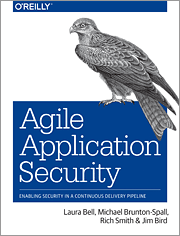
Agile Application Security book

This is the first post in a while. I've been busy working on a bunch of projects. One of them is now finally complete: a book on Agile Application Security for O'Reilly, with Laura Bell, Michael Brunton-Spall, and Rich Smith.

In this book we try to build bridges between the security community and Agile teams, by taking advantage of our different experiences and viewpoints:

  • Rich's extensive experience as a pen tester, and running the security team at Etsy.
  • Michael's experience in hyperdrive Agile development, DevOps and security at The Guardian and the UK Digital Service.
  • Laura's work as a software developer and application security cat herder with large and small organizations in many different stages on their journeys to Agile adoption.
  • My work in development and operations in enterprise financial technology.

This is a unique book that looks at Agile from a security perspective, and security from an Agile perspective.

We explain the driving ideas and key problems in security, and the core enabling practices in Agile that help teams succeed, and how security programs can leverage Agile ideas and practices. How to deal with important risks and problems, and how to scale.

We look in detail at security practices and tools in an Agile context: threat and risk management, how to think about security in requirements, secure coding and code reviews, security testing in Continuous Integration and Continuous Deployment, what scanning can and cannot do for you, building hardened infrastructure and running secure systems, and putting all of this together into automated pipelines and feedback loops.

We also step through regulatory compliance and how to achieve continuous compliance; and how to get value from working with outsiders, including auditors, pen testers and bug bounty programs. We end with how to build an agile security culture and how to break down walls between engineers and security.

It was a unique opportunity to work with experts around the world: Michael in the UK, Laura in New Zealand, Rich in the US. Challenging, exhausting, and a great learning experience.

Our hope is that it offers value to developers who work in Agile environments and are new to security; to people in the security community who want to understand how security can keep up with high-velocity Agile and DevOps teams; and even to people who are expert in both.

Friday, May 8, 2015

DevOps is Killing Maintenance. Let’s Celebrate.

DevOps probably isn't killing developers.

But it is changing how people think about development - from running projects to a focus on building and running services. And more importantly, DevOps is killing maintenance, or sustaining engineering, or whatever managers want to call it. And that’s something that we should all celebrate.

High-bandwidth collaboration and rapid response to change in Agile put a bullet in the head of offshore development done by outsourced CMMI Level 5 certified development factories. DevOps, by extending collaboration between development teams and operations teams and by increasing the velocity of delivery to production (up to hundreds or even thousands of times per day), and by using real feedback from production to drive development priorities and design decisions, has pulled the plug on the sick idea that maintenance should be done by sustaining engineering teams, offshored together with the help desk to somewhere far away in order to get access to cheap talent.

Agile started the job. Devops can finish it

While large companies were busy finding offshore development and testing partners, Agile changed the rules of the game on them.

Off shoring coding and testing work made sense in large-scale waterfall projects with lots of upfront planning and detailed specs that could be handed off from analysts to farms of programmers and testers.

But the success of Agile adoption in so many organizations, including large enterprises, made outsourcing or offshoring development work less practical and less effective. Instead of detailed analysis and documented hand-offs, Agile teams rely on high-bandwidth face-to-face collaboration with each other and especially with the Customer, and rapid iteration and feedback. Everything happens faster. Customers change priorities and requirements. Developers respond and build and deliver features faster.

Time-intensive and people-intensive work like manual testing and reviews are replaced with automated testing and static analysis in Continuous Integration, pair programming, and continuous review and improvement.

In this dynamic world, it doesn’t make sense to try to shovel work offshore. You have to give up too much in return for saving on staff costs. Teleconferencing across time zones and cultures, “virtual team rooms” using webcams, remote pair programming over Skype… these are all poor compromises that lead to misunderstandings, inefficiencies and mistakes. Sure you can do offshore Agile development, but just because you can do something doesn’t mean that it is a good idea.

Devops is going to finish the job

In DevOps, with Continuous Delivery and Continuous Deployment, changes happen even faster. Cycle times and response times get shorter, from months or weeks to days or hours. And feedback cycles are extended from development into production, letting the entire IT organization experiment and learn and improve from real customer use.

Developers collaborate even more, not just with each other and with customers, but with operations too, in order to make sure that the system is setup correctly and running optimally. This can’t be done effectively by development and operations teams working in different time zones. And it doesn’t need to be.

We all know how outsourcing has played out. In the name of efficiency we sliced out non-strategic parts of core IT and farmed them out to other companies, whether offshore or domestic. CIOs loved it because of the budgetary benefits. Meanwhile, it sparked a thousand conversations about what outsourcing meant for IT, the US economy, individual careers, and the relationship between people and businesses.

But it turned out that we took outsourcing too far. It makes sense for some functions, but it can also mean losing control over management, quality, and security, among other things. Now we're seeing a lot of those big contracts being pulled back, and the word of the day is insourcing.

InformationWeek, DevOps: The New Outsourcing

Blurred Lines

DevOps intentionally blurs the lines between developers and operations, between coding and support. Engineering is engineering. Project work gets broken down into piece work: individual features or fixes or upgrades that can be completed quickly and pushed into production as soon as possible. Development work is prioritized together with operations and support tasks. What matters is whatever is important to the business, whatever is needed for the system to run. If the business needs something fixed now, your best people are fixing it, instead of giving it to some kids or shipping it overseas.

In DevOps, developers are accountable for making sure that their code works in production:

You build it, you run it

Which means making sure that the code gets into production, monitoring to make sure that it is working correctly, diagnosing and fixing any problems if something breaks.

New features, changes, fixes, upgrades, support work, deployment… everything is done by the same people, working together. Which means that maintenance and support gets the same management focus as new development. Which means that nobody is stuck in dead end job sustaining a dead end system. Which means that customers get better results, when they need them.

Except for enterprise legacy systems on life support, maintenance as most of us think of it today should die soon, thanks to DevOps. That alone makes DevOps worth adopting.

Wednesday, March 4, 2015

Putting Security into Sprints

To build a secure app, you can’t wait to the end and hope to “test security in”. For teams who follow Agile methods like Scrum, this means you have to find a way to add security into Sprints. Here’s how to do it:

Sprint Zero

A few basic security steps need to be included upfront in Sprint Zero:

  1. Platform selection – when you are choosing your language and application framework, take some time to understand the security functions they provide. Then look around for security libraries like Apache Shiro (a framework for authentication, session management and access control), Google KeyCzar (crypto), and the OWASP Java Encoder (XSS protection) to fill in any blanks.
  2. Data privacy and compliance requirements – make sure that you understand data needs to be protected and audited for compliance purposes (including PII), and what you will need to prove to compliance auditors.
  3. Secure development training – check the skill level of the team, fill in as needed with training on secure coding. If you can’t afford training, buy a couple of copies of Iron-Clad Java, and check out SAFECode’s free seminars on secure coding.
  4. Coding guidelines and code review guidelines – consider where security fits in. Take a look at CERT’s Secure Java Coding Guidelines.
  5. Testing approach – plan for security unit testing in your Continuous Integration pipeline. And choose a static analysis tool and wire it into Continuous Integration too. Plan for pen testing or other security stage gates/reviews later in development.
  6. Assigning a security lead - someone on the team who has experience and training in secure development (or who will get extra training in secure development) or someone from infosec, who will act as the point person on risk assessments, lead threat modeling sessions, coordinate pen testing and scanning and triage the vulnerabilities found, bring new developers up to speed.
  7. Incident Response - think about how the team will help ops respond to outages and to security incidents.

Early Sprints

The first few Sprints, where you start to work out the design and build out the platform and the first-ofs for key interfaces and integration points, is when the application’s attack surface expands quickly.

You need to do threat modeling to understand security risks and make sure that you are handling them properly.

Start with Adam Shostack’s 4 basic threat modeling questions:

  1. What are you building?
  2. What can go wrong?
  3. What are you going to do about it?
  4. Did you do an acceptable job at 1-3?

Delivering Features (Securely)

A lot of development work is business as usual, delivering features that are a lot like the other features that you’ve already done: another screen, another API call, another report or another table. There are a few basic security concerns that you need to keep in mind when you are doing this work. Make sure that problems caught by your static analysis tool or security tests are reviewed and fixed. Watch out in code reviews for proper use of frameworks and libraries, and for error and exception handling and defensive coding.

Take some extra time when a security story comes up (a new security feature or a change to security or privacy requirements), and think about abuser stories whenever you are working on a feature that deals with something important like money, or confidential data, or secrets, or command-and-control functions.

Heavy Lifting

You need to think about security any time you are doing heavy lifting: large-scale refactoring, upgrading framework code or security plumbing or the run-time platform, introducing a new API or integrating with a new system. Just like when you are first building out the app, spend extra time threat modeling, and be more careful in testing and in reviews.

Security Sprints

At some point later in development you may need to run a security Sprint or hardening Sprint – to get the app ready for release to production, or to deal with the results of a pen test or vulnerability scan or security audit, or to clean up after a security breach.

This could involve all or only some of the team. It might include reviewing and fixing vulnerabilities found in pen testing or scanning. Checking for vulnerabilities in third party and Open Source components and patching them. Working with ops to review and harden the run-time configuration. Updating and checking your incident response plan, or improving your code review or threat modeling practices, or reviewing and improving your security tests. Or all of the above.

Adding Security into Sprints. Just Do It.

Adding security into Sprints doesn’t have to be hard or cost a lot. A stripped down approach like this will take you a long way to building secure software. And if you want to dig deeper into how security can fit into Sprints, you can try out Microsoft’s SDL for Agile. Just do it.

Tuesday, January 20, 2015

ThoughtWorks Takes Security Sandwiches off the Menu

Most people in software development have heard about ThoughtWorks.

ThoughtWorks' Chief Scientist, Martin Fowler, is one of the original Agile thought leaders, and they continue to drive new ideas in Agile development and devops, including Continuous Delivery.

At least once a year the thought leaders of ThoughtWorks get together and publish a Technology Radar – a map of the techniques and tools and ideas that they are having success with and recommend to other developers, or that are trying out in their projects and think other people should know more about, or that they have seen fail and want to warn other people about.

I always look forward to reading the Radar when it comes out. It’s a good way to learn about cool tools and new ideas, especially in devops, web and mobile development, Cloudy stuff and IoT, and other things that developers should know about.

But until recently, security has been conspicuously absent from the Radar: which means that security wasn't something that ThoughtWorks developers thought was important or interesting enough to share. Over the last year this has changed, and ThoughtWorks has started to include application security and data privacy concerns in design, development and delivery, including privacy vs big data, forward secrecy, two-factor authentication, OpenID Connect, and the OWASP Top 10.

The first Radar of 2015 recommends that organizations avoid the “Security Sandwich” approach to implementing appsec in development projects, and instead look for ways to build security into Agile development:

Traditional approaches to security have relied on up-front specification followed by validation at the end. This “Security Sandwich” approach is hard to integrate into Agile teams, since much of the design happens throughout the process, and it does not leverage the automation opportunities provided by continuous delivery. Organizations should look at how they can inject security practices throughout the agile development cycle.

This includes: evaluating the right level of Threat Modeling to do up-front; when to classify security concerns as their own stories, acceptance criteria, or cross-cutting non-functional requirements; including automatic static and dynamic security testing into your build pipeline; and how to include deeper testing, such as penetration testing, into releases in a continuous delivery model. In much the same way that DevOps has recast how historically adversarial groups can work together, the same is happening for security and development professionals.

The sandwich – policies upfront, and pen testing at the end to “catch all the security bugs” – doesn't work, especially for Agile teams and teams working in devops environments. Teams who use lightweight, iterative incremental development practices and release working software often need tools and practices to match. Instead of scan-at-the-end-then-try-to-fix, we need simple, efficient checks and guides that can be embedded into Agile development and faster, more efficient tools that provide immediate feedback in Continuous Integration and Continuous Delivery. And we need development and security working together more closely and more often.

It’s good to see pragmatic application security on the ThoughtWorks Radar. I hope it’s on your radar too.

Tuesday, January 13, 2015

We can’t measure Programmer Productivity… or can we?

If you go to Google and search for "measuring software developer productivity" you will find a whole lot of nothing. Seriously -- nothing.
Nick Hodges, Measuring Developer Productivity

By now we should all know that we don’t know how to measure programmer productivity.

There is no clear cut way to measure which programmers are doing a better or faster job, or to compare productivity across teams. We “know” who the stars on a team are, who we can depend on to deliver, and who is struggling. And we know if a team is kicking ass – or dragging their asses. But how do we prove it? How can we quantify it?

All sorts of stupid and evil things can happen when you try to measure programmer productivity.

But let’s do it anyways.

We’re writing more code, so we must be more productive

Developers are paid to write code. So why not measure how much code they write – how many lines of code get delivered?

Because we've known since the 1980s that this is a lousy way to measure productivity.

Lines of code can’t be compared across languages (of course), or even between programmers using the same language working in different frameworks or following different styles. Which is why Function Points were invented – an attempt to standardize and compare the size of work in different environments. Sounds good, but Function Points haven’t made it into the mainstream, and probably never will – very few people know how Function Points work, how to calculate them and how they should be used.

The more fundamental problem is that measuring productivity by lines (or Function Points or other derivatives) typed doesn’t make any sense. A lot of important work in software development, the most important work, involves thinking and learning – not typing.

The best programmers spend a lot of time understanding and solving hard problems, or helping other people understand and solve hard problems, instead of typing. They find ways to simplify code and eliminate duplication. And a lot of the code that they do write won’t count anyways, as they iterate through experiments and build prototypes and throw all of it away in order to get to an optimal solution.

The flaws in these measures are obvious if we consider the ideal outcomes: the fewest lines of code possible in order to solve a problem, and the creation of simplified, common processes and customer interactions that reduce complexity in IT systems. Our most productive people are those that find ingenious ways to avoid writing any code at all.
Jez Humble, The Lean Enterprise

This is clearly one of those cases where size doesn’t matter.

We’re making (or saving) more money, so we must be working better

We could try to measure productivity at a high level using profitability or financial return on what each team is delivering, or some other business measure such as how many customers are using the system – if developers are making more money for the business (or saving more money), they must be doing something right.

Using financial measures seems like a good idea at the executive level, especially now that “every company is a software company”. These are organizational measures that developers should share in. But they are not effective – or fair – measures of developer productivity. There are too many business factors are outside of the development team’s control. Some products or services succeed even if the people delivering them are doing a lousy job, or fail even if the team did a great job. Focusing on cost savings in particular leads many managers to cut people and try “to do more with less” instead of investing in real productivity improvements.

And as Martin Fowler points out there is a time lag, especially in large organizations – it can sometimes take months or years to see real financial results from an IT project, or from productivity improvements.

We need to look somewhere else to find meaningful productivity metrics.

We’re going faster, so we must be getting more productive

Measuring speed of development – velocity in Agile – looks like another way to measure productivity at the team level. After all, the point of software development is to deliver working software. The faster that a team delivers, the better.

But velocity (how much work, measured in story points or feature points or ideal days, that the team delivers in a period of time) is really a measure of predictability, not productivity. Velocity is intended to be used by a team to measure how much work they can take on, to calibrate their estimates and plan their work forward.

Once a team’s velocity has stabilized, you can measure changes in velocity within the team as a relative measure of productivity. If the team’s velocity is decelerating, it could be an indicator of problems in the team or the project or the system. Or you can use velocity to measure the impact of process improvements, to see if training or new tools or new practices actually make the team’s work measurably faster.

But you will have to account for changes in the team, as people join or leave. And you will have to remember that velocity is a measure that only makes sense within a team – that you can’t compare velocity between teams.

Although this doesn't stop people from trying. Some shops use the idea of a well-known reference story that all teams in a program understand and use to base their story points estimates on. As long as teams aren't given much freedom on how they come up with estimates, and as long as the teams are working in the same project or program with the same constraints and assumptions, you might be able to do rough comparison of velocity between teams. But Mike Cohn warns that

If teams feel the slightest indication that velocities will be compared between teams there will be gradual but consistent “point inflation.”

ThoughtWorks explains that velocity <> productivity in their latest Technology Radar:

We continue to see teams and organizations equating velocity with productivity. When properly used, velocity allows the incorporation of “yesterday's weather” into a team’s internal iteration planning process. The key here is that velocity is an internal measure for a team, it is just a capacity estimate for that given team at that given time. Organizations and managers who equate internal velocity with external productivity start to set targets for velocity, forgetting that what actually matters is working software in production. Treating velocity as productivity leads to unproductive team behaviors that optimize this metric at the expense of actual working software.

Just stay busy

One manager I know says that instead of trying to measure productivity

“We just stay busy. If we’re busy working away like maniacs, we can look out for problems and bottlenecks and fix them and keep going”.

In this case you would measure – and optimize for – cycle time, like in Lean manufacturing.

Cycle time – turnaround time or change lead time, from when the business asks for something to when they get it in their hands and see it working – is something that the business cares about, and something that everyone can see and measure. And once you start looking closely, waste and delays will show up as you measure waiting/idle time, value-add vs. non-value-add work, and process cycle efficiency (total value-add time / total cycle time).

“It’s not important to define productivity, or to measure it. It’s much more important to identify non-productive activities and drive them down to zero.”
Erik Simmons, Intel

Teams can use Kanban to monitor – and limit – work in progress and identify delays and bottlenecks. And Value Stream Mapping to understand the steps, queues, delays and information flows which need to be optimized. To be effective, you have to look at the end-to-end process from when requests are first made to when they are delivered and running, and optimize all along the path, not just the work in development. This may mean changing how the business prioritizes, how decisions are made and who makes the decisions.

In almost every case we have seen, making one process block more efficient will have a minimal effect on the overall value stream. Since rework and wait times are some of the biggest contributors to overall delivery time, adopting “agile” processes within a single function (such as development) generally has little impact on the overall value stream, and hence on customer outcomes.
Jezz Humble, The Lean Enterprise

The down side of equating delivery speed with productivity? Optimizing for cycle time/speed of delivery by itself could lead to problems over the long term, because this incents people to think short term, and to cut corners and take on technical debt.

We’re writing better software, so we must be more productive

“The paradox is that when managers focus on productivity, long-term improvements are rarely made. On the other hand, when managers focus on quality, productivity improves continuously.”
John Seddon, quoted in The Lean Enterprise

We know that fixing bugs later costs more. Whether it’s 10x or 100+x, it doesn't really matter. And that projects with fewer bugs are delivered faster – at least up to a point of diminishing returns for safety-critical and life-critical systems.

And we know that the costs of bugs and mistakes in software to the business can be significant. Not just development rework costs and maintenance and support costs. But direct costs to the business. Downtime. Security breaches. Lost IP. Lost customers. Fines. Lawsuits. Business failure.

It’s easy to measure that you are writing good – or bad – software. Defect density. Defect escape rates (especially defects – including security vulnerabilities – that escape to production). Static analysis metrics on the code base, using tools like SonarQube.

And we know how to write good software - or we should know by now. But is software quality enough to define productivity?

Devops – Measuring and Improving IT Performance

Devops teams who build/maintain and operate/support systems extend productivity from dev into ops. They measure productivity across two dimensions that we have already looked at: speed of delivery, and quality.

But devops isn't limited to just building and delivering code – instead it looks at performance metrics for end-to-end IT service delivery:

  1. Delivery Throughput: deployment frequency and lead time, maximizing the flow of work into production
  2. Service Quality: change failure rate and MTTR

It’s not a matter of just delivering software faster or better. It’s dev and ops working together to deliver services better and faster, striking a balance between moving too fast or trying to do too much at a time, and excessive bureaucracy and over-caution resulting in waste and delays. Dev and ops need to share responsibility and accountability for the outcome, and for measuring and improving productivity and quality.

As I pointed out in an earlier post this makes operational metrics more important than developer metrics. According to recent studies, success in achieving these goals lead to improvements in business success: not just productivity, but market share and profitability.

Measure Outcomes, not Output

In The Lean Enterprise (which you can tell I just finished reading), Jez Jumble talks about the importance of measuring productivity by outcome – measuring things that matter to the organization – not output.

“It doesn't matter how many stories we complete if we don’t achieve the business outcomes we set out to achieve in the form of program-level target conditions”.

Stop trying to measure individual developer productivity.

It’s a waste of time.

Everyone knows who the top performers are. Point them in the right direction, and keep them happy.

Everyone knows the people who are struggling. Get them the help that they need to succeed.

Everyone knows who doesn't fit in. Move them out.

Measuring and improving productivity at the team or (better) organization level will give you much more meaningful returns.

When it comes to productivity:

  1. Measure things that matter – things that will make a difference to the team or to the organization. Measures that are clear, important, and that aren't easy to game.
  2. Use metrics for good, not for evil – to drive learning and improvement, not to compare output between teams or to rank people.

I can see why measuring productivity is so seductive. If we could do it we could assess software much more easily and objectively than we can now. But false measures only make things worse.
Martin Fowler, CannotMeasureProductivity

Wednesday, December 10, 2014

If you could only do one thing to make better software, what would it be?

Good technical practices are what we have to do to make good software – this is the engineering part of software engineering. Design. Coding. Testing and Reviews.

If you could do only one thing to make better software, what would it be? Where would you get the most bang for your buck?

Continuous Integration – Making Code Run

Continuous Integration is an obvious place to start. You need to build the software and get it running before you can do anything useful with it.

Getting developers to check in and sync up with each other more often. Building the system more often – at least once a day to start, then on every check in. Which means simplifying and automating the steps to build the system. Making sure that the system builds successfully every time – without errors or warnings. Which means that people can run it and try it out whenever they want. Make sure that it will run correctly. Which means adding tests and checks as part of the build and deploy steps. Building information radiators so that everyone knows the status of the build and when the build is broken.

You can’t be Agile without Continuous Integration, and you need Continuous Integration in place before you can go down the Devops path to Continuous Delivery or Continuous Deployment.

And Continuous Integration works in sequential Waterfall delivery too. Developers in these environments might check in more code less often, but there is still real value in knowing that you can build and run the system and see it working sooner rather than later, especially in big enterprise systems and big programs where getting dependencies worked out and all the pieces working together is a huge challenge.

Developers testing their own work – Making Code Work

Making developers responsible for testing their own work, automating this as much as possible by building on Continuous Integration, is the only way to deliver software faster and keep costs down – depending too much on manual testing and hand-offs to a test team will slow you down too much.

Almost every organization that I have talked to over the past couple of years is pushing more responsibilities for testing onto developers, and pushing more testers into development teams (or out of the organization altogether), following the lead of Google and now Microsoft, to become "more Agile".

This means relying more on developers to write good automated tests (unit tests, basic UI regression using Selenium or Watir) and static analysis checking in Continuous Integration or the developer’s IDE to find common coding mistakes and security vulnerabilities.

But there are limits to what developers will catch in their testing, even good developers. Once you get developers to write tests (before, or after they write the code, it doesn't matter, now that TDD is dead), you’ll end up with mostly simple unit tests or UI regression tests that don’t stray far from the happy path, proving that the code does what the developer thinks it is supposed to do – because that is what they need to get their work done. Their assumptions and blind spots will be reflected in the tests as well as the code. Little or no negative testing. Or usability testing. Or security testing. Or stress testing. Or system-level integration testing. All of which still has to be done by somebody - unless you expect your customers to find your bugs for you.

It will take a long time before the team learns how to write good, efficient tests, and before they build up a set of tests that will catch real bugs, rather than just getting in the way. But if you do this right, you can deliver good code while still moving fast, and get better value out of testing.

Code Reviews or Pairing – Making Code Good

Another way to get better code is by getting developers to do code reviews.

Code reviews should be about finding problems in the code first – checking for correctness, defensive coding protection (error handling and API contracts and thread safety and data validation), security (using security libraries correctly for access control and output encoding, protecting confidential data, logging and auditing…). And about making the code better – more understandable, safer and easier to change.

Code reviews are expensive, so do them right: lightweight, risk-based, using static analysis first to catch low-level mistakes and bad coding practices so that reviewers can spend their time looking for more important problems.

Instead of code reviews, you could try pairing as a way to get another pair of eyes on the code.

Pairing isn’t the same as reviews – the goals and priorities are different. A good reviewer will find problems even in code developed through pair programming, because reviewers look for different things. But research proves that disciplined pair programming will give you better structured, cleaner code, with fewer bugs. And pairing is a much better way to teach programmers about the system than code reviews are.

The downsides of pair programming? The cost of having two people do the work of one person – a good pair will work faster than one person on their own, but the less experienced or less skilled team member will slow the pair down to what they can deal with. Focus fatigue. Pairing can be exhausting, which means people can’t do it for too long at a stretch, before their work becomes superficial or strained. And social problems. People who like it, like it a lot. But people who don’t like it won’t do it at all.

Refactoring – Making Code – and Design – Last

What about design? Collaborative design workshops? Design reviews? Threat modeling in design to take care of security and operational risks?

We do all of these things. But as we continue to iterate through the design and as our code base grows, refactoring – to retain, and sometimes restore, the design, and to keep the code maintainable – is becoming more and more important.

It’s easy to learn your IDE’s refactoring tools and the basic ideas behind refactoring. But it’s not easy to learn how do refactoring right (although you can learn a lot in a short time from Woody Zuill and Llewellyn Falco in their “2 Minutes to Better Code” video). Understanding why some refactoring approaches are better than others. How to save time refactoring. How to do it safely.

Mariusz Sieraczkiewicz does a good job of explaining how and when to do "everyday refactoring" using a matrix built on Michael Feathers’ work on brutal refactoring and the biology of code:

  1. Start by reading and annotating the code, maybe do some scratch (rapid, throwaway) refactoring to understand it better
  2. Find meaningful names for variables and conditionals
  3. Extract methods to break down big chunks of code and express the algorithm
  4. Get rid of obvious duplication
  5. Move methods and extract classes to isolate responsibilities.
I agree with Sieraczkiewicz that these simple steps “would heal most code bases on this planet”. He then goes on to describe larger and more fundamental “strategic refactoring” (aka “root canal refactoring"): refactoring to patterns, introducing new architectural constructs. Work that carries much higher risks and costs. This is where refactoring ends, and re-design and re-architecture starts.

What would you do, to make Better Software?

Continuous Integration can pay off quickly: the change in transparency and in the team’s focus is almost immediate.

Developer testing is a journey, not a goal. It will take a long time for most developers to get good at it, and a long time to build up a good set of tests that you can rely on. The sooner you start, the better.

Code reviews can also take a long time to pay off. Developers – and managers – need to make the time for reviews to be done and build the discipline, and developers need time to learn how to review code properly, and how to give and accept criticism. But code reviews – or pairing – will give you better code.

Refactoring is more of a compounding investment – you pay a little bit today to save a lot in the future.

If there is only one thing that you could do to make better software, what would it be? Where would you start?

Wednesday, November 19, 2014

Different Ways of Scaling Agile

At this year's Construx Software Executive Summit one of the problems that we explored was how to scale software development, especially Agile development, across projects, portfolios, geographies and enterprises. As part of this, we looked at 3 different popular methods for scaling Agile: LeSS (Large Scale Scrum), SAFe (Scaled Agile Framework), and DAD (Disciplined Agile Delivery).

LeSS and LeSS Huge - Large Scale Scrum

Craig Larman, the co-author of LeSS (and LeSS Huge - for really big programs), started off by criticizing the "contract game" or "commitment game" that management, developers and customers traditionally play to shift blame upfront for when things (inevitably) go wrong on a project. It was provocative and entertaining, but it had little to do with scaling Agile.

He spent the rest of his time building the case for restructuring organizations around end-to-end cross-functional feature teams who deliver working code rather than specialist component teams and functional groups or matrices. Feature teams can move faster by sharing code and knowledge, solving problems together and minmizing handoffs and delays.

Enterprise architecture in LeSS seems easy. Every team member is a developer - and every developer is an architect. Architects work together outside of teams and projects in voluntary Communities of Practice to collaborate and shape the organization's architecture together. This sounds good - but architecture, especially in large enterprise environments, is too important to try and manage out-of-band. LeSS doesn't explain how eliminating specialization and working without upfront architecture definition and architectural standards and oversight will help build big systems that work with other big systems.

LeSS is supposed to be about scaling up, but most of what LeSS lays out looks like Scrum done by lots of people at the same time. It's not clear where Scrum ends and LeSS starts.

SAFe - Scaled Agile Framework

There's no place for management in LeSS (except for Product Owners, who are the key constraint for success - like in Scrum). Implementing Less involves fundamentally restructuring your organization around business-driven programs and getting rid of managers and specialists.

Managers (as well as architects and other specialists) do have a role in SAFe's Scaled Agile Framework - a more detailed and heavyweight method that borrows from Lean, Agile and sequential Waterfall development approaches. Teams following Scrum (and some XP technical practices) to build working code roll up into programs and portfolios, which need to be managed and coordinated.

In fact, there is so much for managers to do in SAFe as "Lean-Agile Leaders" that Dean Leffingwell spent most of his time enumerating and elaborating the roles and responsibilities of managers in scaling Agile programs and leading change.

Some of the points that stuck with me:

  • The easiest way to change culture is to have success. Focus on execution, not culture, and change will follow.
  • From Deming: Only managers can change the system - because managers create systems. Change needs to come from the middle.
  • Managers need to find ways to push decisions down to teams and individuals, giving them strong and clear "decision filters" so that they understand how to make their own decisions.

DAD - Disciplined Agile Delivery

Scott Ambler doesn't believe that there is one way to scale Agile development, because in an enterprise different teams and projects will deliver different kinds of software in different ways: some may be following Scrum or XP, or Kanban, or Lean Startup with Continuous Deployment, or RUP, or SAFe, or a sequential Waterfall approach (whether they have good reasons, or not so good reasons, for working the way that they do).

Disciplined Agile Development (DAD) is not a software development method or project management framework - it is a decision-making framework that looks at how to plan, build and run systems across the enterprise. DAD layers over Scrum/XP, Lean/Kanban or other lifeycles, helping managers make decisions about how to manage projects, how to manage risks, and how to drive change.

Projects, and people working in projects, need to be enterprise-aware - they need to work within the constraints of the organization, follow standards, satisfy compliance, integrate with legacy systems and with other projects and programs, and leverage shared resources and expertise and other assets across the organization.

Development isn't the biggest problem in scaling Agile. Changes need to be made in many different parts of the organization in order to move faster: governance (including the PMO), procurement, finance, compliance, legal, product management, data management, ops, ... and these changes can take a long time. In Disciplined Agile Development, this isn't easy, and it's not exciting. It just has to be done.

Scaling Agile is Hard, but it's worth it

Almost all of us agreed with Dean Leffingwell that "nothing beats Agile at the team level". But achieving the same level of success at the organizational level is a hard problem. So hard that none of the people who are supposed to be experts at it could clearly explain how to do it.

After talking to senior managers from many different industries and different countries, I learned that most organizations seem to be finding their own way, blending sequential Waterfall stage-gate development and large-scale program management practices at the enterprise-level with Agile at the team level. Using Agile approaches to explore ideas and requirements, prototyping and technical spikes to help understand viability and scope and technical needs and risks early, before chartering projects. Starting off these projects with planning and enough analysis and modeling upfront to identify key dependencies and integration points, then getting Agile teams to fill in the details and deliver working software in increments. Managing these projects like any other projects, but with more transparency into the real state of software development - because you get working software instead of status reports.

The major advantage of Agile at scale isn't the ability to react to continuous changes or even to deliver faster or cheaper. It's knowing sooner whether you should keep going, or if you need to keep going, or if you should stop and do something else instead.

Monday, April 14, 2014

Agile - What’s a Manager to Do?

As a manager, when I first started learning about Agile development, I was confused by the fuzzy way that Agile teams and projects are managed (or manage themselves), and frustrated and disappointed by the negative attitude towards managers and management in general.

Attempts to reconcile project management and Agile haven't answered these concerns. The PMI-ACP does a good job of making sure that you understand Agile principles and methods (mostly Scrum and XP with some Kanban and Lean), but is surprisingly vague about what an Agile project manager is or does. Even a book like the Software Project Manager’s Bridge to Agility, intended to help bridge PMI's project management practices and Agile, fails to come up with a meaningful job for managers or project managers in an Agile world.

In Scrum (which is what most people mean when they say Agile today), there is no place for project managers at all: responsibilities for management are spread across the Product Owner, the Scrum Master and the development team.

We have found that the role of the project manager is counterproductive in complex, creative work. The project manager’s thinking, as represented by the project plan, constrains the creativity and intelligence of everyone else on the project to that of the plan, rather than engaging everyone’s intelligence to best solve the problems.
In Scrum, we have removed the project manager. The Product Owner, or customer, provides just-in-time planning by telling the development team what is needed, as often as every month. The development team manages itself, turning as much of what the product owner wants into usable product as possible. The result is high productivity, creativity, and engaged customers.

We have replaced the project manager with the Scrum Master, who manages the process and helps the project and organization transition to agile practices.

Ken Schwaber, Agility and PMI, 2011

Project Managers have the choice of becoming a Scrum Master (if they can accept a servant leader role and learn to be an effective Agile coach – and if the team will accept them) or a Product Owner (if they have deep enough domain knowledge and other skills), or find another job somewhere else.

Project Manager as Product Owner

The Product Owner is command-and-control position responsible for the “what” part of a development project. It's a big job. The Product Owner owns the definition of what needs to be built, decides what gets done and in what order, approves changes to scope and makes scope / schedule / cost trade-offs, and decides when work is done. The Product Owner manages and represents the business stakeholders, and makes sure that business needs are met. The Product Owner replaces the project manager as the person most responsible for the success of the project (“the one throat to choke”).

But they don’t control the team’s work, the technical details of who does the work or how. That’s decided by the team.

Some project managers may have the domain knowledge and business experience, the analytical skills and the connections in the customer organization to meet the requirements of this role. But it’s also likely to be played by an absentee business manager or sponsor, backed up by a customer proxy, a business analyst or someone else on the team without real responsibility or authority in the organization, creating potentially serious project risks and management problems. Some organizations have tried to solve this by sharing the role across two people: a project manager and a business analyst, working together to handle all of the Product Owner’s responsibilities.

Project Manager as Scrum Master

It seems like the most natural path for a project manager is to become the team’s Scrum Master, although there is a lot of disagreement over whether a project manager can be effective – and accepted – as a Scrum Master, whether they will accept the changes in responsibilities and authority, and be willing to change how they work with the team and the rest of the organization.

The Scrum Master is a “process owner” and coach, not a project manager. They help the team – and the Product Owner – understand how to work in an Agile process framework, what their roles and responsibilities are, set up and guide the meetings and reviews, and coach team members through change and conflict.

The Scrum Master works a servant leader, a (nice) process cop, a secretary and a gofer. Somebody who supports the team and the Product Owner, “carries food and water” for them, tries to protect them from the world outside of the project and helps them solve problems. But the Scrum Master has no direct authority over the project or the team and does not make decisions for them, because Agile teams are supposed to be self-directing, self-organizing and self-managing.

Of course that’s not how things start off. Any group of people must work their way through Tuckman’s 4 stages of team development: Forming-Storming-Norming-Performing. It’s only when they reach the last stage that a group can effectively manage themselves. In the mean time, somebody (the Scrum Master / Coach) has to help the team make decisions that they aren’t ready to make on their own. It can take a long time for a team to reach this point, for people to learn to trust each other – and the organization – enough. And it may not last long, before something outside of the team’s control sets them back: a key person leaving or joining the team, a change in leadership, a shock to the project like a major change in direction or cuts to the budget. Then they need to be led back to a high performing state again.

Coaching the team and helping them out can be a full-time job in the beginning. After the team has got together and learned the process? Not so much. Which is why the Scrum Master is sometimes played part-time by a developer or sometimes even rotated between people on the development team.

But even when the team is performing at a high level, there’s more to managing an Agile project than setting up meetings, buying pizza and trying to stay out of the way. I've come to understand that Agile doesn't make a manager’s job go away. If anything, it expands it.

Managing Upfront

First, there’s all of the work that has to be done upfront at the start of a project – before Iteration Zero. Identifying stakeholders. Securing the charter. Negotiating the project budget and contract terms. Understanding and navigating the organization’s bureaucracy. Figuring out governance and compliance requirements and constraints, what the PMO needs. Working with HR, line managers and functional managers to put the team together, finding and hiring good people, getting space for them to work in and the tools that they need to work with. Lining up partners and suppliers and contractors. Contracting and licensing and other legal stuff. >/p>

The Product Owner might do some of this work - but they can't do it all.

Managing Up and Out

Then there’s the work that needs to be managed outside of the team.

Agile development is insular, insulated and inward-looking. The team is protected from the world outside so they can focus on building features together. But the world outside is too important to ignore. Every development project involves more than designing and building software – often much more than the work of development itself. Every project, even a small project, has dependencies and hand-offs that need to be coordinated with other teams in other places, with other projects, with specialists outside of the team, with customers and partners and suppliers. There is forward planning that needs to be done, setting and tracking drop-dead dates, defining and maintaining interfaces and integration points and landing zones.

Agile teams move and respond to change quickly. These changes can have impacts outside of the team, on the customer, other teams and other projects, other parts of the organization, suppliers and partners. You can try using a Scrum of Scrums to coordinate with other Agile teams up to a point, but somebody still has to keep track of dependencies and changes and delays and orchestrate the hand-offs.

Depending on the contracting model and your compliance or governance environment, formal change control may not go away either, at least not for material changes. Even if the Product Owner and the team are happy, somebody still has to take care of the paperwork to stay onside of regulatory traceability requirements and to stay within contract terms.

There are a lot of people who need to know what’s going on in a project outside of the development team – especially in big projects in big organizations. Communicating outwards, to people outside of the team and outside of the company. Communicating upwards to management and sponsors, keeping them informed and keeping them onside. Task boards and burn downs and big visible charts on the wall might work fine for the team, but upper management and the PMO and other stakeholders need a lot more, they need to understand development status in the overall context of the project or program or business change initiative.

And there’s cost management and procurement. Forecasting and tracking and managing costs, especially costs outside of development labor costs. Contracts and licensing need to be taken care of. Stuff needs to be bought. Bills need to be paid.

Managing Risks

Scrum done right (with XP engineering practices carefully sewed in) can be effective in containing many common software development risks: scope, schedule, requirements specification, technical risks. But there are other risks that still need to be managed, risks that come from outside of the team: program risks, political risks, partner risks and other logistical risks, integration risks, data quality risks, operational risks, security risks, financial risks, legal risks, strategic risks.

Scrum purposefully has many gaps, holes, and bare spots where you are required to use best practices – such as risk management.
Ken Schwaber
While the team and the Product Owner and Scrum Master are focused on prioritizing and delivering features and resolving technical issues, somebody has to look further out for risks, bring them up to the team, and manage the risks that aren't under the team’s control.

Managing the End Game

And just like at the start of a project, when the project nears the end game, somebody needs to take care of final approvals and contractual acceptance, coordinate integration with other systems and with customers and partners, data setup and cleansing and conversion, documentation and training. Setting up the operations infrastructure, the facilities and hardware and connectivity, the people and processes and tools needed to run the system. Setting up a support capability. Packaging and deployment, roll out planning and roll back planning, the hand-off to the customer or to ops, community building and marketing and whatever else is required for a successful launch. Never mind helping make whatever changes are required to business workflows and business processes that may be required with the new system.

Project Management doesn't go away in Agile

There are lots of management problems that need to be taken care of in any project. Agile spreads some management responsibilities around and down to the team, but doesn’t make management problems go away. Projects can’t scale, teams can’t succeed, unless somebody – a project manager or the PMO or someone else with the authority and skills required – takes care of them.
Thursday, March 27, 2014

Secure DevOps - Seems Simple

The DevOps security story is deceptively simple. It’s based on a few fundamental, straight forward ideas and practices:

Smaller Releases are Safer

One of these ideas is that smaller, incremental and more frequent releases are safer and cause less problems than big bang changes. Makes sense.

Smaller releases contain less code changes. Less code means less complexity and fewer bugs. And less risk, because smaller releases are easier to understand, easier to plan for, easier to test, easier to review, and easier to roll back if something goes wrong.

And easier to catch security risks by watching out for changes to high risk areas of code: code that handles sensitive data, or security features or other important plumbing, new APIs, error handling. At Etsy for example, they identify this code in reviews or pen testing or whatever, hash it, and automatically alert the security team when it gets changed, so that they can make sure that the changes are safe.

Changing the code more frequently may also make it harder for the bad guys to understand what you are doing and find vulnerabilities in your system – taking advantage of a temporary “Honeymoon Effect” between the time you change the system and the time that the bad guys figure out how to exploit weaknesses in it.

And changing more often forces you to simplify and automate application deployment, to make it repeatable, reliable, simpler, faster, easier to audit. This is good for change control: you can put more trust in your ability to deploy safely and consistently, you can trace what changes were made, who made them, and when.

And you can deploy application patches quickly if you find a problem.

“...being able to deploy quick is our #1 security feature”
Effective Approaches to Web Application Security, Zane Lackey

Standardized Ops Environment through Infrastructure as Code

DevOps treats “Infrastructure as Code”: infrastructure configurations are defined in code that is written and managed in the same way as application code, and deployed using automated tools like Puppet or Chef instead of by hand. Which means that you always know how your infrastructure is setup and that it is setup consistently (no more Configuration Drift). You can prove what changes were made, who made them, and when.

You can deploy infrastructure changes and patches quickly if you find a problem.

You can test your configuration changes in advance, using the same kinds of automated unit test and integration test suites that Agile developers rely on – including tests for security.

And you can easily setup test environments that match (or come closer to matching) production, which means you can do a more thorough and accurate job of all of your testing.

Automated Continuous Security Testing

DevOps builds on Agile development practices like automated unit/integration testing in Continuous Integration, to include higher level automated system testing in Continuous Delivery/Continuous Deployment.

You can do automated security testing using something like Gauntlt to “be mean to your code” by running canned attacks on the system in a controlled way.

Other ways of injecting security into Devops include:

  1. Providing developers with immediate feedback on security issues through self-service static analysis: running Static Analysis scans on every check-in, or directly in their IDEs as they are writing code.
  2. Helping developers to write automated security unit tests and integration tests and adding them to the Continuous testing pipelines.
  3. Automating checks on Open Source and other third party software dependencies as part of the build or Continuous Integration, using something like OWASP’s Dependency Check to highlight dependencies that have known vulnerabilities.
Fast feedback loops using automated testing means you can catch more security problems – and fix them – earlier.

Operations Checks and Feedback

DevOps extends the idea of feedback loops to developers from testing all the way into production, allowing (and encouraging) developers visibility into production metrics and getting developers and ops and security to all monitor the system for anomalies in order to catch performance problems and reliability problems and security problems.

Adding automated asserts and health checks to deployment (and before start/restart) in production to make sure key operational dependencies are met, including security checks: that the configurations correct, ports that should be closed are closed, ports that should be opened are opened, permissions are correct, SSL is setup properly…

Or even killing system processes that don’t conform (or sometimes just to make sure that they failover properly, like they do at Netflix).

People talking to each other and working together to solve problems

And finally DevOps is about people talking together and solving problems together. Not just developers talking to the business/customers. Developers talking to ops, ops talking to developers, and everybody talking to security. Sharing ideas, sharing tools and practices. Bringing ops and security into the loop early. Dev and ops and security working together on planning and on incident response and learning together in Root Cause Analysis sessions and other reviews. Building teams across silos. Building trust.

Making SecDevOps Work

There’s good reasons to be excited by what these people are doing, the path that they are going down. It promises a new, more effective way for developers and security and ops to work together.

But there are some caveats.

Secure DevOps requires strong engineering disciplines and skills. DevOps engineering skills are still in short supply. And so are information security(and especially appsec) skills. People who are good at both DevOps and appsec are a small subset of these small subsets of the talent available.

Outside of configuration management and monitoring, the tooling is limited – you’ll probably have to write a lot of what you need yourself (which leads quickly back to the skills problem).

A lot more work needs to be done to make this apply to regulated environments, with enforced separation of duties and where regulators think of Agile as “the A Word” (so you can imagine what they think of developers pushing out changes to production in Continuous Deployment, even if they are using automated tools to do it). A small number of people are exploring these problems in a Google discussion group on DevOps for managers and auditors in regulated industries, but so far there are more people asking questions than offering answers.

And getting dev and ops and security working together and collaborating across development, ops and security might take an extreme makeover of your organization’s structure and culture.

Secure DevOps practices and ideas aren't enough by themselves to make a system secure. You still need all of the fundamentals in place. Even if they are releasing software incrementally and running lots of automated tests, developers still need to understand software security and design security in and follow good software engineering practices. Whether they are using "Infrastructure as Code" or not, Ops still has to design and engineer the datacenter and the network and the rest of the infrastructure to be safe and reliable, and run things in a secure and responsible way. And security still needs to train everyone and followup on what they are doing, run their scans and pen tests and audits to make sure that all of this is being done right.

Secure DevOps is not as simple as it looks. It needs disciplined secure development and secure ops fundamentals, and good tools and rare skills and a high level of organizational agility and a culture of trust and collaboration. Which is why only a small number of organizations are doing this today. It’s not a short term answer for most organizations. But it does show a way for ops and security to keep up with the high speed of Agile development, and to become more agile, and hopefully more effective, themselves.

Thursday, January 30, 2014

Small Projects and Big Programs

The Standish Group’s CHAOS 2013 Report has some interesting things to say about what is driving software development project success today. More projects are succeeding (39% in 2012, up from 29% in 2004), mostly because projects are getting smaller (which also means more projects done using Agile, since small projects are the sweet spot for Agile):

“Very few large projects perform well to the project management triple constraints of cost, time, and scope. In contrast to small projects, which have more than a 70% chance of success, a large project has virtually no chance of coming in on time, on budget, and within scope… Large projects have twice the chance of being late, over budget, and missing critical features…. A large project is more than 10 times more likely to fail outright, meaning it will be cancelled or will not be used because it outlived its useful life prior to implementation.”

So don’t run large projects. Of course it’s not that simple: many problems, especially in enterprises, are much too big to be solved by small teams in small projects. Standish Group says that you can get around this if you “Think Big, Act Small”:
“…there is no need for large projects… any IT project can be broken into a series of small projects that could also be done in parallel if necessary.”

Anything that can be done in one big project can obviously be done in a bunch of smaller projects. You can make project management simple – by pushing the hard management problems and risks up to the program level.

Program Management isn't Project Management

Understanding and orchestrating work across multiple projects isn’t as simple as breaking a big project down into small projects and running them independently. Managing programs, managing horizontally across projects, is different than managing projects. There are different risks, different problems to be solved. It requires different skills and strengths, and a different approach.

PMI recognizes this, and has a separate certification for Program Managers (PgMP). Program management is more strategic than project management. Program Managers are not just concerned with horizontal and cross-project issues, coordinating and managing interdependencies between projects – managing at scale. They are also responsible for understanding and helping to achieve business goals, for managing organizational risks and political risks, and they have to take care of financing and contracts and governance: things that Agile coaches running small projects don’t have to worry much about (and that Agile methods don’t help with).

Agile and Program Management

The lightweight tools and practices that you use to successfully coach an Agile team won’t scale to managing a program. Program management needs all of those things that traditional, plan-driven project management is built on. More upfront planning to build a top-down roadmap for all of the teams to share: project teams can’t be completely free to prioritize work and come up with new ideas on the fly, because they have to coordinate handoffs and dependencies. Architecture and technology strategy. More reporting. Working with the PMO. More management roles and more management. More people to manage. Which = more politics.

Johanna Rothman talks a little bit about program management in her book Managing Your Project Portfolio, and has put up a series of blog posts on Agile and Lean Program Management as work in progress for another book she is writing on program management and Agile.

Rothman looks at how to solve problems of organization in programs using the Scrum of Scrums hierarchy (teams hold standups, then Scrum Masters have their own standups together every day to deal with cross-program issues). Because this approach doesn't scale to handle coordination and decision making and problem solving in larger programs, she recommends building loose networks between projects and teams using Communities of Practice (a simple functional matrix in which architects, testers, analysts, and especially the Product Owners in each team coordinate continuously with each other across teams).

Rothman also looks at the problems of coordinating work on the backlog between teams, and evolving architecture, and how Program Managers need to be Servant Leaders and not care what teams do or how they do it, only about the results.

Rothman believes that Program Managers should establish and maintain momentum from the beginning of the program. Rather than taking time upfront to initiate and plan (because, who actually needs to plan a large, complex program?!), get people learning how to work together from the start. Release early, release often, and keep work in progress to a minimum – the larger the program, the less work in progress you should have. Finally she describes some tools that you could use to track and report progress and provide insight into a program’s overall status, and explains how and why they need to be different than the tools used for projects.

There are some ideas here that make sense and would probably work, and some others that don’t - like skipping planning.

Get Serious about Program Management

A more credible and much more comprehensive approach for managing large programs in large organizations would be one of the heavyweight enterprise Agile hybrids: the Scaled Agile Framework (SAFe) or Disciplined Agile Delivery which take Agile ideas and practices and envelop them inside a structured, top-down governance-heavy process/project/program/portfolio management framework based on the Rational Unified Process. But now you’re not trying to manage and coordinate small, simple Agile projects any more, you’re doing something quite different, and much more expensive.

The most coherent and practical framework I have seen for managing programs is laid out in Executing Complex Programs, a course offered by Stanford University, as part of its Advanced Project Management professional development certificate.

This framework covers how to manage distributed cross-functional and cross-organizational teams in global environments; managing organizational and political and logistical and financial risks; and modeling and understanding and coordinating the different kinds of interdependencies and interfaces between projects and teams (shared constraints and resources, APIs and shared data, hand-offs and milestones and drop-dead dates, experts and specialists…) in large, complex programs. The course explores case studies using different approaches, some Agile, some not, some in high reliability / safety critical and regulated environments. This should give you everything that you need to manage a program effectively.

You can and should make projects simpler and smaller – which means that you’ll have to do more program management. But don’t try to get by at the program level with improvising and iterating and leveraging the same simple techniques that have worked with your teams. Nothing serious gets done outside of programs. So take program management seriously.

Thursday, January 23, 2014

Can you Learn and Improve without Agile Retrospectives? Of course you can…

Retrospectives – bringing the team together on a regular basis to examine how they are working and identify where and how they can improve – are an important part of Agile development.

Scrum and “Inspect and Adapt”

So important that Schwaber and Sutherland burned retrospectives into Scrum at the end of every Sprint, to make sure that teams will continuously Inspect and Adapt their way to more effective and efficient ways of working.

End-of-Sprint retrospectives are now commonly accepted as the right way to do things, and are one of the more commonly followed practices in Agile development. VersionOne’s latest State of Agile Development survey says that 72% of Agile teams are doing retrospectives.

Good Retrospectives are Hard Work

Good retrospectives are a lot of work.

For the leader/Coach/Scrum Master who needs to sell them to the team – and to management – and build a safe and respectful environment to hold the meetings and guide everyone through the process properly.

For the team, who need to take the time to learn and understand together and act on what they've learned and then follow-up and actually get better at how they work.

So hard that there several books written just on how to do retrospectives,(Agile Retrospectives: Making Good Teams Great, The Retrospective Handbook, Getting Value out of Agile Retrospectives), as well as several chapters written about retrospectives in other books on Agile, and retrospective websites (including one just on how to make retrospectives fun) and a wiki and at least one prime directive for running retrospectives, and dozens of blog posts with suggestions and coaching tips and alternative meeting formats and collaborative games and tools and techniques to help teams and coaches through the process, to energize retrospectives or re-energize them when teams lose momentum and focus.

Questioning the need for Retrospectives

Because retrospectives are so much work, some people have questioned how useful running retrospectives each Sprint really is, whether they can get by without a retrospective every time, or maybe without doing them at all.

There are good and bad reasons for teams to skip – or at least want to skip – retrospectives.

Because not everyone works in a safe environment where people trust and respect each other, so retrospectives can be dangerous and alienating, a forum for finger pointing and blame and egoism.

Because they don’t result in meaningful change, because the team doesn’t act on what they find – or aren’t given a chance to – and so the meetings become a frustrating and pointless waste of time, rehashing the same problems again and again.

Because the real problems that they need to solve in order to succeed are larger problems that they don’t have the authority or ability to do anything about, and so the meetings become a frustrating and pointless waste of time….

Because the team is under severe time pressure, they have to deliver now or there may not be a chance to get better in the future.

Because the team is working well together, they've “inspected and adapted” their way to good practices and don’t have any serious problems that have to be fixed or initiatives that are worth spending a lot of extra time and energy on, at least for now. They could keep on trying to look for ways to get even better, or they could spend that time getting more work done.

Inspecting and Adapting – without Regular Retrospectives

Regular, frequent retrospectives can be useful – especially when you are first starting off in a new team on a new project. But once the team has learned how to learn, the value that they can get from retrospectives will decline.

This is especially the case for teams working in rapid cycles, short Sprints every 2 weeks or every week or sometimes every few days. As the Sprints get shorter, the meetings need to be shorter too, which doesn’t leave enough time to really review and reflect. And there’s not enough time to make any meaningful changes before the next retrospective comes up again.

At some point it makes good sense to stop and try something different. Are there other ways to learn and improve that work as well, or better than regular team retrospective meetings?

XP and Continuous Feedback

Retrospectives were not part of Extreme Programming as Kent Beck et al defined it (in either the first or second edition).

XP teams are supposed to follow good engineering (at least coding and testing) practices and work together in an intelligent way from the beginning – it should be enough to follow the rules of XP, and fix things when they are broken.

XP relies on built-in feedback loops: TDD, Continuous Integration and continuous testing, pair programming, frequently delivering small releases of software for review. The team is expected to learn from all of this feedback, and improve as they go. If tests fail, or they get negative feedback from the Customer, or find other problems, they need to understand what went wrong, why, and correct it.

Devops and Continuous Delivery/Deployment

Delivering software frequently, or continuously, to production pushes this one step further. If you are delivering working software to real customers on a regular basis, you don’t need to ask the team to reflect internally, to introspect – your customers will tell you if you are doing a good job, and where you need to improve:

Are you delivering what customers need and want? Is it usable? Do they like it?

Is the software quality good – or at least good enough?

Are you delivering fast enough?

By understanding and acting on this feedback, the team will improve in ways that make a real difference.

Root Cause Analysis

If and when something seriously goes wrong in testing or production or within the team, call everyone together for an in depth review and carefully step through Root Cause Analysis to understand what happened, why, what you need to change to prevent problems like this from happening again, and put together a realistic plan to get better.

Reviews like this, where the team works together to confront serious problems in a serious way and genuinely understand them and commit to fixing them, are much more important than a superficial 2-hour meeting every couple of weeks. These can be – and often are – make or break situations. Handled properly, this can pull teams together and make them much stronger. Never waste a crisis.

Kanban and Micro-Optimization

Teams following Kanban are constantly learning and improving.

By making work visible and setting work limits, they can immediately detect delays and bottlenecks, then get together and correct them. This micro-optimization at the task level, always tuning and fixing problems as they come up, might seem superficial, but the results are immediate (recognizing and correcting problems as soon as they come up makes more sense than waiting until the next scheduled meeting), and small improvements are all that many teams are actually able to make anyways.

Take advantage of audits and reviews

In large organizations and highly regulated environments, audits and other reviews (for example security penetration tests) are a fact of life. Instead of trying to get through them with the least amount of effort and time wasted, use them as valuable learning opportunities. Build on what the auditors or reviewers ask for and what they find. If they find something seriously missing or wrong, treat it as a serious problem, understand it and correct it at the source.

Moving Beyond Retrospectives

There are other ways to keep learning and improving, other ways to get useful feedback, ways that can be as effective or more effective and less expensive than frequent retrospectives, from continuous checking and tuning to deep dives if something goes wrong.

You can always schedule regular retrospective meetings if the circumstances demand it: if quality or velocity start to slide noticeably, or conflicts arise in the team, or if key people leave, or there’s been some other kind of shock, a sudden change in direction or priorities that requires everyone to work in a much different way, and start learning all over again.

But don’t tie people down and force them to go through a boring, time-wasting exercise because it’s the “right way to do Agile”, or turn retrospectives into a circus because it’s the only way you can keep people engaged. Find other, better ways to keep learning and improving.

Site Meter