Wednesday, November 15, 2017

Essential (and free) security tools for Docker

Docker makes it easy for developers to package up and push out application changes, and spin up run-time environments on their own. Maybe too easy.

With Docker, developers can make their own decisions on how to configure and package applications. But this also means that they can make simple but dangerous mistakes that will leave the system unsafe without anyone noticing until it is too late.

Fortunately, there are some good tools that can catch many of these problems early, as part of your build pipelines and run-time configuration checks. Toni de la Fuente maintains a helpful list of Docker security and auditing tools here.

Unfortunately, many of the open source projects in this list have been shelved or orphaned. So, I want to put together a short list of the essential open source tools that are available today to help you secure your Docker environment.

Check your container configuration settings

As part of your build process and continuous run-time checks, it is important that you enforce safe and consistent configuration defaults for containers and the hosts that they run on.

The definitive guidelines for setting up Docker safely is the CIS Docker Benchmark, which lists over 100 recommendations and best practices for hardening the host configuration and Docker daemon configuration (including Swarm configuration settings), file permissions rules, container images and build file management, container runtime settings, and operations practices.

The Docker security team has provided a free tool, Docker Bench for Security, that checks Docker containers against this hardening guide (although the tests are organized a bit differently – the Swarm checks are all run together in a separate section for example). Docker Bench is updated for each release of the CIS benchmark guide, which is updated with each release of Docker, although there tends to be a brief lag.

Docker Bench ships as a small container which runs with high privilege, and executes a set of tests against all containers that it can find. Tests return PASS or WARN (clear fail) status, or INFO (for findings that need to be manually reviewed to see if they match expected results). NOTEs are printed for manual checks that need to be done separately.

After you run Docker Bench, you will need to work through fussy detailed findings and decide what makes sense for your environment. Docker Bench is an auditing tool, designed to be run and reviewed manually. Docker Bench Test shows how you can run Docker Bench in an automated test pipeline, by wrapping it inside the Bats test framework, although unfortunately it hasn’t been updated for a couple of years.

Another free auditing tool from the Docker security team is Actuary. According to Diogo Monica at Docker, Actuary checks the same rules as Docker Bench (for now), but runs across all nodes in a Docker Swarm. Actuary is positioned as a future replacement for Docker Bench: it is written in Go (instead of Bash scripts) and is more extensible, using configurable templates for checking and testing.

Image scanning and policy enforcement

In addition to making sure that your container run-time is configured correctly, you need to ensure that all of the image layers in a container are free from known vulnerabilities. This is done by static scanning of “cold images” in repos, or before they are pushed to a repo, as part of your image build process.

Commercial Docker customers can take advantage of Docker Security Scanning (DSS) (fka Nautilus) to automatically and continuously check images in private registries on Docker Hub or Docker Cloud for known vulnerabilities. DSS is also used to scan Official Repositories on Docker Hub.

If you’re using open source Docker, you’ll need to do your own checking. There are a few good open source tools available, all of which work basically the same way:

  • Scan the image (generally a binary scan), pull apart the layers, and build a detailed manifest or bill of materials of the contents
  • Take a snapshot of OS and software package vulnerability data
  • Compare the contents of the image manifest against the list of known vulnerabilities and report any matches

The effectiveness of these security scanning tools depends on:

  1. Depth and completeness of static analysis – the scanner’s ability to see inside image layers and the contents of those layers (packages and files)
  2. Quality of vulnerability feeds – coverage, and how up to date the vulnerability lists are
  3. How results are presented – is it clear what the problem is, where to find it, and what to do about it
  4. De-duplication and whitelisting capabilities to reduce noise
  5. Scanning speed

First, there is Clair from CoreOS, the scanning engine used in the Quay.io public container registry (an alternative to Docker Hub). Clair is a static analysis tool for Docker and appc containers, which scans an image and compares the vulnerabilities found against a whitelist to see if they have already been reviewed and accepted. It can be controlled through a JSON API or CLI.

If you’re using OpenSCAP there is the oscap-docker util which can be used to scan Docker images and running containers for CVEs, and compliance violations against SCAP policy guides.

Anchore is a powerful and flexible automated scanning and policy enforcement engine that is easy to integrate into your CI/CD build pipelines to check for CVEs – and much more – in Docker images. You can create whitelists (to suppress findings that you’ve determined are not exploitable) and blacklists (for required packages or banned packages, and prohibited content such as source code or secrets), as well as custom checks on container or application configuration rules, etc.

Anchore is available as a free SaaS online Navigator for public registries, and an open source engine for on prem scanning. The scanning engine can be wired in to your CI/CD pipelines using CLI or REST or a Jenkins plug in, to automatically analyze images as changes are checked in, and fail the build if checks don’t pass. A nice overview of running Anchore can be found here.

Anchore comes with a built-in set of security and compliance policies, analysis functions and decision gates. You can write your own analysis modules and policies, reports and certification workflows in a high-level language, or extend the analysis engine with custom plugins.

You can also integrate the Anchore scanning engine with Anchore Navigator, so that you can define policies and whitelists using Navigator’s graphical editor. Anchore will subscribe to updates so that you will be automatically notified of new CVEs, or updates to images in public registries.

Anchore (the company) offers premium support subscriptions, and enterprise solutions to discover, explore and analyze images, with additional analysis modules and policies, data feeds, tooling, and workflow integration options.

Another new and ambitious open source container scanner is Dagda. Dagda builds a consolidated vulnerability database, taking snapshots of CVE information from NIST’s NVD, publicly-reported security bugs in the SecurityFocus Bugtraq database, and known exploits from the Offensive Security database, and uses OWASP Dependency Check and Retire.JS to analyze dependencies, to identify known security vulnerabilities in Docker images. Dagda can be controlled through the command line or its REST API, and keeps a history of all checks for auditing and trend analysis.

It also runs ClamAV against Docker images to check for trojans and other malware, and integrates with Sysdig’s powerful (and free) Falco run-time anomaly checker to monitor containers on Linux hosts. Falco is installed as an agent on each host, which taps into kernel syscalls and filters against rules in a signature database to identify suspicious activity and catch attacks or operational problems on the host and inside containers.

Dagda throws everything but the kitchen sink at container security. It is a lot of work to set this up and keep all of it working, but it shows you how far you can go without having to roll out a commercial container protection solution like Twistlock or AquaSec.

Don’t leave container security up to chance

What makes Docker so compelling is also what makes it dangerous: it takes work and decisions out of ops hands, and gives it to developers who may not understand (or care about) the details or why they are important. Using Docker moves responsibility for packaging and configuring application run-times from ops (who are responsible for making sure that this is done carefully and safely) to developers (who want to get it done quickly and simply).

This is why it is so important to add checks that can be run continuously to catch mistakes and known vulnerabilities in dependencies, and to enforce security and compliance policies when changes are made. The tools listed here can help you to reduce operational risks, without getting in the way of teams getting valuable work done.

Friday, September 29, 2017

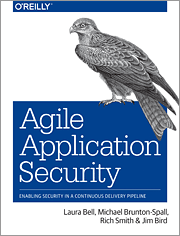
Agile Application Security book

This is the first post in a while. I've been busy working on a bunch of projects. One of them is now finally complete: a book on Agile Application Security for O'Reilly, with Laura Bell, Michael Brunton-Spall, and Rich Smith.

In this book we try to build bridges between the security community and Agile teams, by taking advantage of our different experiences and viewpoints:

  • Rich's extensive experience as a pen tester, and running the security team at Etsy.
  • Michael's experience in hyperdrive Agile development, DevOps and security at The Guardian and the UK Digital Service.
  • Laura's work as a software developer and application security cat herder with large and small organizations in many different stages on their journeys to Agile adoption.
  • My work in development and operations in enterprise financial technology.

This is a unique book that looks at Agile from a security perspective, and security from an Agile perspective.

We explain the driving ideas and key problems in security, and the core enabling practices in Agile that help teams succeed, and how security programs can leverage Agile ideas and practices. How to deal with important risks and problems, and how to scale.

We look in detail at security practices and tools in an Agile context: threat and risk management, how to think about security in requirements, secure coding and code reviews, security testing in Continuous Integration and Continuous Deployment, what scanning can and cannot do for you, building hardened infrastructure and running secure systems, and putting all of this together into automated pipelines and feedback loops.

We also step through regulatory compliance and how to achieve continuous compliance; and how to get value from working with outsiders, including auditors, pen testers and bug bounty programs. We end with how to build an agile security culture and how to break down walls between engineers and security.

It was a unique opportunity to work with experts around the world: Michael in the UK, Laura in New Zealand, Rich in the US. Challenging, exhausting, and a great learning experience.

Our hope is that it offers value to developers who work in Agile environments and are new to security; to people in the security community who want to understand how security can keep up with high-velocity Agile and DevOps teams; and even to people who are expert in both.

Tuesday, July 19, 2016

Why you Should Attack Your Systems - Before "They" Do

You can't hack and patch your way to a secure system.

You will never be able to find all of the security vulnerabilities and weaknesses in your code and network through scanning, or by paying outsiders to try to hack their way in.

The only way to be secure is to design and build security in from the beginning:

  1. threat modeling and risk assessment when designing apps and networks
  2. understanding and using the security features of your languages and frameworks, and filling in any gaps with secure libraries like Apache Shiro or KeyCzar…
  3. hardening the run-time using guidelines like the CIS benchmarks and tools like Chef and Puppet and UpGuard
  4. carefully reviewing every change that you make to code and configuration before putting them into production
  5. training everybody involved so that they know what to do, and what not to do
This is hard work, and it is unavoidable.

So what's the point of penetration testing? Why do organizations like Intuit and Microsoft have Red Teams attacking their production systems? And why are Facebook and Google and even the US Department of Defense running bug bounty programs, paying outsiders to hack into their system and report bugs?

Because once you've done everything you know how to do - or everything that you think you need to do - to secure your system, the only way to find out whether you've done a good enough job, is to attack your systems - before the bad guys do.

Attacking your system can show you where you are strong, and where you are weak: what you missed, where you made mistakes. It will uncover misunderstandings and hilight gaps in your design, in your defensive controls, and in your logging and monitoring. Watching your system under attack, watching what attackers do and how they do it, understanding what to look for and why, how to identify attacks and how to respond to them, will help change the way that you think and the way that you design and code and set up and run systems.

Let's look at different ways of attacking your system, and what you can learn from them:

Pen Testing

Pen testing - hiring an ethical hacker to scan and explore your application or network to find vulnerabilities and see what they can do with them - is usually done as part of due diligence, before a new system or a major change is rolled out, or once a year to satisfy some kind of regulatory obligation.

Pen testers will scan and test for common vulnerabilities and common mistakes in network and system configuration, missing patches, unsafe default settings. They'll find mistakes in authentication and user set up logic, session management, and access control schemes. They'll look at logs and error messages to find information leaks and bugs in error handling, and they will test for mistakes in some business logic (at least for well-understood workflows like online shopping or online banking), trying to work around approval steps or limit checks.

Pen tests should act as a reality check. If they found problems, a bad guy could too - or already has.

Pen testers won't usually have enough time, or understand your system well enough, to find subtle mistakes, even if they have access to documentation and source code. But anything that they do find in a few days or a few weeks of testing should be taken seriously. These are real, actionable insights into weaknesses in your system – and weaknesses in how you built it. Why didn't you find these problems yourself? How did they get there in the first place? What do you need to change in order to prevent problems like this from happening again?

Some organizations will try to narrow the scope of the pen tests as much as possible, in order to increase their chance of getting a "passing grade" and move on. But this defeats the real point of pen testing. You've gone to the trouble and expense of hiring somebody smart to check your system security. You should take advantage of what they know to find as many problems as possible – and learn as much as you can from them. A good pen tester will explain what they found, how they found it, why it is serious, and what you need to do to fix it.

But pen testing is expensive and doesn't scale. It takes time to find a good pen tester, time to set up and run the test, and time to review and understand and triage the results before you can work on addressing them. In an Agile or DevOps world. where changes are being rolled out every few days or maybe several times a day, a pen test once or twice a year won't cut it.

Red Teaming

If you can afford to have your own pen testing skills in house, you can take another step closer to what it’s like dealing with real world attacks, by running Red Team exercises. Organizations like Microsoft, Intuit and Salesforce have standing Red Teams who continuously attack their systems – live, in production.

Red Teaming is based on military Capture the Flag exercises. The Red Team - a small group of attackers - try to break into the system (without breaking the system), while a Blue Team (developers and operations) tries to catch them and stop them.

The Blue Team may know that an attack is scheduled and what systems will be targeted, but they won't know the details of the attack scenarios. While the Red Team’s success is measured by how many serious problems they find, and how fast they can exploit them, the Blue Team will be measured by MTTD and MTTR: how fast they detected and identified the attack, and how quickly they stopped it or contained and recovered from it.

Like pen testers, the Red Team's job is to find important vulnerabilities, prove that they can be exploited, and help the Blue Team to understand how they found the vulnerabilities, why they are important, and how to fix them properly.

The point of Red Teaming isn't just to find bugs - although you will find good bugs this way, bugs that definitely need to be fixed. The real value of Red Teaming is that you can observe how your system and your Ops team behaves and responds under attack. To learn what an attack looks like, to train your team how to recognize and respond to attacks, and, by exercising regularly, to get better at this.

Over time, as the Blue Team gains experience and improves, as they learn to respond to - and prevent - attacks, the Red Team will be forced to work harder, to look deeper for problems, to be more subtle and creative. As this competition escalates, as both teams push each other, your system - and your security capability - will benefit.

Intuit, for example, runs Red Team exercises the first day of every week (they call this “Red Team Mondays”). The Red Team identifies target systems and builds up their attack plans throughout the week, and publishes their targets internally each Friday. The Blue Teams for those systems will often work over the weekend to prepare, and to find and fix vulnerabilities on their own, to make the Red Team’s job harder. After the Red Team Monday exercises are over, the teams get together to debrief, review the results, and build action plans. And then it starts again.

Bug Bounties

Bug Bounty programs take one more step closer to real world attacks, by enlisting outsiders to hack into your system.

Outside researchers and white hat hackers might not have the insight and familiarity with the system that your own Red Team will. But Bug Bounties will give you access to a large community of people with unique skills, creativity, and time and energy that you can't afford on your own. This is why even organizations like Facebook and Google, who already hire the best engineers available and run strong internal security programs, have had so much success with their Bug Bounty programs.

Like Red Teaming, the rewards and recognition given to researchers drives competition. And like Red Teaming, you need to carefully establish - and enforce - ground rules of conduct. What systems and functions can be attacked, and what can't be. How far testers are allowed to go, where they need to stop, and what evidence they need to provide in order to win their bounties.

You can try to set up and run your own program, following guidelines like the ones that Google has published or you can use a platform like BugCrowd (https://bugcrowd.com/) or HackerOne (https://hackerone.com/) to manage outside testers.

Automated Attacks

But you don't have to wait until outsiders - or even your own Red Team - attack your system to find security problems. Why not attack the system yourself, every day, or every time that you make a change?

Tools like Gauntlt and BDD-Security can be used to run automated security tests and checks on online applications in Continuous Integration or Continuous Delivery, every time that code is checked in and every time that the system configuration is changed.

Gauntlt (http://gauntlt.org/) is an open source testing framework that makes it easy to write security tests in a high-level, English-like language. Because it uses Cucumber under the covers, you can express tests in Gherkin's familiar Given {precondition} When {execute test steps} Then {results should/not be} syntax.

Gauntlt comes with attack adaptors that wrap the details of using security pen testing tools, and sample attack files for checking your SSL configuration using sslyze, testing for SQL injection vulnerabilities using sqlmap or checking the network configuration using nmap, running simple web app attacks using curl, scanning for common vulnerabilities using arachni and dirb and garmr, and checking for serious vulnerabilities like Heartbleed.

BDD-Security (https://github.com/continuumsecurity/bdd-security) is another open source security testing framework, also based on Cucumber. It includes SSL checking (again using sslyze), scanning for run-time vulnerabilities using Nessus, and it integrates nicely with Selenium, so that you can add automated tests for authentication and access control, and run web app scans using OWASP ZAP as part of your automated functional testing.

All of these tests can be plugged in to your CI/CD pipelines so that they run automatically, every time that you make a change, as a security smoke test.

You can take a similar approach to attack your network.

Startups such as

provide automated attack platforms which simulate how adversaries probe and penetrate your systems, and report on any weaknesses that they find.

You can automatically schedule and run pre-defined attacks and validation scenarios (or execute your own custom attacks) as often as you want, against all or parts of your network. These platforms scale easily, and provide you with an attacker's view into your systems and their weaknesses. You can see what attacks were tried, what worked, and why. You can use these tools for regular scanning and testing, to see if changes have left your systems vulnerable, to evaluate the effectiveness of a security defense tool, or, like Red Teaming, to exercise your incident response capabilities.

Running automated tests or attack simulations isn't the same as hiring a pen tester or running a Bug Bounty program or having a real Red Team. These tests have to be structured and limited in scope, so that they can be run often and provide consistent results.

But these tools can catch common and serious mistakes quickly - before anybody else does. They will give you confidence as you make changes. And they can be run continuously, so that you can maintain a secure baseline.

Why you need to Attack Yourself

There is a lot to be gained by attacking your systems. You'll find real and important bugs and mistakes - bugs that you know have to be fixed.

You can use the results to measure the effectiveness of your security programs, to see where you need to improve, and whether you are getting better.

And you will learn. You'll learn how to think like an attacker, and how your systems look from an attacker's perspective. You'll learn what to watch for, how to identify an attack, how to respond to attacks and how to contain them. You'll learn how long it takes to do this, and how to do it faster and easier.

You'll end up with a more secure system - and a stronger team.

Thursday, June 16, 2016

Dev-Sec.io Automated Hardening Framework

Automated configuration management tools like Ansible, Chef and Puppet are changing the way that organizations provision and manage their IT infrastructure. These tools allow engineers to programmatically define how systems are set up, and automatically install and configure software packages. System provisioning and configuration becomes testable, auditable, efficient, scalable and consistent, from tens to hundreds or thousands of hosts.

These tools also change the way that system hardening is done. Instead of following a checklist or a guidebook like one of the CIS Benchmarks, and manually applying or scripting changes, you can automatically enforce hardening policies or audit system configurations against recognized best practices, using pre-defined hardening rules programmed into code.

An excellent resource for automated hardening is a set of open source templates originally developed at Deutsche Telekom, under the project name "Hardening.io". The authors have recently had to rename this hardening framework to Dev-Sec.io

It includes Chef recipes and Puppet manifests for hardening base Linux, as well as for SSH, MySQL and PostgreSQL, Apache and Nginx. Ansible support at this time is limited to playbooks for base Linux and SSH. Dev-Sec.io works on Ubuntu, Debian, RHEL, CenOS and Oracle Linux distros.

For container security, the project team have just added an InSpec profile for Chef Compliance against the CIS Docker 1.11.0 benchmark.

Dev-Sec.io is comprehensive and at the same time accessible. And it’s open, actively maintained, and free. You can review the rules, adopt them wholesale, or cherry pick or customize them if needed. It’s definitely worth your time to check it out on GitHub: https://github.com/dev-sec

Thursday, June 2, 2016

DevOpsSec: Using DevOps to Secure DevOps

I finished writing an e-book for O'Reilly on DevOpsSec: Securing Software through Continuous Delivery. It explains how to wire security into Continuous Delivery, and how to use Continuous Delivery and programmable Infrastructure as Code and other DevOps practices to build and operate more secure systems. It is based on approaches followed by organizations like Etsy, Netflix, LMAX, Amazon, Intuit, Google, and others, including my own firm.

The e-book is available for free download at: http://www.oreilly.com/webops-perf/free/devopssec.csp. I'd appreciate feedback and corrections.

Monday, April 18, 2016

DevOpsDays: Empathy, Scaling, Docker, Dependencies and Secrets

Last week I attended DevOpsDays 2016 in Vancouver. I was impressed to see how strong the DevOps community has grown from the time that I attended my first DevOpsDays event in Mountain View in 2012. There were more than 350 attendees, all of them doing interesting and important work.

Here are the main themes that I followed at this conference:

Empathy – Humanizing Engineering and Ops

There was a strong thread running through the conference on the importance of the human side of engineering and operations, understanding and empathizing with people across the organization. There were two presentations specifically on empathy: one from an engineering perspective by Joyent’s Matthew Smillie, and another excellent presentation on the neuroscience of empathy by Dave Mangot at Librato, which explained how we are all built for empathy and that it is core to our survival. There was also a presentation on gender issues, and several breakout sessions on dealing with people issues and bringing new people into DevOps.

Another side to this was how we use tools to collaborate and build connections between people. More people are depending more on – and doing more with – chat systems like HipChat and Slack to do ChatOps. Using chat as a general interface to other tools, leveraging bots like Hubot to automatically trigger and guide actions, such as tracking releases and handling incidents.

In some organizations, standups are being replaced with Chatups, as people continue to find new ways to engage and connect with other people working remotely and inside and outside of teams.

Scaling DevOps

All kinds of organizations are dealing with scaling problems in DevOps.

Scaling their organizations. Dealing with DevOps at the extremes, at really large organizations and figuring out how to effectively do DevOps in small teams.

Scaling Continuous Delivery. Everyone is trying to push out more changes, faster and more often in order to reduce risk (by reducing the batch size of changes), increase engagement (for users and developers), and improve the quality of feedback. Some organizations are already reaching the point where they need to manage hundreds or thousands of pipelines, or optimize single pipelines shared by hundreds of engineers, building and shipping out changes (or newly baked containers) several times a day to many different environments.

A common story for CD as organizations scale up goes something like this:

  1. Start out building a CD capability in an ad hoc way, using Jenkins and adding some plugins and writing custom scripts. Keep going until it can’t keep up.
  2. Then buy and install a commercial enterprise CD toolset, transition over and run until it can’t keep up.
  3. Finally, build your own custom CD server and move your build and test fleet to the cloud and keep going until your finance department shouts at you.
Scaling testing. Coming up with effective strategies for test automation where it adds most value – in unit testing (at the bottom of the test pyramid), and end-to-end system testing (at the top of the pyramid). Deciding where to invest your time. Understanding the tools and how to use them. What kind of tests are worth writing, and worth maintaining.

Scaling architecture. Which means more and more experiments with microservices.

Docker, Docker, Docker

Docker is everywhere. In pilots. In development environments. In test environments especially. And more often now, in production. Working with Docker, problems with Docker, and questions about Docker came up in many presentations, break outs and hallway discussions.

Docker is creating new problems at the start and end of the CD pipeline.

First, it moves configuration management upfront into the build step. Every change to the application or change to the stack that it is built and runs on requires you to “bake a new cake” (Diogenes Rettori at Openshift) and build up and ship out a new container. This places heavy demands on your build environment. You need to find effective and efficient ways to manage all of the layers in your containers, caching dependencies and images to make builds run fast.

Docker is also presenting new challenges at the production end. How do you track and manage and monitor clusters of containers as the application scales out? Kubernetes seems to be the tool of choice here.

Depending on Dependencies

More attention is turning to builds and dependency management, managing third party and open source dependencies. Identifying, streamlining and securing these dependencies.

Not just your applications and their direct dependencies – but all of the nested dependencies in all of the layers below (the software that your software depends on, and the software that this software depends on, and so on and so on). Especially for teams working with heavy stacks like Java.

There was a lot of discussion on the importance of tracking dependencies and managing your own dependency repositories, using tools like Archiva, Artifactory or Nexus, and private Docker registries. And stripping back unnecessary dependencies to reduce the attack surface and run-time footprint of VMs and containers. One organization does this by continuously cutting down build dependencies and spinning up test environments in Vagrant until things break.

Docker introduces some new challenges, by making dependency management seem simpler and more convenient, and giving developers more control over application dependencies – which is good for them, but not always good for security:

  • Containers are too fat by default - they include generic platform dependencies that you don’t need and - if you leave this up to developers - developer tools that you don’t want to have in production.
  • Containers are shipped with all of the dependencies baked in. Which means that as containers are put together and shipped around, you need to keep track of what versions of what images were built with what versions of what dependencies and when, where they have been shipped to, and what vulnerabilities need to be fixed.
  • Docker makes it easy to pull down pre-built images from public registries. Which means it is also easy to pull images that are out of date or that could contain malware.
You need to find a way to manage these risks without getting in the way and slowing down delivery. Container security tools like Twistlock can scan for vulnerabilities, provide visibility into run-time security risks, and enforce policies.

Keeping Secrets Secret

Docker, CD tooling, automated configuration management tools like Chef and Puppet and Ansible and other automated tooling create another set of challenges for ops and security: how to keep the credentials, keys and other secrets that these tools need safe. Keeping them out of code and scripts, out of configuration files, and out of environment variables.

This needs to be handled through code reviews, access control, encryption, auditing, frequent key rotation, and by using a secrets manager like Hashicorp’s Vault.

Passion, Patterns and Problems

I met a lot of interesting, smart people at this conference. I experienced a lot of sincere commitment and passion, excitement and energy. I learned about some cool ideas, new tools to use and patterns to follow (or to avoid).

And new problems that need to be solved.

Wednesday, December 23, 2015

DZone's 2015 Guide to Application Security

DZone recently published a Guide to Application Security. It provides a good overview of effective appsec tools and practices, including my article 10 Steps to Secure Software, which looks at the latest release of OWASP's Proactive Controls project.

Wednesday, December 9, 2015

Help make Software Development Safe and Secure

The OWASP community is working on a new set of secure developer guidelines, called the "OWASP Proactive Controls". The latest draft of these guidelines have been posted in "world edit" mode so that anyone can make direct comments or edits to the document, even anonymously.

You can help make software development safer and more secure by reviewing and contributing to the guidelines at this link:

https://docs.google.com/document/d/1e38W6fGv6PmTEFSAwCr9rOj_ACAeKz1bKYgDj2mCACs/edit?usp=sharing.

Thanks for your help!

Wednesday, November 11, 2015

DevOps for Financial Services

The e-book I wrote this summer for O'Reilly DevOps for Finance: Reducing Risk through Continuous Delivery. It looks at DevOps and Continuous Delivery from the perspective of improving reliability and reducing operational and technical risk, while improving security and meeting compliance requirements. It includes an analysis of the challenges that financial services organizations face, and how to address these challenges, with case studies from LMAX, ING, Capital One, Wealthfront and my own firm.

Thursday, August 20, 2015

How to Prevent Catastrophic Failures in Complex Distributed Systems

In his now famous paper How Complex Systems Fail, Dr. Richard Cook explains how and why failures happen in complex systems:

Some Rules of failure in Complex Systems

4. Complex systems contain changing mixtures of failures latent within them. The complexity of these systems makes it impossible for them to run without multiple flaws being present. Because these are individually insufficient to cause failure they are regarded as minor factors during operations.

3. Catastrophe requires multiple failures - single point failures are not enough. Overt catastrophic failure occurs when small, apparently innocuous failures join to create opportunity for a systemic accident. Each of these small failures is necessary to cause catastrophe but only the combination is sufficient to permit failure.

14. Change introduces new forms of failure. The low rate of overt accidents in reliable systems may encourage changes, especially the use of new technology, to decrease the number of low consequence but high frequency failures. These changes maybe actually create opportunities for new, low frequency but high consequence failures. Because these new, high consequence accidents occur at a low rate, multiple system changes may occur before an accident, making it hard to see the contribution of technology to the failure.

The net of this: Complex systems are essentially and unavoidably fragile. We can try, but we can’t stop them from failing – there are too many moving pieces, too many variables and too many combinations to understand and to test. And even the smallest change or mistake can trigger a catastrophic failure.

A New Hope

But new research at the University of Toronto on catastrophic failures in complex distributed systems offers some hope – a potentially simple way to reduce the risk and impact of these failures.

The researchers looked at distributed online systems that had been extensively reviewed and tested, but still failed in spectacular ways.

They found that most catastrophic failures were initially triggered by minor, non-fatal errors: mistakes in configuration, small bugs, hardware failures that should have been tolerated. Then, following rule #3 above, a specific and unusual sequence of events had to occur for the catastrophe to unravel.

The bad news is that this sequence of events can’t be predicted – or tested for – in advance.

The good news is that catastrophic failures in complex, distributed systems may actually be easier to fix than anyone previously thought. Looking closer, the researchers found that almost all (92%) catastrophic failures are the result of incorrect handling on non-fatal errors. These mistakes in error handling caused the system to behave unpredictably, causing other errors, which weren’t always handled correctly or predictably, creating a domino effect.

More than half (58%) of catastrophic failures could be prevented by careful review and testing of error handling code. In 35% of the cases, the faults in error handling code were trivial: the error handler was empty or only logged a failure, or the logic was clearly incomplete. Easy mistakes to find and fix. So easy that the researchers built a freely available static analysis checker for Java byte code, Aspirator, to catch many of these problems.

In another 23% of the cases, the error handling logic of a non-fatal error was so wrong that basic statement coverage testing or careful code reviews would have caught the mistakes.

The next challenge that the researchers encountered was convincing developers to take these mistakes seriously. They had to walk developers through understanding why small bugs in error handling, bugs that “would never realistically happen” needed to be fixed – and why careful error handling is so important.

This is a challenge that we all need to take up – if we hope to prevent catastrophic failure in complex distributed systems.

Tuesday, July 7, 2015

Don’t Blame Bad Software on Developers – Blame it on their Managers

There’s a lot of bad software out there. Unreliable, insecure, unsafe and unusable. It’s become so bad that some people are demanding regulation of software development and licensing software developers as “software engineers” so that they can be held to professional standards, and potentially sued for negligence or malpractice.

Licensing would ensure that everyone who develops software has at least a basic level of knowledge and an acceptable level of competence. But licensing developers won’t ensure good software. Even well-trained, experienced and committed developers can’t always build good software. Because most of the decisions that drive software quality aren’t made by developers – they’re made by somebody else in the organization.

Product managers and Product Owners. Project managers and program managers. Executive sponsors. CIOs and CTOs and VPs of Engineering. The people who decide what’s important to the organization, what gets done and what doesn’t, and who does it – what problems the best people work on, what work gets shipped offshore or outsourced to save costs. The people who do the hiring and firing, who decide how much money is spent on training and tools. The people who decide how people are organized and what processes they follow. And how much time they get to do their work.

Managers – not developers – decide what quality means for the organization. What is good, and what is “good enough”.

Management Mistakes

As a manager, I’ve made a lot of mistakes and bad decisions over my career. Short-changing quality to cut costs. Signing teams up for deadlines that couldn’t be met. Giving marketing control over schedules and priorities, trying to squeeze in more features to make the customer or a marketing executive happy. Overriding developers and testers who told me that the software wouldn’t be ready, that they didn’t have enough time to do things properly. Letting technical debt add up. Insisting that we had to deliver now or never, and that somehow we would make it all right later.

I’ve learned from these mistakes. I think I know what it takes to build good software now. And I try to hold to it. But I keep seeing other managers make the same mistakes. Even at the world’s biggest and most successful technology companies, at organizations like Microsoft and Apple.

These are organizations that control their own destinies. They get to decide what they will build and when they need to deliver it. They have some of the best engineering talent in the world. They have all the good tools that money can buy – and if they need better tools, they just write their own. They’ve been around long enough to know how to do things right, and they have the money and scale to accomplish it.

They should write beautiful software. Software that is a joy to use, and that the rest of us can follow as examples. But they don’t even come close. And it’s not the fault of the engineers.

Microsoft Quality

Problems with software quality at Microsoft are so long-running that “Microsoft Quality” has become a recognized term, for software that is just barely “good enough” to be marginally accepted – and sometimes not even that good.

Even after Microsoft became a dominant, global enterprise vendor, quality has continued to be a problem. A 2014 Computer World article “At Microsoft, quality seems to be job none” complains about serious quality and reliability problems in early versions of Windows 10. But Windows 10 is supposed to represent a sea change for Microsoft under their new CEO, a chance to make up for past mistakes, to do things right. So what's going wrong?

The culture and legacy of “good enough” software has been in place for so long that Microsoft seems to be trapped, unable to improve even when they have recognized that good enough isn’t good enough anymore. This is a deep-seated organizational and cultural problem. A management problem. Not an engineering problem.

Apple’s Software Quality Problems

Apple sets themselves apart from Microsoft and the rest of the technology field, and charges a premium based on their reputation for design and engineering excellence. But when it comes to software, Apple is no better than anyone else.

From the epic public face plant of Apple Maps, to constant problems in iTunes and the App Store, problems with iOs updates that fail to install, data lost somewhere in the iCloud, serious security vulnerabilities, error messages that make no sense, and baffling inconsistencies and restrictions on usability, Apple’s software too often disappoints in fundamental and embarrassing ways.

And like Microsoft, Apple management seems have lost their way:

I fear that Apple’s leadership doesn’t realize quite how badly and deeply their software flaws have damaged their reputation, because if they realized it, they’d make serious changes that don’t appear to be happening. Instead, the opposite appears to be happening: the pace of rapid updates on multiple product lines seems to be expanding and accelerating.

I suspect the rapid decline of Apple’s software is a sign that marketing is too high a priority at Apple today: having major new releases every year is clearly impossible for the engineering teams to keep up with while maintaining quality. Maybe it’s an engineering problem, but I suspect not — I doubt that any cohesive engineering team could keep up with these demands and maintain significantly higher quality.

Marco Arment, Apple has lost the functional high ground, 2015-01-04

Recent announcements at this year’s WWDC indicate that Apple is taking some extra time to make sure that their software works. More finish, less flash. We’ll have to wait and see whether this is a temporary pause or a sign that management is starting to understand (or remember) how important quality and reliability actually is.

Managers: Stop Making the Same Mistakes

If companies like Microsoft and Apple, with all of their talent and money, can’t build quality software, how are the rest of us supposed to do it? Simple. By not making the same mistakes:

  1. Putting speed-to-market and cost in front of everything else. Pushing people too hard to hit “drop dead dates”. Taking “sprints” literally: going as fast as possible, not giving the team time to do things right or a chance to pause and reflect and improve.

    We all have to work within deadlines and budgets, but in most business situations there’s room to make intelligent decisions. Agile methods and incremental delivery provide a way out when you can’t negotiate deadlines or cost, and don’t understand or can’t control the scope. If you can’t say no, you can say “not yet”. Prioritize work ruthlessly and make sure that you deliver the important things as early as you can. And because these things are important, make sure that you do them right.

  2. Leaving testing to the end. Which means leaving bug fixing to after the end. Which means delivering late and with too many bugs.

    Disciplined Agile practices all depend on testing – and fixing – as you code. TDD even forces you to write the tests before the code. Continuous Integration makes sure that the code works every time someone checks in. Which means that there is no reason to let bugs build up.

  3. Not talking to customers, not testing ideas out early. Not learning why they really need the software, how they actually use it, what they love about it, what they hate about it.

    Deliver incrementally and get feedback. Act on this feedback, and improve the software. Rinse and repeat.

  4. Ignoring fundamental good engineering practices. Pretending that your team doesn’t need to do these things, or can’t afford to do them or don’t have time to do them, even though we’ve known for years that doing things right will help to deliver better software faster.

    As a Program Manager or Product Owner or a Business Owner you don’t need to be an expert in software engineering. But you can’t make intelligent trade-off decisions without understanding the fundamentals of how the software is built, and how software should be built. There’s a lot of good information out there on how to do software development right. There’s no excuse for not learning it.

  5. Ignoring warning signs.

    Listen to developers when they tell you that something can’t be done, or shouldn’t be done, or has to be done. Developers are generally too willing to sign on for too much, to reach too far. So when they tell you that they can’t do something, or shouldn’t do something, pay attention.

And when you make mistakes - which you will, learn from them, don’t waste them. When something goes wrong, get the team to review it in a retrospective or run a blameless post mortem to figure out what happened and why, and how you can get better. Learn from audits and pen tests. Take negative feedback from customers seriously. This is important, valuable information. Treat it accordingly.

As a manager, the most important thing you can do is to not set your team up for failure. That’s not asking for too much.

Wednesday, June 24, 2015

Top 10 Lists for Designing and Writing Secure and Safe Software

If you care about writing secure code, should know all about these Top 10 lists:

OWASP Top 10

The OWASP Top 10 is a community-built list of the 10 most common and most dangerous security problems in online (especially web) applications. Injection flaws, broken authentication and session management, XSS and other nasty security bugs.

These are problems that you need to be aware of and look for, and that you need to prevent in your design and coding. The Top 10 explains how to test for each kind of problem to see if your app is vulnerable (including common attack scenarios), and basic steps you can take to prevent each problem.

If you’re working on mobile apps, take time to understand the OWASP Top 10 Mobile list.

IEEE Top Design Flaws

The OWASP Top 10 is written more for security testers and auditors than for developers. It’s commonly used to classify vulnerabilities found in security testing and audits, and is referenced in regulations like PCI-DSS.

The IEEE Center for Secure Design, a group of application security experts from industry and university researchers, has taken a different approach. They have come up with a Top 10 list that focuses on identifying and preventing common security mistakes in architecture and design.

This list includes good design practices such as: earn or give, but never assume trust; identify sensitive data and how they should be handled; understand how integrating external components changes your attack surface. The IEEE’s list should be incorporated into design patterns and used in design reviews to try and deal with security issues early.

OWASP Proactive Controls

IEEE’s approach is principle-based – a list of things that you need to think about in design, in the same way that you think about things like simplicity and encapsulation and modularity.

The OWASP Proactive Controls, originally created by security expert Jim Manico, is written at the developer level. It is a list of practical, concrete things that you can do as a developer to prevent security problems in coding and design. How to parameterize queries, and encode or validate data safely and correctly. How to properly store passwords and to implement a forgot password feature. How to implement access control – and how not to do it.

It points you to Cheat Sheets and other resources for more information, and explains how to leverage the security features of common languages and frameworks, and how and when to use popular, proven security libraries like Apache Shiro and the OWASP Java Encoder.

Katy Anton and Jason Coleman have mapped all of these controls together (the OWASP Top 10, OWASP Proactive Controls and the IEEE Security Flaws), showing how the OWASP Proactive Controls implement safe design practices from the IEEE list and how they prevent or mitigate OWASP Top 10 risks.

You can use these maps to look for gaps in your application security practices, in your testing and coding, and in your knowledge, to identify areas where you can learn and improve.

Monday, June 22, 2015

What does DevOps mean to Developers?

A post that I wrote for JavaWorld DevOps for Developers: A New Agility, describes how DevOps changes the way that developers work, and what they need to know to succeed.

Wednesday, June 17, 2015

Does DevOps Reduce Technical Debt – or Make it Worse?

DevOps can help reduce technical debt in some fundamental ways.

Continuous Delivery/Deployment

First, building a Continuous Delivery/Deployment pipeline, automating the work of migration and deployment, will force you to clean up inconsistencies and holes in configuration and code deployment, and inconsistencies between development, test and production environments.

And automated Continuous Delivery and Infrastructure as Code gets rid of dangerous one-of-a-kind snowflakes and configuration drift caused by making configuration changes and applying patches manually over time. Which makes systems easier to setup and manage, and reduces the risk of an un-patched system becoming the target of a security attack or the cause of an operational problem.

A CD pipeline also makes it easier, cheaper and faster to pay down other kinds of technical debt. With Continuous Delivery/Deployment, you can test and push out patches and refactoring changes and platform upgrades faster and with more confidence.

Positive Feedback

The Lean feedback cycle and Just-in-Time prioritization in DevOps ensures that you’re working on whatever is most important to the business. This means that bugs and usability issues and security vulnerabilities don’t have to wait until after the next feature release to get fixed. Instead, problems that impact operations or the users will get fixed immediately.

Teams that do Blameless Post-Mortems and Root Cause(s) Analysis when problems come up will go even further, and fix problems at the source and improve in fundamental and important ways.

But there’s a negative side to DevOps that can add to technical debt costs.

Erosive Change

Michael Feathers’ research has shown that constant, iterative change is erosive: the same code gets changed over and over, the same classes and methods become bloated (because it is naturally easier to add code to an existing method or a method to an existing class), structure breaks down and the design is eventually lost.

DevOps can make this even worse.

DevOps and Continuous Delivery/Deployment involves pushing out lots of small changes, running experiments and iteratively tuning features and the user experience based on continuous feedback from production use.

Many DevOps teams work directly on the code mainline, “branching in code” to “dark launch” code changes, while code is still being developed, using conditional logic and flags to skip over sections of code at run-time. This can make the code hard to understand, and potentially dangerous: if a feature toggle is turned on before the code is ready, bad things can happen.

Feature flags are also used to run A/B experiments and control risk on release, by rolling out a change incrementally to a few users to start. But the longer that feature flags are left in the code, the harder it is to understand and change.

There is a lot of housekeeping that needs to be done in DevOps: upgrading the CD pipeline and making sure that all of the tests are working; maintaining Puppet or Chef (or whatever configuration management tool you are using) recipes; disciplined, day-to-day refactoring; keeping track of features and options and cleaning them up when they are no longer needed, getting rid of dead code and trying to keep the code as simple as possible.

Microservices and Technology Choices

Microservices are a popular architectural approach for DevOps teams.

This is because loosely-coupled Microservices are easier for individual teams to independently deploy, change, refactor or even replace.

And a Microservices-based approach provides developers with more freedom when deciding on language or technology stack: teams don’t necessarily have to work the same way, they can choose the right tool for the job, as long as they support an API contract for the rest of the system.

In the short term there are obvious advantages to giving teams more freedom in making technology choices. They can deliver code faster, quickly try out prototypes, and teams get a chance to experiment and learn about different technologies and languages.

But Microservices “are not a free lunch”. As you add more services, system testing costs and complexity increase. Debugging and problem solving gets harder. And as more teams choose different languages and frameworks, it’s harder to track vulnerabilities, harder to operate, and harder for people to switch between teams. Code gets duplicated because teams want to minimize coupling and it is difficult or impossible to share libraries in a polyglot environment. Data is often duplicated between services for the same reason, and data inconsistencies creep in over time.

Negative Feedback

There is a potentially negative side to the Lean delivery feedback cycle too.

Constantly responding to production feedback, always working on what’s most immediately important to the organization, doesn’t leave much space or time to consider bigger, longer-term technical issues, and to work on paying off deeper architectural and technical design debt that result from poor early decisions or incorrect assumptions.

Smaller, more immediate problems get fixed fast in DevOps. Bugs that matter to operations and the users can get fixed right away instead of waiting until all the features are done, and patches and upgrades to the run-time can be pushed out more often. Which means that you can pay off a lot of debt before costs start to compound.

But behind-the-scenes, strategic debt will continue to add up. Nothing’s broke, so you don’t have to fix anything right away. And you can’t refactor your way out of it either, at least not easily. So you end up living with a poor design or an aging technology platform, slowly slowing down your ability to respond to changes, to come up with new solutions. Or forcing you to continue filling in security holes as they come up, or scrambling to scale as load increases.

DevOps can reduce technical debt. But only if you work in a highly disciplined way. And only if you raise your head up from tactical optimization to deal with bigger, more strategic issues before they become real problems.

Friday, June 5, 2015

Software Architecture in DevOps

A new book by Len Bass, Ingo Weber and Liming Zhu “DevOps: A Software Architect’s Perspective”, part of the SEI Series in Software Engineering, looks at how DevOps affects architectural decisions, and a software architect’s role in DevOps.

The authors focus on the goals of DevOps: to get working software into production as quickly as possible while minimizing risk, balancing time-to-market against quality.

“DevOps is a set of practices intended to reduce the time between committing a change to a system and the change being placed into normal production, while insuring high quality”
These fundamental practices are:
  1. Engaging operations as a customer and partner, “a first-class stakeholder”, in development. Understanding and satisfying requirements for deployment, logging, monitoring and security in development of an application.
  2. Engaging developers in incident handling. Developers taking responsibility for their code, making sure that it is working correctly, helping (often taking the role of first responders) to investigate and resolve production problems.
    This includes the role of a “reliability engineer” on every development team, someone who is responsible for coordinating downstream changes with operations and for ensuring that changes are deployed successfully.
  3. Ensuring that all changes to code and configuration are done using automated, traceable and repeatable mechanisms – a deployment pipeline.
  4. Continuous Deployment of changes from check-in to production, to maximize the velocity of delivery, using these pipelines.
  5. Infrastructure as Code. Operations provisioning and configuration through software, following the same kinds of quality control practices (versioning, reviews, testing) as application software.

Culture and collaboration between developers and operations, shared values and organizational issues, the softer people-side of DevOps, are considered only insofar as they are factors that could affect time-to-market delivery velocity or quality.

Cloud Architecture and Microservices

As a reference for architects, the book focuses on architectural considerations for DevOps. It walks through how Cloud-based systems work, virtualization concepts and especially microservices.

While DevOps does not necessarily require making major architectural changes, the authors argue that most organizations adopting DevOps will find that a microservices-based approach, as pioneered at organizations like Netflix and Amazon, by minimizing dependencies between different parts of the system and between different teams, will also minimize the time required to get changes into production – the first goal of DevOps.

Conway’s Law also comes into play here. DevOps work is usually done by small agile cross-functional teams solving end-to-end problems independently, which means that they will naturally end up building small, independent services:

“Having an architecture composed of small services is a response to having small teams.”

But there are downsides and costs to a microservice-based approach.

As Martin Fowler and James Lewis point out, microservices introduce many more points of failure. Which means that resilience has to be designed and built into each service. Services cannot trust their clients or the other services that they call out to. You need to add defensive checking on data and anticipate failures of other services, implement time-outs and retries, and fall back alternatives or safe default behaviors if another service is unavailable. You also need to design your service to minimize the impact of failure on other services, and to make it easier and faster to recover/restart.

Microservices also increase the cost and complexity of end-to-end system testing. Run-time performance and latency degrade due to the overhead of remote calls. And monitoring and troubleshooting in production can be much more complicated, since a single action often involves many microservices working together (an example at LinkedIn, where a single user request may chain to as many as 70 services).

DevOps in Architecture: Monitoring

In DevOps, monitoring becomes a much more important factor in architecture and design, in order to meet operations requirements.

The chapter on monitoring explains what you need to monitor and why, DevOps metrics, challenges in monitoring systems under continuous change, monitoring microservices and monitoring in the Cloud, and common log management and monitoring tools for online systems.

Monitoring also becomes an important part of live testing in DevOps (Monitoring as Testing), and plays a key role in Continuous Deployment. The authors look at common kinds of live testing, including canaries, A/B testing, and Netflix’s famous Simian Army in terms of passive checking (Security Monkey, Compliance Monkey) and active live testing (Chaos Monkey and Latency Monkey).

DevOps in Architecture: Security

Security is another important cross-cutting concern in software architecture addressed in this book. It looks at security fundamentals including how to identify threats (using Microsoft’s STRIDE model) and the resources that need to be protected, CIA, identity management, access controls. It provides an overview of the security controls in NIST 800-53, and common security issues with VMs and in Cloud architectures (specifically AWS).

In DevOps, security needs to be wired into Continuous Deployment:

  1. Enforcing that all changes to code and configuration are done through the Continuous Deployment pipeline
  2. Security testing should be included in different stages of the Continuous Deployment pipeline
  3. Securing the pipeline itself, including the logs and the artifacts
and security checks need to be part of monitoring (such as Netflix’s Compliance Monkey and Security Monkey).

Continuous Deployment Pipeline and Gatekeepers

Developers – and architects – have to take responsibility for building their automated testing and deployment pipelines. The book explains how Continuous Deployment leverages Continuous Integration, and common approaches to code management and test automation. And it emphasizes the role of gatekeepers along the pipeline – manual decisions or automated checks at different points to determine if it is ok to go forward, from development to testing to staging to live production testing and then to production.

DevOps and Modern Software Architecture

“DevOps: A Software Architect’s Perspective” does a good job of explaining common DevOps practices, especially Continuous Deployment, in a development, instead of operations, context. It also looks at contemporary issues in software architecture, including virtualization and microservices.

It is less academic than Bass’s other book “Software Architecture in Practice”, and emphasizes the importance of real-world operations concerns like reliability, security and transparency (monitoring and live checks and testing) in architecture and deployment.

This is a book written mostly for enterprise software architects and managers who want to understand more about DevOps and Continuous Deployment and Cloud services.

If you’re already deep into DevOps and working with microservices in the Cloud, you probably won’t find much new here.

But if you are looking at how to apply DevOps at scale, or how to migrate legacy enterprise systems to microservices and the Cloud, or if you are a developer who wants to understand operations and what DevOps will mean to you and your job, this is worth reading.

Friday, May 22, 2015

Appsec: The gaps between Builders and Defenders

This year's SANS Institute State of Application Security Survey, which I worked on with Eric Johnson and Frank Kim, looks at the gaps between Builders (the people who design and develop software) and Defenders (application security and information security professionals and operations).

We found that more developers - and managers - are coming to understand the risks and costs of insecure software, and are taking security more seriously. And defenders are doing a better job of understanding software development and how to work with developers. But there's still a long way to go.

Developers still need better skills in secure software development and a better understanding of application security risks. And time to learn and apply these skills. Defenders are trying to catch up with developers and Lean/Agile development, injecting security earlier into requirements and design, leveraging automated tools and services to accelerate security testing. But they are coming up against organizational and communications silos, and managers who put marketing priorities (features and time-to-market) ahead of everything else.

More than 1/3 of the organizations surveyed are looking at secure DevOps as a way to help bridge these gaps, break down the silos and bring development and security together. This is going to require some serious changes to how application security and development are done, but it offers a new hope for secure software.

You can read the detailed report of the survey results here.

Friday, May 8, 2015

DevOps is Killing Maintenance. Let’s Celebrate.

DevOps probably isn't killing developers.

But it is changing how people think about development - from running projects to a focus on building and running services. And more importantly, DevOps is killing maintenance, or sustaining engineering, or whatever managers want to call it. And that’s something that we should all celebrate.

High-bandwidth collaboration and rapid response to change in Agile put a bullet in the head of offshore development done by outsourced CMMI Level 5 certified development factories. DevOps, by extending collaboration between development teams and operations teams and by increasing the velocity of delivery to production (up to hundreds or even thousands of times per day), and by using real feedback from production to drive development priorities and design decisions, has pulled the plug on the sick idea that maintenance should be done by sustaining engineering teams, offshored together with the help desk to somewhere far away in order to get access to cheap talent.

Agile started the job. Devops can finish it

While large companies were busy finding offshore development and testing partners, Agile changed the rules of the game on them.

Off shoring coding and testing work made sense in large-scale waterfall projects with lots of upfront planning and detailed specs that could be handed off from analysts to farms of programmers and testers.

But the success of Agile adoption in so many organizations, including large enterprises, made outsourcing or offshoring development work less practical and less effective. Instead of detailed analysis and documented hand-offs, Agile teams rely on high-bandwidth face-to-face collaboration with each other and especially with the Customer, and rapid iteration and feedback. Everything happens faster. Customers change priorities and requirements. Developers respond and build and deliver features faster.

Time-intensive and people-intensive work like manual testing and reviews are replaced with automated testing and static analysis in Continuous Integration, pair programming, and continuous review and improvement.

In this dynamic world, it doesn’t make sense to try to shovel work offshore. You have to give up too much in return for saving on staff costs. Teleconferencing across time zones and cultures, “virtual team rooms” using webcams, remote pair programming over Skype… these are all poor compromises that lead to misunderstandings, inefficiencies and mistakes. Sure you can do offshore Agile development, but just because you can do something doesn’t mean that it is a good idea.

Devops is going to finish the job

In DevOps, with Continuous Delivery and Continuous Deployment, changes happen even faster. Cycle times and response times get shorter, from months or weeks to days or hours. And feedback cycles are extended from development into production, letting the entire IT organization experiment and learn and improve from real customer use.

Developers collaborate even more, not just with each other and with customers, but with operations too, in order to make sure that the system is setup correctly and running optimally. This can’t be done effectively by development and operations teams working in different time zones. And it doesn’t need to be.

We all know how outsourcing has played out. In the name of efficiency we sliced out non-strategic parts of core IT and farmed them out to other companies, whether offshore or domestic. CIOs loved it because of the budgetary benefits. Meanwhile, it sparked a thousand conversations about what outsourcing meant for IT, the US economy, individual careers, and the relationship between people and businesses.

But it turned out that we took outsourcing too far. It makes sense for some functions, but it can also mean losing control over management, quality, and security, among other things. Now we're seeing a lot of those big contracts being pulled back, and the word of the day is insourcing.

InformationWeek, DevOps: The New Outsourcing

Blurred Lines

DevOps intentionally blurs the lines between developers and operations, between coding and support. Engineering is engineering. Project work gets broken down into piece work: individual features or fixes or upgrades that can be completed quickly and pushed into production as soon as possible. Development work is prioritized together with operations and support tasks. What matters is whatever is important to the business, whatever is needed for the system to run. If the business needs something fixed now, your best people are fixing it, instead of giving it to some kids or shipping it overseas.

In DevOps, developers are accountable for making sure that their code works in production:

“You build it, you run it”

Which means making sure that the code gets into production, monitoring to make sure that it is working correctly, diagnosing and fixing any problems if something breaks.

New features, changes, fixes, upgrades, support work, deployment… everything is done by the same people, working together. Which means that maintenance and support gets the same management focus as new development. Which means that nobody is stuck in dead end job sustaining a dead end system. Which means that customers get better results, when they need them.

Except for enterprise legacy systems on life support, maintenance as most of us think of it today should die soon, thanks to DevOps. That alone makes DevOps worth adopting.

Thursday, April 30, 2015

Can DevOps(Sec) make Software more Secure?

There was a lot of talk at RSA this year about DevOps and security: DevOpsSec or DevSecOps or Rugged DevOps or whatever people want to call it. This included a full-day seminar on DevOps before the conference opened and several talks and workshops throughout the conference which tried to make the case that DevOps isn’t just about delivering software faster, but making software better and more secure; and that DevOps isn't just for the Cloud, but that it can work in the enterprise.

Rugged DevOps

The Rugged DevOps story is based on a few core ideas:

Delivering smaller changes, more often, reduces complexity. Smaller, less complex changes are easier to code and test and review, and easier to troubleshoot when something goes wrong. And this should result in safer and more secure code: less complex code has fewer bugs, and code that has fewer bugs also has fewer vulnerabilities.

If you’re going to deliver code more often, you need to automate and streamline the work of testing and deployment. A standardized, repeatable and automated build and deployment pipeline, with built-in testing and checks, enables you to push changes out much faster and with much more confidence, which is important when you are trying to patch a critical vulnerability.

And using an automated deployment pipeline for all changes – changes to application code and configuration and changes to infrastructure – provides better change control. You know what was changed, by who and when, on every system, and you can track all changes back to your version control system.

But this means that you need to re-tool and re-think how you do deployment and configuration management, which is why so many vendors – not just Opscode and Puppet Labs, but classic enterprise vendors like IBM – are so excited about DevOps.

The DevOps Security Testing Problem

And you also need to re-tool and re-think how you do testing, especially system testing and security testing.

In DevOps, with Continuous Delivery or especially Continuous Deployment to production, you don’t have a “hardening sprint” where you can schedule a pen test or in-depth scans or an audit or operational reviews before the code gets deployed. Instead, you have to do your security testing and checks in-phase, as changes are checked-in. Static analysis engines that support incremental checking can work here, but most other security scanning and testing tools that we rely on today won’t keep up.

Which means that you’ll need to write your own security tests. But this raises a serious question. Who’s going to write these tests?

Infosec? There’s already a global shortage of people who understand application security today. And most of these people – the ones who aren’t working at consultancies or for tool vendors – are busy doing risk assessments and running scans and shepherding the results through development to get vulnerabilities fixed, or maybe doing secure code reviews or helping with threat modeling in a small number of more advanced shops. They don’t have the time or often the skills to write automated security tests in Ruby or whatever automated testing framework that you select.

QA? In more and more shops today, especially where Agile or DevOps methods are followed, there isn't anybody in QA, because manual testers who walk through testing checklists can’t keep up, so developers are responsible for doing their own testing.

When it comes to security testing, this is a problem. Most developers still don’t have the application security knowledge to understand how to write secure code, which means that they also don’t understand enough about security to know what security tests need to be written. And writing an automated attack in Gauntlt (and from what I can tell, more people are talking about Gauntlt than writing tests with it) is a lot different than writing happy path automated unit tests in JUnit or UI-driven functional tests in Selenium or Watir.

So we shouldn’t expect too much from automated security testing in DevOps. There’s not enough time in a Continuous Delivery pipeline to do deep scanning or comprehensive fuzzing especially if you want to deploy each day or multiple times per day, and we won’t get real coverage from some automated security tests written in Gauntlt or Mittn.

But maybe that’s ok, because DevOps could force us to change the way that we think about and the way that we do application security, just as Agile development changed the way that most of us design and build applications.

DevOpsSec – a Forcing Factor for Change

Agile development pushed developers to work more closely with each other and with the Customer, to understand real requirements and priorities and to respond to changes in requirements and priorities. And it also pushed developers to take more responsibility for code quality and for making sure that their code actually did what it was supposed to, through practices like TDD and relentless automated testing.

DevOps is pushing developers again, this time to work more closely with operations and infosec, to understand what’s required to make their code safe and resilient and performant. And it is pushing developers to take responsibility for making their code run properly in production:

“You build it, you run it”
Werner Vogels, CTO Amazon

When it comes to security, DevOps can force a fundamental change in how application security is done today, from "check-then-fix" to something that will actually work: building security in from the beginning, where it makes the most difference. But a lot of things have to change for this to succeed:

Developers need better appsec skills, and they need to work more closely with ops and with infosec, so that they can understand security and operational risks and understand how to deal with them proactively. Thinking more about security and reliability in requirements and design, understanding the security capabilities of their languages and frameworks and using them properly, writing more careful code and reviewing code more carefully.

Managers and Product Owners need to give developers the time to learn and build these skills, and the time to think through design and to do proper code reviews.

Infosec needs to become more iterative and more agile, to move out front, so that they can understand changing risks and threats as developers adopt new platforms and new technologies (the Cloud, Mobile, IoT, …). So that they can help developers design and write tools and tests and templates instead of preparing checklists – to do what Intuit calls “Security as Code”.

DevOps isn’t making software more secure – not yet. But it could, if it changes the way that developers design and build software and the way that most of us think about security.

Wednesday, April 15, 2015

Backdoors, Sabotage or Just Plain Stupidity

Someone on your development team, or a contractor or a consultant, or one of your sys admins, or a bad guy who stole one of these people’s credentials, might have put a backdoor, a logic bomb, a Trojan or other “malcode” into your application code. And you don’t know it.

How much of a real problem is this? And how can you realistically protect your organization from this kind of threat?

The bad news is that it can be difficult to find malcode planted by a smart developer, especially in large legacy code bases. And it can be card to distinguish between intentionally bad code and mistakes.

The good news is that according to research by CERT’s Insider Threat Program less than 5% of insider attacks involve someone intentionally tampering with software: (for a fascinating account of real-world insider software attacks, check out this report from CERT). h Which means that most of us are in much greater danger from sloppy design and coding mistakes in our code and in the third party code that we use, than we are from intentional fraud or other actions by malicious insiders.

And the better news is that most of the work in catching and containing threats from malicious insiders is the same work that you need to do to catch and prevent security mistakes in coding. Whether it is sloppy/stupid or deliberate/evil, you look for the same things, for what Brenton Kohler at Cigital calls “red flags”:

  1. Stupid or small accidental or “accidental” mistakes in security code such as authentication and session management, access control, or in crypto or secrets handling
  2. Hard-coded URLs or IPs or other addresses, hard-coded user-ids and passwords or password hashes or keys in the code or in configuration. Potential backdoors for insiders, whether they were intended for support purposes or not, are also holes that could be exploited by attackers
  3. Test code or debugging code or diagnostics
  4. Embedded shell commands
  5. Hidden commands, hidden parameters and hidden options
  6. Logic mistakes in handling money (like penny shaving) or risk limits or managing credit card details, or in command or control functions, or critical network-facing code
  7. Mistakes in error handling or exception handling that could leave the system open
  8. Missing logging or missing audit functions, and gaps in sequence handling
  9. Code that that is overly tricky, or unclear or that just doesn’t make sense. A smart bad guy will probably take steps to obfuscate what they are trying to do, and anything that doesn’t make sense should raise red flags. Even if this code isn’t intentionally malicious, you don’t want it in your system
  10. Self-modifying code. See above.

Some of these issues can be found through static analysis. For example, Veracode explains how some common backdoors can be detected by scanning byte code.

But there are limits to what tools can find, as Mary Ann Davidson at Oracle, in a cranky blog post from 2014 points out:

"It is in fact, trivial, to come up with a “backdoor” that, if inserted into code, would not be detected by even the best static analysis tools. There was an experiment at Sandia Labs in which a backdoor was inserted into code and code reviewers told where in code to look for it. They could not find it – even knowing where to look."

If you’re lucky, you might find some of these problems through fuzzing, although it’s hard to fuzz code and interfaces that are intentionally hidden.

The only way that you can have confidence that your system is probably free of malcode – in the same way that you can have confidence that your code is probably free of security vulnerabilities and other bugs – is through disciplined and careful code reviews, by people who know what they are looking for. Which means that you have to review everything, or at least everything important: framework and especially security code, protocol libraries, code that handles confidential data or money, …

And to prevent programmers from colluding, you should rotate reviewers or assign them randomly, and spot check reviews to make sure that they are being done responsibly (that reviews are not just rubber stamps), as outlined in the DevOps Audit Defense Toolkit.

And if the stakes are high enough, you may also need eyes from outside on your code, like the Linux Foundations’s Core Infrastructure Initiative is doing, paying experts to do a detailed audit of OpenSSL, NTP and OpenSSH.

You also need to manage code from check-in through build and test to deployment, to ensure that you are actually deploying what you checked-in and built and tested, and that code has not been tampered with along the way. Carefully manage secrets and keys. Use checksums/signatures and change detection tools like OSSEC to watch out for unexpected or unauthorized changes to important configs and code.

This will help you to catch malicious insiders as well as honest mistakes, and attackers who have somehow compromised your network. The same goes for monitoring activity inside your network: watching out for suspect traffic to catch lateral movement should catch bad guys regardless of whether they came from the outside or the inside.

If and when you find something, the next problem is deciding if it is stupid/sloppy/irresponsible or malicious/intentional.

Cigital’s Kohler suggests that if you have serious reasons to fear insiders, you should rely on a small number of trusted people to do most of the review work, and that you try to keep what they are doing secret, so that bad developers don’t find out and try to hide their activity.

For the rest of us who are less paranoid, we can be transparent, shine a bright light on the problem from the start.

Make it clear to everyone that your customers, shareholders and regulators require that code must be written responsibly, and that everybody’s work will be checked.

Include strict terms in employment agreements and contracts for everyone who could touch code (including offshore developers and contractors and sys admins) which state that they will not under any circumstances insert any kind of time bomb, backdoor or trap door, Trojan, Easter Egg or any kind of malicious code into the system – and that doing so could result in severe civil penalties as well as possible criminal action.

Make it clear that all code and other changes will be reviewed for anything that could be malcode.

Train developers on secure coding and how to do secure code reviews so that they all know what to look for.

If everyone knows that malcode will not be tolerated, and that there is a serious and disciplined program in place to catch this kind of behavior, it is much less likely that someone will try to get away with it – and even less likely that they will be able to get away with it.

You can do this without destroying a culture of trust and openness. Looking out for malcode, like looking out for mistakes, simply becomes another part of your SDLC. Which is the way it should be.

Site Meter